Page 1 of 1
[Help] MAJ TOS6 => TOS7 Application not working
Posted: 17 Jul 2026, 02:39
by Sebidou
Hello,
I updated the BIOS on my F2-425 Plus,
Then I updated to TOS7 since it was offered.
The update process went smoothly.
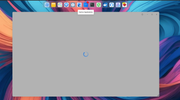
However, once on the desktop, several things aren't working:
Storage Manager
App Center
File Manager
What should I do?


Re: [Help] MAJ TOS6 => TOS7 Application not working
Posted: 20 Jul 2026, 02:38
by Metrogeek
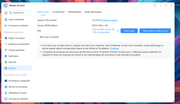
I remember having to update those apps in the app center right after TOS 7 update ... In your image, i can see 2 pending updates in app center... If you can't access app center, try to close your tos tab and re-open it... That works for me...
Re: [Help] MAJ TOS6 => TOS7 Application not working
Posted: 20 Jul 2026, 05:15
by Sebidou
Not working
Re: [Help] MAJ TOS6 => TOS7 Application not working
Posted: 20 Jul 2026, 09:12
by TMzethar
Just to confirm — were you on TOS 6.0.794 before upgrading to TOS 7?
If you can get into the control panel, take a look at the CPU, memory, and disk load.
Also, please try updating to the newest TOS 7 release and let us know how it goes.
viewtopic.php?t=10310
Re: [Help] MAJ TOS6 => TOS7 Application not working
Posted: 21 Jul 2026, 02:26
by Sebidou
Hello
Yes, I am on the correct version before switching to TOS7
Even updating Always the same problems
Nothing works
Re: [Help] MAJ TOS6 => TOS7 Application not working
Posted: 21 Jul 2026, 10:09
by TMzethar
We do not exclude the possibility that factors other than high system load may be influencing the behavior. We kindly request that you navigate to Support and Help > Report Issues, generate a system report, and forward it as an attachment to our technical support address for further analysis. Please be sure to include both the URL of this forum thread and your forum name in your correspondence.