

The evolution of NAS software determines how far a network storage device can go. TOS 7.0 was developed over 300 days, involving hundreds of engineers, delivering over 50 brand-new features and more than 1,000 detailed optimizations.
At its foundation, TOS 7.0 is built on the Linux 6.12 kernel, delivering significant improvements in system scheduling and real-time responsiveness compared to its predecessor. TOS 7.0's core philosophy is to deeply integrate AI with six fundamental capabilities: storage, networking, media, security, deployment, and backup. It's no longer a simple file repository but an intelligent assistant that understands user needs and proactively offers help.
I. Core Features Explained: A Comprehensive Evolution from "Functional" to "Exceptional"
1. Global Search: Find What You Need 10x Faster
File management is the most fundamental and critical function of NAS storage. TOS 7.0 introduces a new Global Search feature, built on a self-developed high-performance inverted index, combined with kernel-level real-time file awareness and asynchronous I/O cache acceleration. Compared to the previous generation, indexing and search accuracy have improved by 120%, while query speed has increased by 10 times.
2. File Management: Professional-Grade Control at Your Fingertips
TOS 7.0 has completely reimagined file management:
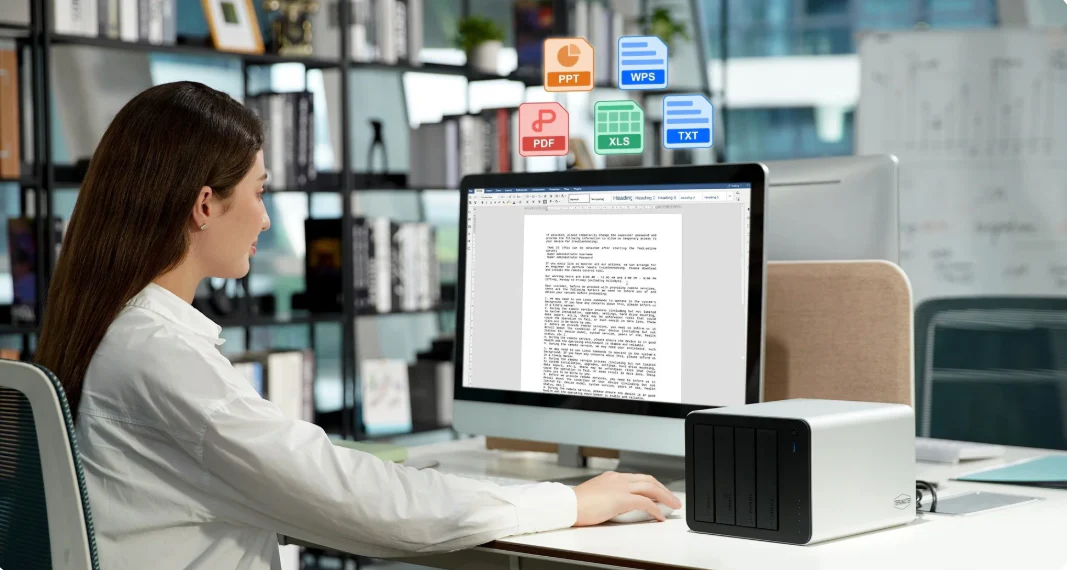
• Graphical Interface & Smart Icon System: Files and folders automatically display dedicated icons based on type for at-a-glance identification.
• Online Office Collaboration: Supports 15+ Office and common document formats for online editing, plus 60+ common file formats for direct preview. Multiple users can edit the same document with real-time synchronization of edits and comments.
• Professional Text Editor Upgrade: Supports direct editing of 20+ common text document formats, with intelligent syntax highlighting, automatic encoding detection, multi-cursor editing, and other professional features.
• Unified Recycle Bin: Deleted files from all storage volumes and folders are automatically aggregated into a single recycle bin for one-click management.
• ISO Direct Mount & Remote Mount: Double-click to mount ISO files; supports SMB/NFS/WebDAV and other protocols for one-click mounting, as well as direct connections to Aliyun Drive, 115, S3 object storage, and other cloud drives.
3. Storage Management: Smart Wizard, No More Confusion
TOS 7.0's Storage Management Smart Wizard completely solves this:
• Available Disk Smart Guidance: When a new disk is inserted, the system automatically detects it and provides clear guidance.
• Exception Smart Guidance: When encountering disk locks, storage pool degradation, or damage, TOS 7.0 provides clear cause explanations and actionable step-by-step instructions.
• Pre-operation Checklist: Before executing complex operations like RAID expansion or migration, the system proactively lists all prerequisites, converting complex professional processes into a clear to-do list.
Additionally, disk health assessment has evolved from a single S.M.A.R.T. metric to a comprehensive evaluation that considers throughput, bandwidth, I/O access history, and other indicators.
4. Application Center & Docker: Richer Ecosystem, Simpler Deployment
TOS 7.0 features a redesigned Application Center with eight new categories and sorting functions, achieving 60% faster page loading and 40% fewer core operation steps. For Docker application support, a vast library of community applications is continuously updated, enabling one-click deployment with container isolation. Additionally, the virtual machine management application built on the KVM kernel supports a wide range of guest operating systems.
5. TNAS.online: Secure Access Anytime, Anywhere
Powered by a global multi-node distributed network, the new TNAS.online delivers more stable and faster data transmission.

II. OpenClaw: When NAS Meets the AI Agent
TOS 7.0's most notable innovation is undoubtedly its built-in OpenClaw—a Local AI Agent.
OpenClaw is an open-source, local-first autonomous AI agent framework. Its core value lies in transforming AI from a passive "chat tool" into an active "digital employee" that can connect to various platforms and execute tasks.
In TOS 7.0, the integration of OpenClaw means:

• Natural Language Interaction: Users can directly invoke system functions through conversation, using natural language to complete storage management, system configuration, service deployment, and other complex operations.
• Fine-Grained Multi-Model Control: Users can choose default models or cancel at any time; each model can independently configure parameters such as context length.
• End-to-End Privacy Protection: Sensitive data is encrypted during request transmission and local storage, complemented by security policies that prevent writes to the root directory.
• Secure Rollback: Supports consistent version rollback across frontend and backend, preserving user-defined working directory space intact.
III. Who Is TOS 7.0 For?
TOS 7.0's positioning is clear and precise:
• Home Users: Automated AI photo classification and global search make managing family photos and videos easier than ever.
• Creative Professionals & SMBs: AI automatically categorizes creative assets and generates tag indexes, allowing you to retrieve resources through natural language queries.
• Developers & Tech Enthusiasts: Full Docker and virtual machine support, combined with the open ecosystem of the Linux 6.12 kernel, provides a powerful platform for self-hosting and development testing.
IV. Conclusion: A Bold and Correct Leap Forward
TOS 7.0 represents a bold move for TerraMaster. It elevates NAS from a "passive data warehouse" to a "proactive intelligent assistant," redefining how individuals and small-to-medium businesses manage their data through its AI-native architecture and the integration of the OpenClaw agent.
TerraMaster TOS system is redefining the future of NAS operating systems with AI.
Experience TOS 7.0 Online Now!