Page 1 of 1
[Help] Admin lock out
Posted: 30 May 2026, 00:50
by TwiztidChaos
Hi peeps. I'm trying to restart my server from scratch, however Jellyfin keeps reverting to the previous passwords that I honestly don't remember. I have tried to uninstall and reinstall the common way, I've even went looking through the files to see if there's anything that I can yeet to help reset the server to start over. So far nothing. I'm currently running TOS 5.1 with Jellyfin 10.10.5.0. I would update but the download limit on the community page has me tapped for the moment.
I don't know enough about TOS to really know where to wipe the app off the server without reinstalling the OS all together. I'm hoping someone might have an idea where this might sit for me to start over. I tried with Jellyfin's forum's but they have no idea and suggested I tried with Terramaster forums.
Any thoughts on this would be appreciated.
Re: [Help] Admin lock out
Posted: 30 May 2026, 11:52
by EriChan
The community version of Jellyfin stores its configuration and database in the home directory of the superuser account located at /home/yoursuperuser/MOD_CONFIG/Jellyfin. You may try deleting all relevant application data under this path before reinstalling Jellyfin.
Jellyfin is now available in the official app center for TOS 6 and later versions. It is recommended that you upgrade your system first before installing the official version, so that you can obtain official support from TerraMaster.
Re: [Help] Admin lock out
Posted: 31 May 2026, 04:42
by TwiztidChaos
EriChan wrote: ↑30 May 2026, 11:52
The community version of Jellyfin stores its configuration and database in the home directory of the superuser account located at /home/yoursuperuser/MOD_CONFIG/Jellyfin. You may try deleting all relevant application data under this path before reinstalling Jellyfin.
Jellyfin is now available in the official app center for TOS 6 and later versions. It is recommended that you upgrade your system first before installing the official version, so that you can obtain official support from TerraMaster.
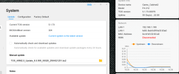
I've tried on several occasions to update to TOS 6 but the OS won't recognize that there's a new version available and when I try the manual install, it loads to 95% and kicks out with nothing actually updating. The system says it's connected to the LAN but WAN is disconnected and I haven't been able to figure out why it's doing that even though it's able in install. I have followed the instructions on the thread
viewtopic.php?t=7888
Re: [Help] Admin lock out
Posted: 31 May 2026, 09:26
by EriChan
Please follow these steps to troubleshoot the issue you encountered:
- Navigate to TOS > Control Panel > System Information > Overview, and check if the available space of the system partition listed under "/" is greater than 3 GB.
- Ensure that your main volume (usually volume1) has at least 3 GB of available space.
- If you have configured any SSD Cache, perform the update with SSD Cache disabled.
Re: [Help] Admin lock out
Posted: 31 May 2026, 16:17
by Gremlin
TwiztidChaos wrote: ↑31 May 2026, 04:42
I've tried on several occasions to update to TOS 6
You do realise that TOS6 BETA for ARM devices is now a dead end?
There is available the new TOS7 Beta for ARM devices =>
viewtopic.php?t=9948&hilit=TOS+7+Arm
I don't know if your model qualifies. (I believe there are 2 versions with different on-board RAM capacities. if that is significant.)
With regard to the "lack of" available releases for automatic update this is quite deliberate. TOS5.1.73 is the last official release for your model.
Anything beyond that is BETA and only available for manual download via the Beta update channel(s) on the forum. When TOS7 (Arm) is officially released (presuming it passes out of Beta testing) a version should be available through the auto-update channels for the applicable models.
I would suggest you check out the TOS7 BETA threads to see how it working for other users before committing. (I don't use Arm devices, so don't follow those and cannot comment.)
Re: [Help] Admin lock out
Posted: 31 May 2026, 21:03
by TwiztidChaos
EriChan wrote: ↑31 May 2026, 09:26
Please follow these steps to troubleshoot the issue you encountered:
- Navigate to TOS > Control Panel > System Information > Overview, and check if the available space of the system partition listed under "/" is greater than 3 GB.
- Ensure that your main volume (usually volume1) has at least 3 GB of available space.
- If you have configured any SSD Cache, perform the update with SSD Cache disabled.
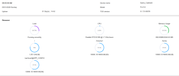
I checked what you suggested and it seems that the partition drive is only set to 1.8 GB. I've dove in a bit to see if there's a way to expand it but I'm not seeing viable option to do so. It seems that this isn't even an option from factory reboot?
viewtopic.php?t=4655&hilit=increasing+p ... e&start=70 Unless I'm missing something, I'm open to suggestions on how to expand this?
Re: [Help] Admin lock out
Posted: 01 Jun 2026, 02:41
by EriChan
Based on your feedback, your TNAS hard drive initial system should be TOS 4, so your system partition capacity is less than 3GB and cannot be expanded.
Since TOS 6/7 beta systems require more space, we recommend that you back up your data first, format all the hard drives on the machine, then reinstall the system using method B in the
system reinstallation guide before upgrading to TOS 6/7.