

Target Users:
Users currently running TOS 7.0.0299 or later versions.
Note:
If your TOS version is TOS 6, please refer to the TOS 7 beta update instructions first.
Here, we sincerely thank users @EgorA, @storageninja, @rfbjr, @weerasak, @samw5, @greg888, @crisisacting, @snapsh0t, @Joesh, @Gremlin, @DCCentR, @Marshal, @Nitrokalel, @xzil3d, @bartmans99, @User009, @facemir, @kai, @Zymphad, @OttO1916, @Gravitator, @EriChan, @usersky, @Blendik, @luismartin, @mmalchuk, @JSCFORCE, @andreyzhukov, @Frynes and others, for their sharing and feedback. It is your support that has enabled us to quickly identify and resolve some issues.
Update Notes
Bugs fixed:
1. Fixed an issue where domain user groups could not set permissions properly.
2. Fixed an issue where application status was not synchronized between App Center and Backup Center.
3. Fixed an issue where an error might occur when securely erasing a disk.
4. Fixed an issue where VPN configuration could not be used properly after restoring system configuration.
5. Fixed an issue where a formatted USB device might not be mounted properly.
6. Fixed an issue where some icons displayed abnormally in dark mode.
7. Optimized the loading performance of thumbnails.
8. Optimized the performance of File Manager when loading large amounts of data.
9. Optimized the stability of TNAS.online remote access.
Important Information:
1. After the system update, please also update USB Copy, VirtualBox, TNAS PC, and TNAS mobile to ensure these applications and TNAS.online function properly.
2. Updating the system theoretically will not affect the data on your hard drives, but for safety, please make sure to back up your data in advance.
3. Before updating, ensure that your primary volume (usually volume1) has at least 3GB of available space. Insufficient storage space may cause the update to fail.
4. After the update, the IP address of your TNAS may change. Please use the TNAS PC desktop client to search for and reconnect to the device.
Update Procedure:
1. Go to TOS > Control Panel > General Settings > System > Update, and click "Check for updates."
2. Follow the prompts to update the system.
3. After the system update is complete, you may need to refresh your browser.
4. The TNAS IP address may change after the update. If you cannot connect to your TNAS using the previous IP address, use the TNAS PC client to search for the new IP address.
Client Downloads:
1. Download TNAS PC 5.2.540 for Windows OS.
- MD5: AFB7CD77DE2A4F0434D69D52D15959AF
2. Download TNAS PC 5.2.540 for macOS (x86 architecture).
- MD5: 715FEB00FDB06DF4CC9A228622566F70
3. Download TNAS PC 5.2.540 for macOS (ARM architecture).
- MD5: A6954F192DD23AF7374CF2AF20190B6C
4. Download TNAS PC 5.2.540 for Linux.
- MD5: A5B13A2C2C9B0F9FFFCBDF6F3BA9E342
5. Download TNAS Mobile 3.5.064 for Android.
6. For iOS, experience TNAS Mobile 3.X via: https://testflight.apple.com/join/wFWYABJS.
TOS 7.0.0559 Beta (X86) is Released for Update
TOS 7.0.0559 Beta (X86) is Released for Update
To contact our team, please send email to following addresses, remember to replace (at) with @
Technical team: support(at)terra-master.com (for technical support)
Service team: service(at)terra-master.com (for purchasing, return, replacement)
Technical team: support(at)terra-master.com (for technical support)
Service team: service(at)terra-master.com (for purchasing, return, replacement)
-
nedhedrick

- Posts: 15
- Joined: 25 Dec 2021, 04:15

Re: TOS 7.0.0559 Beta (X86) is Released for Update
F5-221 updated. Update worked fine, but after restart, many system monitoring numbers (Load, CPU, Memory, Network, etc.) were zero. The issue resolved itself after 10-15 minutes without any user action.

Re: TOS 7.0.0559 Beta (X86) is Released for Update
After the F5-221 firmware upgrade and reboot, system monitoring metrics will temporarily drop to zero and automatically recover after 10-15 minutes. This is a normal initialization phenomenon.nedhedrick wrote: ↑28 Apr 2026, 19:12 F5-221 updated. Update worked fine, but after restart, many system monitoring numbers (Load, CPU, Memory, Network, etc.) were zero. The issue resolved itself after 10-15 minutes without any user action.
After the upgrade, the system needs to prioritize loading core services such as storage and network. The monitoring and data acquisition services and hardware status cache are simultaneously rebuilt in the background. During this process, monitoring data will temporarily display as 0, which does not affect the normal operation of the device or data security. It will automatically recover after the cache is rebuilt.
To contact our team, please send email to following addresses, remember to replace (at) with @:
Support team: support(at)terra-master.com (for technical support only)
Support team: support(at)terra-master.com (for technical support only)

Re: TOS 7.0.0559 Beta (X86) is Released for Update
My version of USBCopy is 2.1.170, is that the latest version? Maybe future posts could include what the version of x app should be?
F6-424 & F4-425 Plus at 7.0.1341
F4-424 Pro (x2) at 7.0.1341
D4-320 (Offline until I can afford more HDDs)
F4-424 Pro (x2) at 7.0.1341
D4-320 (Offline until I can afford more HDDs)
Re: TOS 7.0.0559 Beta (X86) is Released for Update
First thing I noticed was all three of my devices were logged out. I was away for a few hours, but all three were logged on. All three do not have the logoff after x minutes turned on. No biggie, I just logged back on.

F6-424 & F4-425 Plus at 7.0.1341
F4-424 Pro (x2) at 7.0.1341
D4-320 (Offline until I can afford more HDDs)
F4-424 Pro (x2) at 7.0.1341
D4-320 (Offline until I can afford more HDDs)
Re: TOS 7.0.0559 Beta (X86) is Released for Update
First issue, on my F4-424 Pro, when I launch File Manager this error appears. I did reboot once and tried launching the app from task bar, desktop and the installed apps screen. This only happens on the F4 Pro, the F4-425 Plus and the F6-424 do not have this issue and file manager launches w/o issue.

F6-424 & F4-425 Plus at 7.0.1341
F4-424 Pro (x2) at 7.0.1341
D4-320 (Offline until I can afford more HDDs)
F4-424 Pro (x2) at 7.0.1341
D4-320 (Offline until I can afford more HDDs)
Re: TOS 7.0.0559 Beta (X86) is Released for Update
Molly@Forge:/# systemctl status filemanage.service
× filemanage.service - File Manage
Loaded: loaded (/lib/systemd/system/filemanage.service; enabled; vendor preset: enabled)
Active: failed (Result: exit-code) since Tue 2026-04-28 09:36:20 EDT; 1h 34min ago
Process: 4801 ExecStart=/usr/sbin/filemanager (code=exited, status=1/FAILURE)
Main PID: 4801 (code=exited, status=1/FAILURE)
CPU: 90ms
Apr 28 09:36:20 Forge systemd[1]: filemanage.service: Scheduled restart job, restart counter is at 6.
Apr 28 09:36:20 Forge systemd[1]: Stopped File Manage.
Apr 28 09:36:20 Forge systemd[1]: filemanage.service: Start request repeated too quickly.
Apr 28 09:36:20 Forge systemd[1]: filemanage.service: Failed with result 'exit-code'.
Apr 28 09:36:20 Forge systemd[1]: Failed to start File Manage.
Molly@Forge:/# systemctl start filemanage.service
Molly@Forge:/# systemctl status filemanage.service
● filemanage.service - File Manage
Loaded: loaded (/lib/systemd/system/filemanage.service; enabled; vendor preset: enabled)
Active: activating (auto-restart) (Result: exit-code) since Tue 2026-04-28 11:11:24 EDT; 15ms ago
Process: 56713 ExecStart=/usr/sbin/filemanager (code=exited, status=1/FAILURE)
Main PID: 56713 (code=exited, status=1/FAILURE)
CPU: 73ms
Molly@Forge:/# systemctl status filemanage.service
× filemanage.service - File Manage
Loaded: loaded (/lib/systemd/system/filemanage.service; enabled; vendor preset: enabled)
Active: failed (Result: exit-code) since Tue 2026-04-28 11:11:25 EDT; 20s ago
Process: 56713 ExecStart=/usr/sbin/filemanager (code=exited, status=1/FAILURE)
Main PID: 56713 (code=exited, status=1/FAILURE)
CPU: 73ms
Apr 28 11:11:25 Forge systemd[1]: filemanage.service: Scheduled restart job, restart counter is at 5.
Apr 28 11:11:25 Forge systemd[1]: Stopped File Manage.
Apr 28 11:11:25 Forge systemd[1]: filemanage.service: Start request repeated too quickly.
Apr 28 11:11:25 Forge systemd[1]: filemanage.service: Failed with result 'exit-code'.
Apr 28 11:11:25 Forge systemd[1]: Failed to start File Manage.
RutRoe
× filemanage.service - File Manage
Loaded: loaded (/lib/systemd/system/filemanage.service; enabled; vendor preset: enabled)
Active: failed (Result: exit-code) since Tue 2026-04-28 09:36:20 EDT; 1h 34min ago
Process: 4801 ExecStart=/usr/sbin/filemanager (code=exited, status=1/FAILURE)
Main PID: 4801 (code=exited, status=1/FAILURE)
CPU: 90ms
Apr 28 09:36:20 Forge systemd[1]: filemanage.service: Scheduled restart job, restart counter is at 6.
Apr 28 09:36:20 Forge systemd[1]: Stopped File Manage.
Apr 28 09:36:20 Forge systemd[1]: filemanage.service: Start request repeated too quickly.
Apr 28 09:36:20 Forge systemd[1]: filemanage.service: Failed with result 'exit-code'.
Apr 28 09:36:20 Forge systemd[1]: Failed to start File Manage.
Molly@Forge:/# systemctl start filemanage.service
Molly@Forge:/# systemctl status filemanage.service
● filemanage.service - File Manage
Loaded: loaded (/lib/systemd/system/filemanage.service; enabled; vendor preset: enabled)
Active: activating (auto-restart) (Result: exit-code) since Tue 2026-04-28 11:11:24 EDT; 15ms ago
Process: 56713 ExecStart=/usr/sbin/filemanager (code=exited, status=1/FAILURE)
Main PID: 56713 (code=exited, status=1/FAILURE)
CPU: 73ms
Molly@Forge:/# systemctl status filemanage.service
× filemanage.service - File Manage
Loaded: loaded (/lib/systemd/system/filemanage.service; enabled; vendor preset: enabled)
Active: failed (Result: exit-code) since Tue 2026-04-28 11:11:25 EDT; 20s ago
Process: 56713 ExecStart=/usr/sbin/filemanager (code=exited, status=1/FAILURE)
Main PID: 56713 (code=exited, status=1/FAILURE)
CPU: 73ms
Apr 28 11:11:25 Forge systemd[1]: filemanage.service: Scheduled restart job, restart counter is at 5.
Apr 28 11:11:25 Forge systemd[1]: Stopped File Manage.
Apr 28 11:11:25 Forge systemd[1]: filemanage.service: Start request repeated too quickly.
Apr 28 11:11:25 Forge systemd[1]: filemanage.service: Failed with result 'exit-code'.
Apr 28 11:11:25 Forge systemd[1]: Failed to start File Manage.
RutRoe
F6-424 & F4-425 Plus at 7.0.1341
F4-424 Pro (x2) at 7.0.1341
D4-320 (Offline until I can afford more HDDs)
F4-424 Pro (x2) at 7.0.1341
D4-320 (Offline until I can afford more HDDs)


Re: TOS 7.0.0559 Beta (X86) is Released for Update
Both my f2-221 and f5-221 succesfully migrated for 7.0.0517 to 7.0.0599.
No issues at all - good job !!
No issues at all - good job !!
F5-221 - TOS7.0.1341 - 5x4TB TRAID - 1x4TB Single USB - 2x4TB HwRAID1 USB
F2-221 - TOS7.0.1341 - 2x3TB JBOD - 1x4TB Single USB
F2-221 - TOS7.0.1341 - 2x3TB JBOD - 1x4TB Single USB
Re: TOS 7.0.0559 Beta (X86) is Released for Update
Another reboot caused the webgui not to come up.
Root file system did fill up (/) turns out under the postgresql was a dup of a module
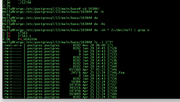
I deleted the 17563.1 module, the root vol is back to 88%
Bottom line filemanager.service still will not start.
My system disk is on M.2 SSD so if I really have to, I can re-install
Oh yeah, the other storage pool for the HDD's is resyncing. Figures....
I'm going to let the resync finish, so I'll stop trying to fix or at least see what's wrong.
===
If I need to rebuild: power off, pop out the HDs, then what, bring up system and select factory reset?
Root file system did fill up (/) turns out under the postgresql was a dup of a module
I deleted the 17563.1 module, the root vol is back to 88%
Bottom line filemanager.service still will not start.
My system disk is on M.2 SSD so if I really have to, I can re-install
Oh yeah, the other storage pool for the HDD's is resyncing. Figures....
I'm going to let the resync finish, so I'll stop trying to fix or at least see what's wrong.
===
If I need to rebuild: power off, pop out the HDs, then what, bring up system and select factory reset?
F6-424 & F4-425 Plus at 7.0.1341
F4-424 Pro (x2) at 7.0.1341
D4-320 (Offline until I can afford more HDDs)
F4-424 Pro (x2) at 7.0.1341
D4-320 (Offline until I can afford more HDDs)

Re: TOS 7.0.0559 Beta (X86) is Released for Update
We will pay attention to and attempt to reproduce the situation you mentioned
To contact our team, please send email to following addresses, remember to replace (at) with @:
Technical team: support(at)terra-master.com (for technical support)
Service team: service(at)terra-master.com (for purchasing, return, replacement, RMA service)
Technical team: support(at)terra-master.com (for technical support)
Service team: service(at)terra-master.com (for purchasing, return, replacement, RMA service)