

The same local directory and remote directory can only be used for one task. Is the remote directory you selected at the same level as the remote directory of the previous task, or is it a subfolder? Could you show your directory structure? You can also see more specific error messages in the cloud sync logs.
TOS 7.0.0517 Beta (X86) is Released for Update
Re: TOS 7.0.0517 Beta (X86) is Released for Update
To contact our team, please send email to following addresses, remember to replace (at) with @
Technical team: support(at)terra-master.com(for technical support)
Service team: service(at)terra-master.com(for purchasing, return, replacement, RMA service)
Technical team: support(at)terra-master.com(for technical support)
Service team: service(at)terra-master.com(for purchasing, return, replacement, RMA service)


Re: TOS 7.0.0517 Beta (X86) is Released for Update
Local directory is different than on the other task. Remote directory is a subfolder of the folder for the other task. That was the issue! Thanks for the help. Maybe the message should be clearer.CursaYang wrote: ↑24 Apr 2026, 15:11The same local directory and remote directory can only be used for one task. Is the remote directory you selected at the same level as the remote directory of the previous task, or is it a subfolder? Could you show your directory structure? You can also see more specific error messages in the cloud sync logs.


Re: TOS 7.0.0517 Beta (X86) is Released for Update
F5-221 updated from 7.0.0500 to 7.0.0517 without any issues
F5-221 | 7.0.0517 | 10GB RAM | 4x4.00TB Seagate IronWolf TRAID/BTRFS
F4-423 | 6.0.794-01324 | 32GB RAM | 2x512GB NVME System | 4x8.00TB Seagate IronWolf TRAID/BTRFS
F4-423 | 6.0.794-01324 | 32GB RAM | 2x512GB NVME System | 4x8.00TB Seagate IronWolf TRAID/BTRFS


Re: TOS 7.0.0517 Beta (X86) is Released for Update
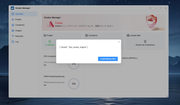
Docker Engine seems to disable itself at random times and it has to be manually reactivated in App Center
F4-425 PLUS on TOS 7.0.0517 Beta (X86)

Re: TOS 7.0.0517 Beta (X86) is Released for Update
To accurately diagnose and resolve this issue, I need you to first provide the following key information:
- What is the version number of the Docker application? (You can check it in the application center)
- When did this problem approximately start occurring? Have you recently carried out system updates or installed any new containers?
- Were there any abnormalities in the CPU and memory usage graphs right before and after Docker stopped automatically? (Go to Control Panel > System Information > Device Monitoring > Settings to enable continuous monitoring of system resources for the corresponding metrics)
To contact our team, please send email to following addresses, remember to replace (at) with @
Technical team: support(at)terra-master.com(for technical support)
Service team: service(at)terra-master.com(for purchasing, return, replacement, RMA service)
Technical team: support(at)terra-master.com(for technical support)
Service team: service(at)terra-master.com(for purchasing, return, replacement, RMA service)
Re: TOS 7.0.0517 Beta (X86) is Released for Update
Thanks for your help! Docker Engine is version 27.2.1.003, Docker Manager 2.2.004. The latest changes were the 7.0.0517 Update, as well as adding a new storage pool, but I didn't change the storage pool Docker uses. CPU and memory were both fine. The only container currently is OctoPrint.EriChan wrote: ↑25 Apr 2026, 22:09To accurately diagnose and resolve this issue, I need you to first provide the following key information:
- What is the version number of the Docker application? (You can check it in the application center)
- When did this problem approximately start occurring? Have you recently carried out system updates or installed any new containers?
- Were there any abnormalities in the CPU and memory usage graphs right before and after Docker stopped automatically? (Go to Control Panel > System Information > Device Monitoring > Settings to enable continuous monitoring of system resources for the corresponding metrics)
F4-425 PLUS on TOS 7.0.0517 Beta (X86)


Re: TOS 7.0.0517 Beta (X86) is Released for Update
docker engine is stopping for me as well. I just installed https://github.com/epoupon/lms
F4-425 Plus with TOS 7 with 32GB RAM
2 X 2TB (SSD) RAID 1 / EXT4 (OS/APPS)
4 x 28TB RAID 10 / BTRFS (MEDIA)
1 X 2TB (SSD) Hyper Cache
2 X 2TB (SSD) RAID 1 / EXT4 (OS/APPS)
4 x 28TB RAID 10 / BTRFS (MEDIA)
1 X 2TB (SSD) Hyper Cache
Re: TOS 7.0.0517 Beta (X86) is Released for Update
To accurately locate and resolve the issue, please assist us with the following troubleshooting steps:
1. Provide configuration: Please share the docker-compose.yaml content of OctoPrint so that we can reproduce the environment.
2.Elimination test: Please stop the OctoPrint container in Docker Manager for 24 hours (keep the Docker Engine running).
- Result A: If Docker no longer shuts down automatically, the issue may be a conflict between the container's underlying hardware calls.
- Result B: If the problem persists, we will conduct an in-depth investigation into the underlying system causes using Docker logs.
To contact our team, please send email to following addresses, remember to replace (at) with @
Technical team: support(at)terra-master.com(for technical support)
Service team: service(at)terra-master.com(for purchasing, return, replacement, RMA service)
Technical team: support(at)terra-master.com(for technical support)
Service team: service(at)terra-master.com(for purchasing, return, replacement, RMA service)


Re: TOS 7.0.0517 Beta (X86) is Released for Update
Hello. I'm creating a new user, granting them full read/write permissions to the shared folder and to connect to SMB, but when I try to mount a remote directory, I get an access denied error (a user with this name can't connect). None of the created users can mount the remote directory except the superuser.
TOS 7.0.0517
NAS F2-223
TOS 7.0.0517
NAS F2-223


Re: TOS 7.0.0517 Beta (X86) is Released for Update
Is the new user part of the 'admin' group?
F5-221 TOS7.0.1278 - 4x4TB (Ironwolf) Traid
F2-424 TOS7.0.1278 - 2x500GB nvme (P3) Traid, 2x6TB HDD (HGST) Traid
F2-221 TOS7.0.1278 - 1x3TB Ext4, 1x4TB Btrfs
F2-425+ TOS7.0.1278 - 2x500GB nvme (P3) Traid, 2x6TB HDD (EXOS) Traid
F2-424 TOS7.0.1278 - 2x500GB nvme (P3) Traid, 2x6TB HDD (HGST) Traid
F2-221 TOS7.0.1278 - 1x3TB Ext4, 1x4TB Btrfs
F2-425+ TOS7.0.1278 - 2x500GB nvme (P3) Traid, 2x6TB HDD (EXOS) Traid