

It was my initial thinking as well. I tried both and then I tried from a golden build Win10 and Win11 workstation. Neither worked. Before even getting to this point I made sure to remove all potential cached credentials. I'm not offended by any suggestions, I am genuinely looking for answers to why this happened.sianderson wrote: ↑19 Feb 2025, 17:16this might be a silly comment so please feel free to disregard, but how are you trying to access the NAS drive from a windows computer via the name or IP?
reason for asking is i have found that windows sometimes prevents access to the name if it thinks it is a different machine, now since i have read that you ugpraded from 4 to 5 and you have deleted and reset users permissions, it is entirely plausible that the windows machines are saying hang on this is a different nas drive with a different set of credentials so it denies you access, i have found sometimes when this happens if you switch to navigate to the IP address it will then accept it, also if you ignore any shares you have set up and just try to go to the NAS drive with the IP to see the list of Shares, does this work?
the other thing to see what happens on is, put a single blank hard drive in the NAS unit and see if it will set it up as a brand new setup and can you prove you can access it from a windows computer, as in one of your comments you say the unit shut down abnormally, well that could have corrupted the system
certainly not trying to sling any mud but the issue could be related to your windows computers denying you access, rather than the NAS drive, but equally it could be the upgrade paths that have not gone smoothly, so sometimes you just have to accept to wipe and start again and reset it up
but before you spend hours transfering data back across prove that it works from the most basic of situations, even if its just a hard drive you have lying around where you have no intention of actually using in real life
Failed to access the SMB file service (network drive) on Windows?
Re: Windows users cannot use SMB file service to access?
Re: Windows users cannot use SMB file service to access?
I will give this a shot but I'm leaving for vacation tomorrow morning and I do not wish to make any changes prior to leaving. I will start the process early next week when I return.TMzethar wrote: ↑19 Feb 2025, 19:42For the time being, we have not found any obvious problems related to this from the system report you provided.
However, we note that you are using TOS 5.1.67 and your HDD is still in the old TOS4 storage structure. These HDDs are barely able to use TOS 5.1.67, and may cause various blockages and anomalies due to the small size of the system partition. And from the system report you provided, you are running a lot of applications and services.
It is recommended that you reinstall to TOS 5.0.176, which is very compatible with the old HDD storage structure.
viewtopic.php?t=423
https://download2.terra-master.com/TOS_ ... 111430.ins
If it prompts "Format","Create","Delete"disk/storage/raid, please stop the operation immediately and Please prepare other devices or new hard drives to backup data. If you need help exporting data, please contact our support mailbox for remote troubleshooting.
I will most likely also need a working session with your support staff to delete the data on a few LUN's that ran a test ESXi environment that I can no longer access (I do not care about the data) but it appears to be utilizing storage space and I'm not sure how to access to delete and recover the raw storage space. What is the process for doing so?

Re: Windows users cannot use SMB file service to access?
To schedule a remote inspection, please visit the official website and contact the online customer service for booking. If there are any unwanted LUNs, you can delete them directly, and the system will automatically reclaim and release the space.Jutu wrote: ↑19 Feb 2025, 22:09I will give this a shot but I'm leaving for vacation tomorrow morning and I do not wish to make any changes prior to leaving. I will start the process early next week when I return.TMzethar wrote: ↑19 Feb 2025, 19:42For the time being, we have not found any obvious problems related to this from the system report you provided.
However, we note that you are using TOS 5.1.67 and your HDD is still in the old TOS4 storage structure. These HDDs are barely able to use TOS 5.1.67, and may cause various blockages and anomalies due to the small size of the system partition. And from the system report you provided, you are running a lot of applications and services.
It is recommended that you reinstall to TOS 5.0.176, which is very compatible with the old HDD storage structure.
viewtopic.php?t=423
https://download2.terra-master.com/TOS_ ... 111430.ins
If it prompts "Format","Create","Delete"disk/storage/raid, please stop the operation immediately and Please prepare other devices or new hard drives to backup data. If you need help exporting data, please contact our support mailbox for remote troubleshooting.
I will most likely also need a working session with your support staff to delete the data on a few LUN's that ran a test ESXi environment that I can no longer access (I do not care about the data) but it appears to be utilizing storage space and I'm not sure how to access to delete and recover the raw storage space. What is the process for doing so?
Are you encountering any problems? If it's convenient, could you elaborate on the situation in detail?
To contact our team, please send email to following addresses, remember to replace (at) with @
Technical team: support(at)terra-master.com (for technical support)
Service team: service(at)terra-master.com (for purchasing, return, replacement, RMA service)
Technical team: support(at)terra-master.com (for technical support)
Service team: service(at)terra-master.com (for purchasing, return, replacement, RMA service)
Re: Windows users cannot use SMB file service to access?
The issue is that the LUN's disappeared after the upgrade but it seems the actual files (VMDK files) are now orphaned and I have no way of seeing them to delete - via the GUI. Not sure if that makes sense but I'm sure it can be addressed in that session.


Re: Windows users cannot use SMB file service to access?
I'll offer this up as well. Recently updated to Windows 11 on a new (re-build) just for background. Acquired a second hand F2-221 as a replacement so it would take the extra memory alreadyt to hand. Have had a few problems with 'lost' IP addresses on auto start-up. Also acquired some 2.6Gbe switches with static + LAPC link aggregation to play with. Running Tos6.0.610
Because of the IP address issues, I decided to move from DHCP allocation to fixed IP - just for the purpose of testing transfer speeds with various setups. Would you believe it .... File explorer cannot access this particular NAS. Nothing would make it work. Browser access was not an issue.Tried all sorts of "fixes". Even more galling is that the NAS showed up in File explorer by name, just could not make a connection.
OK, so I left the 2 lan ports set as Fixed IP but changed the Bond I was running (one thing at a time
 ) to DHCP from fixed. Immediately was able to make a connection and transfer data.
F5-221 TOS7.0.1278 - 4x4TB (Ironwolf) Traid
F2-424 TOS7.0.1278 - 2x500GB nvme (P3) Traid, 2x6TB HDD (HGST) Traid
F2-221 TOS7.0.1278 - 1x3TB Ext4, 1x4TB Btrfs
F2-425+ TOS7.0.1278 - 2x500GB nvme (P3) Traid, 2x6TB HDD (EXOS) Traid
F2-424 TOS7.0.1278 - 2x500GB nvme (P3) Traid, 2x6TB HDD (HGST) Traid
F2-221 TOS7.0.1278 - 1x3TB Ext4, 1x4TB Btrfs
F2-425+ TOS7.0.1278 - 2x500GB nvme (P3) Traid, 2x6TB HDD (EXOS) Traid

Re: Windows users cannot use SMB file service to access?
Is it possible that there is an Ip conflict that is allowing your router to detect another NIC with the same IP?Gremlin wrote: ↑20 Feb 2025, 06:26 I'll offer this up as well. Recently updated to Windows 11 on a new (re-build) just for background. Acquired a second hand F2-221 as a replacement so it would take the extra memory alreadyt to hand. Have had a few problems with 'lost' IP addresses on auto start-up. Also acquired some 2.6Gbe switches with static + LAPC link aggregation to play with. Running Tos6.0.610
Because of the IP address issues, I decided to move from DHCP allocation to fixed IP - just for the purpose of testing transfer speeds with various setups. Would you believe it .... File explorer cannot access this particular NAS. Nothing would make it work. Browser access was not an issue.Tried all sorts of "fixes". Even more galling is that the NAS showed up in File explorer by name, just could not make a connection.
OK, so I left the 2 lan ports set as Fixed IP but changed the Bond I was running (one thing at a time
Or is it possible that your used NAS NIC has been replaced?
viewtopic.php?p=43634#p43634
You can try to check if the information of each NAS NIC is consistent:
Code: Select all
lspci | grep -i ethernet
To contact our team, please send email to following addresses, remember to replace (at) with @:
Technical team: support(at)terra-master.com (for technical support)
Service team: service(at)terra-master.com (for purchasing, return, replacement, RMA service)
Technical team: support(at)terra-master.com (for technical support)
Service team: service(at)terra-master.com (for purchasing, return, replacement, RMA service)
Re: Windows users cannot use SMB file service to access?
See my response here: viewtopic.php?p=43705#p43705
F5-221 TOS7.0.1278 - 4x4TB (Ironwolf) Traid
F2-424 TOS7.0.1278 - 2x500GB nvme (P3) Traid, 2x6TB HDD (HGST) Traid
F2-221 TOS7.0.1278 - 1x3TB Ext4, 1x4TB Btrfs
F2-425+ TOS7.0.1278 - 2x500GB nvme (P3) Traid, 2x6TB HDD (EXOS) Traid
F2-424 TOS7.0.1278 - 2x500GB nvme (P3) Traid, 2x6TB HDD (HGST) Traid
F2-221 TOS7.0.1278 - 1x3TB Ext4, 1x4TB Btrfs
F2-425+ TOS7.0.1278 - 2x500GB nvme (P3) Traid, 2x6TB HDD (EXOS) Traid


Re: Windows users cannot use SMB file service to access?
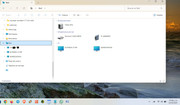
Hola a todos. Con Windows 11 profesional 23H2 podía ver en el explorador de archivos mis equipos en red y acceder a mi NAS. Se actualizó a la versión 24H2 y ya no se visualizan los equipos de mi red local. Puedo acceder a mi NAS terramaster usando su dirección IP, pero eso es fastidioso y no puedo trabajar bien.
Todas las sugerencias de picarle a la configuración de red, meterle mano al registro del sistema, habilitar SMB 1, no han funcionado. También hice el reinicio limpio, y configuré una cuenta nueva, y sigue igual. De hecho la gente de MS dice que windows 11 viene con más restricciones para uso en red, y tiene que ver algo con credenciales, LanMan y cosas así que impide que windows se comunique con NAS de terceros...
Por el hecho de acceder a través de la IP en el explorador de archivos, me indica, entonces, que sí hay interconectividad entre mi laptop y mi NAS, pero en el explorador de archivos el NAS no aparece como PC sino como elemento, o sea, no lo detecta pero sí se puede acceder mediante ip.
Mi programa de copia de seguridad apuntaba al nombre del NAS (por ejemplo, TNAS4FF), al ya no estar el nombre del NAS, tuve que modificar para que apuntara a la dirección IP.
¿Es problema del SMB? ¿Es incompatibilidad entre terramaster y windows 11-24h2?
Todas las sugerencias de picarle a la configuración de red, meterle mano al registro del sistema, habilitar SMB 1, no han funcionado. También hice el reinicio limpio, y configuré una cuenta nueva, y sigue igual. De hecho la gente de MS dice que windows 11 viene con más restricciones para uso en red, y tiene que ver algo con credenciales, LanMan y cosas así que impide que windows se comunique con NAS de terceros...
Por el hecho de acceder a través de la IP en el explorador de archivos, me indica, entonces, que sí hay interconectividad entre mi laptop y mi NAS, pero en el explorador de archivos el NAS no aparece como PC sino como elemento, o sea, no lo detecta pero sí se puede acceder mediante ip.
Mi programa de copia de seguridad apuntaba al nombre del NAS (por ejemplo, TNAS4FF), al ya no estar el nombre del NAS, tuve que modificar para que apuntara a la dirección IP.
¿Es problema del SMB? ¿Es incompatibilidad entre terramaster y windows 11-24h2?
Re: Windows users cannot use SMB file service to access?
Can other PCs or even mobile devices on the same local network receive SMB broadcasts?
Please provide the TNAS model and TOS version.
It might be that the relevant process/service is not functioning. You can try restarting the TNAS.
To contact our team, please send email to following addresses, remember to replace (at) with @:
Technical team: support(at)terra-master.com (for technical support)
Service team: service(at)terra-master.com (for purchasing, return, replacement, RMA service)
Technical team: support(at)terra-master.com (for technical support)
Service team: service(at)terra-master.com (for purchasing, return, replacement, RMA service)


Re: Windows users cannot use SMB file service to access?
This is very helpful , helped me solve my problem . Thank you !