Re: TOS 7.0.0392 Beta (X86) is Released for Update
Posted: 09 Mar 2026, 14:14
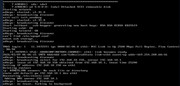
I tried method b, but it didn't work.MikeZhang wrote: ↑06 Mar 2026, 17:41From which version did you upgrade to 0299? What else did you do?
From your screenshots, it looks it boots into iniboot, you need to reinstall TOS as per our instruction below viewtopic.php?f=76&t=423
Method B:
1. Turn off your TNAS device;
2. Remove all HDD/SSD;
3. Turn on your TNAS;
4. Wait about 2 minutes, after the network light is on, use TNAS PC to search for your TNAS device;
5. Clear browser cache;
6. Select the device and click "Login" to the "Initialization" page;
7. When it says “No hard drives detected”, please keep the NAS powered on and insert your hard drives.
8. Follow the instructions on the web page to install the new TOS system.