
TOS6 has deprecated the media user group setting and replaced it with a more appropriate “application user” setting. Assuming you need to let plex read a certain shared folder, edit that shared folder to give application user permissions.benno wrote: ↑17 Nov 2024, 06:08 F424 Pro
Updated to TOS 6.0.530 without issue except for media user group not visible. I tried adding it and it says "The name already exists!"
I updated to 535 and media group is still not visible with the same error as above... what is the best way to restore or make the group visible?
Cheers!
TOS 6.0.535 (X86) is Released for Update
Re: TOS 6.0.535 (X86) is Released for Update
To contact our team, please send email to following addresses, remember to replace (at) with @:
Technical team: support(at)terra-master.com (for technical support)
Service team: service(at)terra-master.com (for purchasing, return, replacement, RMA service)
Technical team: support(at)terra-master.com (for technical support)
Service team: service(at)terra-master.com (for purchasing, return, replacement, RMA service)
Re: TOS 6.0.535 (X86) is Released for Update
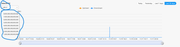
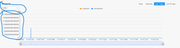
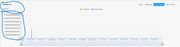
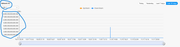
The issue has been resolved, please wait for subsequent TOS6 updates.fcs001fcs wrote: ↑16 Nov 2024, 22:01 2. The "Network I/O" chart in the "Resource Monitor" still has some strange/blank displays depending on the time-frame selected.
a. I have a F4-423 with both LAN Ports bonded with 802.3ad.
b. The "All" graph is blank for all time-frames.
b. The LAN 1 & 2 graph selections are blank for the "Yesterday" selection.
c. The "Last 7 days" & "Last 30 days" have 17 digits in the "MB/s" chart scale.
1. See attached screenshots for the display errors.
TM: Kindly put some attention to these errors and fix for the next TOS update version. Many thanks.
To contact our team, please send email to following addresses, remember to replace (at) with @:
Technical team: support(at)terra-master.com (for technical support)
Service team: service(at)terra-master.com (for purchasing, return, replacement, RMA service)
Technical team: support(at)terra-master.com (for technical support)
Service team: service(at)terra-master.com (for purchasing, return, replacement, RMA service)


Re: TOS 6.0.535 (X86) is Released for Update
An application user was not created during the upgrade. Do I need to create it manually or should it have been created?TMzethar wrote: ↑18 Nov 2024, 19:06TOS6 has deprecated the media user group setting and replaced it with a more appropriate “application user” setting. Assuming you need to let plex read a certain shared folder, edit that shared folder to give application user permissions.benno wrote: ↑17 Nov 2024, 06:08 F424 Pro
Updated to TOS 6.0.530 without issue except for media user group not visible. I tried adding it and it says "The name already exists!"
I updated to 535 and media group is still not visible with the same error as above... what is the best way to restore or make the group visible?
Cheers!
Re: TOS 6.0.535 (X86) is Released for Update
benno wrote: ↑18 Nov 2024, 19:20An application user was not created during the upgrade. Do I need to create it manually or should it have been created?TMzethar wrote: ↑18 Nov 2024, 19:06TOS6 has deprecated the media user group setting and replaced it with a more appropriate “application user” setting. Assuming you need to let plex read a certain shared folder, edit that shared folder to give application user permissions.benno wrote: ↑17 Nov 2024, 06:08 F424 Pro
Updated to TOS 6.0.530 without issue except for media user group not visible. I tried adding it and it says "The name already exists!"
I updated to 535 and media group is still not visible with the same error as above... what is the best way to restore or make the group visible?
Cheers!
Sorry I misread your response. Allocating the Plex application to the share was the first thing I did. It still didn't have access to the folders.
Re: TOS 6.0.535 (X86) is Released for Update
Oh.. found it... That is quite the change that should probably be documented somewhere!benno wrote: ↑18 Nov 2024, 19:21
Sorry I misread your response. Allocating the Plex application to the share was the first thing I did. It still didn't have access to the folders.
I might make a few screenshots and post it in another topic. Thankyou. Plex working.
Re: TOS 6.0.535 (X86) is Released for Update
We are keeping an eye on the issue you raised. It looks like you are skipping the built-in SATA slot to mount the HDD/SSD. will verify the issue you are having.MisterXY wrote: ↑17 Nov 2024, 15:27 If i mount an extern or intern hdd or ssd with ext4 format, than the NAS crash after 1 Minute and i must restart the NAS.
It doesn't matter whether I mount the HDD/SSD via the TOS interface or with a command.
"mount /dev/sdzb1 /Volume1/@disk/Externaldrive_sdzb1".
It doesn't matter which directory I mount it in, it just crashes and the NAS doesn't respond at all. I've already tested various ext4 HDDs and it's always the same.
Any other filesystem formats have that situation?
To contact our team, please send email to following addresses, remember to replace (at) with @:
Technical team: support(at)terra-master.com (for technical support)
Service team: service(at)terra-master.com (for purchasing, return, replacement, RMA service)
Technical team: support(at)terra-master.com (for technical support)
Service team: service(at)terra-master.com (for purchasing, return, replacement, RMA service)


Re: TOS 6.0.535 (X86) is Released for Update
OK, reset settings and it worked. Glitch

F5-221 TOS7.0.1278 - 4x4TB (Ironwolf) Traid
F2-424 TOS7.0.1278 - 2x500GB nvme (P3) Traid, 2x6TB HDD (HGST) Traid
F2-221 TOS7.0.1278 - 1x3TB Ext4, 1x4TB Btrfs
F2-425+ TOS7.0.1278 - 2x500GB nvme (P3) Traid, 2x6TB HDD (EXOS) Traid
F2-424 TOS7.0.1278 - 2x500GB nvme (P3) Traid, 2x6TB HDD (HGST) Traid
F2-221 TOS7.0.1278 - 1x3TB Ext4, 1x4TB Btrfs
F2-425+ TOS7.0.1278 - 2x500GB nvme (P3) Traid, 2x6TB HDD (EXOS) Traid


Re: TOS 6.0.535 (X86) is Released for Update
same for me, there were no any email notification since I updated f4-424 version from 5.1.145 to 6.0.535 via 6.0.530

Re: TOS 6.0.535 (X86) is Released for Update
For those with notification issues, set the 'custom' email to your own service provider's server and use TLS/SSL connection. {My service uses port 465}. Don't know why there should be issues with port 25 (local and custom in my case) for some and not others. Maybe it is just the source....... My service is US based.
F5-221 TOS7.0.1278 - 4x4TB (Ironwolf) Traid
F2-424 TOS7.0.1278 - 2x500GB nvme (P3) Traid, 2x6TB HDD (HGST) Traid
F2-221 TOS7.0.1278 - 1x3TB Ext4, 1x4TB Btrfs
F2-425+ TOS7.0.1278 - 2x500GB nvme (P3) Traid, 2x6TB HDD (EXOS) Traid
F2-424 TOS7.0.1278 - 2x500GB nvme (P3) Traid, 2x6TB HDD (HGST) Traid
F2-221 TOS7.0.1278 - 1x3TB Ext4, 1x4TB Btrfs
F2-425+ TOS7.0.1278 - 2x500GB nvme (P3) Traid, 2x6TB HDD (EXOS) Traid
Re: TOS 6.0.535 (X86) is Released for Update
Will verify what you reflect.DekkaR wrote: ↑16 Nov 2024, 17:26 *** BUG REPORT ***
Each TOS update improves and fixes errors, but there is still some instability in the TCP/IP stack and network protocols such as SMB.
Since at least version 519, a specific issue has persisted: when one or more "Remote Folders" are configured using the SMB protocol, if the source becomes inaccessible for any reason, the overall performance of the NAS (F8 in my case) is negatively affected, becoming slow and unstable.
Accessing folders via SMB becomes slow and unpredictable, with frequent errors and unreliable transfers.
However, when the source of the "Remote Folders" becomes accessible again, the NAS functionality returns to normal.
To contact our team, please send email to following addresses, remember to replace (at) with @:
Technical team: support(at)terra-master.com (for technical support)
Service team: service(at)terra-master.com (for purchasing, return, replacement, RMA service)
Technical team: support(at)terra-master.com (for technical support)
Service team: service(at)terra-master.com (for purchasing, return, replacement, RMA service)