Some further odd (to me) clues I have found since my last post.
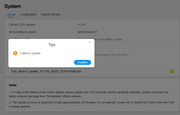
Performed a proper update from 6.0.519 to 6.0.535 (2 x nvme drives).
In tnas Network dialogue, device name was recorded in {lowercase}.
Back to the same issue - Windows Explorer identifies the device name in {lowercase} as being on network, but all attempts to access the device by name fail. No credentials requested.
Added Windows credentials (via Credential manager) but still no access.
Tried access via IP number = credentials requested automatically and access without issue.

Checked my router device list and cannot see the device. (the ip addresses in use have not changed although the name did)
(Which is odd because at least 1 nic is getting ip from dhcp although ALB Bond is fixed ip)
Another tnas is listed (5.1.145) with 2 connections - 1 is "Bond", 1 is "SMB"
with different IP and MAC addresses.
 (ALB bond)
other tnas device name is set in tnas in {UPPERCASE} and is seen by windows as {UPPERCASE}.
Also see residual entries for a previous name for this device, but offline.
(the ip addresses in use have not changed although the name did)
Modify device name in 6.0.535 to match residual entries in router and in {UPPERCASE}.
Windows now sees new device name in {lowercase} but allows access automatically requesting credentials.
Now the router entries exist as "???" and "Bond" (Possibly a separate subject but I will get it off my chest.)
The "???" gets the Bond IP address (fixed) and the MAC associated with the bond
The "Bond" does not show an IP but gets the 'other' mac
Also slightly disturbing is the identification (see previous post)
Justin Maggard
Windows Media Connect compatible (MiniDLNA)
Windows 7
Really
Nothing more recent Note
this is despite in 'Network' dialogue (both tos versions) the "suggested" address use is in {lowercase}.
I have not noticed this behaviour in previous TOS6 versions.