TOS 7.0.0706 Beta (X86) is Released for Update

Official news about TOS, mobile app, PC app updates or beta releases.
User avatar
Gremlin
Gold Member
Posts: 1627
Joined: 02 Dec 2022, 22:31
Great Britain

Re: TOS 7.0.0706 Beta (X86) is Released for Update

Post by Gremlin »

MikeZhang wrote: 15 Jun 2026, 15:22 **Try to find out who is calling `iniparse`**
And there was I, thinking that was function of THE DEVELOPMENT TEAM to find out where they had "messed up".

{edit}
The output is to large to post in one go!

Code: Select all

grep -r "iniparse" /etc/ /usr/lib/systemd/ /var/spool/cron/ 2>/dev/null
/etc/tos/scripts/powerlast:        powerlast=`iniparse -c -f $sysconf -s system -k PowerSet`
/etc/tos/scripts/buzzer:    status=$(iniparse  -c -f $buzzer_config  -k  $1)
/etc/tos/scripts/spindown:    buffer=`iniparse  -f  /etc/tos/standby.conf  -c -k standby`
/etc/tos/scripts/setgateway:    local defaultgw=`iniparse -c -f ${defaultsys} -s system -k defaultgwdev`
/etc/tos/scripts/setgateway:iniparse -a -f ${defaultsys} -s system -k defaultgwdev -v ${interface}
/etc/tos/scripts/setgateway:options_dhcp=`iniparse -c -f ${networkcfg} -s ${interface} -k DHCP | tr a-z A-Z`
/etc/tos/scripts/setgateway:    options_gateway=`iniparse -c -f ${networkcfg} -s ${interface} -k GATEWAY`
/etc/tos/scripts/setgateway:    options_dns1=`iniparse -c -f ${networkcfg} -s ${interface} -k DNS1`
/etc/tos/scripts/sysinit:#    Autofan=$(iniparse -c -f ${DEFAULTSYS} -s system -k Autofan)
/etc/tos/scripts/sysinit:#    Fanspeed=$(iniparse -c -f ${DEFAULTSYS} -s system -k Fanspeed)
/etc/tos/scripts/sysinit:#    Autofan=$(iniparse -c -f ${DEFAULTSYS} -s system -k Autofan)
/etc/tos/scripts/sysinit:#    Fanspeed=$(iniparse -c -f ${DEFAULTSYS} -s system -k Fanspeed)
/etc/tos/scripts/sysinit:#    Autofan=$(iniparse -c -f ${DEFAULTSYS} -s system -k Autofan)
/etc/tos/scripts/sysinit:#    Fanspeed=$(iniparse -c -f ${DEFAULTSYS} -s system -k Fanspeed)
/etc/tos/scripts/sysinit:#      Autofan=$(iniparse -c -f ${DEFAULTSYS} -s system -k Autofan)
/etc/tos/scripts/sysinit:#      Fanspeed=$(iniparse -c -f ${DEFAULTSYS} -s system -k Fanspeed)
/etc/tos/scripts/sysinit:#      Autofan=$(iniparse -c -f ${DEFAULTSYS} -s system -k Autofan)
/etc/tos/scripts/sysinit:#      Fanspeed=$(iniparse -c -f ${DEFAULTSYS} -s system -k Fanspeed)
/etc/tos/scripts/sysinit:#      Autofan=$(iniparse -c -f ${DEFAULTSYS} -s system -k Autofan)
/etc/tos/scripts/sysinit:#      Fanspeed=$(iniparse -c -f ${DEFAULTSYS} -s system -k Fanspeed)
/etc/tos/scripts/sysinit:        TIMESERVER=$(iniparse -c -f ${DEFAULTSYS} -s system -k timeserver)
/etc/tos/scripts/sysinit:if [[ $(iniparse -c -f "${DEFAULTSYS}" -s system -k timemode) == "1" ]]; then
/etc/tos/scripts/scripts:TOS_TRIP_SIZE=$(iniparse -c -f $TOS_DEFAULT_CONFIG -s raid -k trip_size)
/etc/tos/scripts/scripts:TOS_CORE_SIZE=$(iniparse -c -f $TOS_DEFAULT_CONFIG -s tos -k core_size)
/etc/tos/scripts/scripts:TOS_SWAP_SIZE=$(iniparse -c -f $TOS_DEFAULT_CONFIG -s tos -k swap_size)
/etc/tos/scripts/scripts:TOS_BOOT_SIZE=$(iniparse -c -f $TOS_DEFAULT_CONFIG -s tos -k boot_size)
/etc/tos/scripts/scripts:    iniparse -a -f $TOS_VOLUE_CONFIG -s "$uuid" -system >/dev/null 2>&1
/etc/tos/scripts/scripts:    local sort=$(iniparse -c -f $TOS_VOLUE_CONFIG -s "$uuid" -k sort)
/etc/tos/scripts/scripts:    local sort=$(iniparse -c -f $TOS_VOLUE_CONFIG -s $uuid -k sort 2>/dev/null)
/etc/tos/scripts/scripts:        local MNTOPT=$(iniparse -c -f $TOS_DEFAULT_CONFIG -s filesystem -k btrfs)
/etc/tos/scripts/scripts:        local level=$(iniparse -c -f "${TOS_VOLUE_CONFIG}" -s "${uuid}" -k compression 2>/dev/null)
/etc/tos/scripts/scripts:        local btrfsSubvolName=$(iniparse -c -f $TOS_DEFAULT_CONFIG -s filesystem -k btrfs_subvolName)
/etc/tos/scripts/scripts:        local MNTOPT=$(iniparse -c -f $TOS_DEFAULT_CONFIG -s filesystem -k xfs)
/etc/tos/scripts/scripts:        local MNTOPT=$(iniparse -c -f $TOS_DEFAULT_CONFIG -s filesystem -k ext4)
/etc/tos/scripts/flashcache:    local SECTION=$(iniparse -c -f "$CACHE_CONFIG" -s $UUID)
/etc/tos/scripts/flashcache:        local CACHE_MODEL=$(iniparse -c -f "$CACHE_CONFIG" -s "${UUID}" -k cache_model)
/etc/tos/scripts/flashcache:        local CACHESIZE=$(iniparse -c -f "$CACHE_CONFIG" -s "${UUID}" -k cache_capacity)
/etc/tos/scripts/flashcache:        local MD_UUID=$(iniparse -c -f "$CACHE_CONFIG" -s "${UUID}" -k md_uuid)
/etc/tos/scripts/flashcache:            iniparse -d -f "$CACHE_CONFIG" -s "$UUID"
/etc/tos/scripts/flashcache:                iniparse -d -f $CACHE_CONFIG -s $UUID
/etc/tos/scripts/compression:    local level=`iniparse -c -f "${volume_conf}" -s "${uuid}" -k compression`
F5-221 TOS7.0.0777 - 4x4TB (Ironwolf) Traid
F2-424 TOS7.0.0777 - 2x500GB nvme (P3) Traid, 2x6TB HDD (HGST) Traid
F2-221 TOS7.0.0777 - 1x3TB Ext4, 1x4TB Btrfs
F2-425+ TOS7.0.0777 - 2x500GB nvme (P3) Traid, 2x6TB HDD (EXOS) Traid
User avatar
Gremlin
Gold Member
Posts: 1627
Joined: 02 Dec 2022, 22:31
Great Britain

Re: TOS 7.0.0706 Beta (X86) is Released for Update

Post by Gremlin »

Code: Select all

/etc/ppp/ip-up.d/route:    r=$(iniparse -f /etc/pptp/pptpclient.conf -s "$config_name" -k redirect-gateway -c)
/etc/ppp/ip-up.d/route:    r=$(iniparse -f /etc/l2tp/l2tpclient.conf -s "$config_name" -k def_gateway -c)
/etc/ppp/ip-up.d/route:    r=$(iniparse -f /etc/pptp/pptpclient.conf -s "$config_name" -k reconnect -c)
/etc/ppp/ip-up.d/route:    r=$(iniparse -f /etc/l2tp/l2tpclient.conf -s "$config_name" -k reconnect -c)
/etc/ppp/ip-up.d/route:    vpn_server_ip=$(iniparse -f /etc/l2tp/l2tpclient.conf -s "$config_name" -k server_address -c)
/etc/ppp/ip-up.d/route:    vpn_server_ip=$(iniparse -f /etc/pptp/pptpclient.conf -s "$config_name" -k server_address -c)
/etc/openvpn/update-route.sh:    rg_value=$(iniparse -f "$ovpn_config_file" -s "$config_name" -k redirect-gateway -c 2>/dev/null)
/etc/openvpn/update-route.sh:    rc_value=$(iniparse -f "$ovpn_config_file" -s "$config_name" -k reconnect -c 2>/dev/null)
/etc/init.d/nas/stopRaid:        iniparse -d -f /etc/volume/storage.conf -s "$TOS_RAID_UUID"
/etc/init.d/nas/stopRaid:iniparse -d -f $TOS_VOLUE_CONFIG -s "$TOS_RAID_UUID"
/etc/init.d/nas/stopRaid:iniparse -d -f $TOS_STORAGE_CONFIG -s "$TOS_RAID_UUID"
/etc/init.d/nas/stopVolumeGroup:iniparse -d -f /etc/volume/storage.conf -s "$VGUUID"
/etc/init.d/nas/makeRaid:iniparse -a -f /etc/volume/storage.conf -s "$TOS_RAID_UUID" -system
/etc/init.d/nas/makeRaid:            iniparse -a -f /etc/volume/volume.conf -s "$TOS_UUID" -system
/etc/init.d/nas/makeRaid:               iniparse -a -f /etc/volume/volume.conf -s "$TOS_UUID" -system
/etc/init.d/nas/makeRaid:                       iniparse -a -f /etc/volume/volume.conf -s "$TOS_UUID" -system
/etc/init.d/nas/stopFS:            local btrfsSubvolName=$(iniparse -c -f $TOS_DEFAULT_CONFIG -s filesystem -k btrfs_subvolName)
/etc/init.d/nas/stopLVM:        local btrfsSubvolName=$(iniparse -c -f $TOS_DEFAULT_CONFIG -s filesystem -k btrfs_subvolName)
/etc/init.d/nas/stopLVM:    iniparse -a -f /etc/volume/volume.conf -s $TOS_UUID -system >> $logFile 2>&1
/etc/init.d/nas/stopLVM:iniparse -d -f /etc/volume/volume.conf -s "$TOS_UUID" >> $logFile 2>&1
/etc/init.d/nas/mdadm-monitor:TOS_CORE_SIZE=$(iniparse -c -f $TOS_DEFAULT_CONFIG -s tos -k core_size)
/etc/init.d/nas/mdadm-monitor:TOS_SWAP_SIZE=$(iniparse -c -f $TOS_DEFAULT_CONFIG -s tos -k swap_size)
/etc/init.d/nas/mdadm-monitor:TOS_BOOT_SIZE=$(iniparse -c -f $TOS_DEFAULT_CONFIG -s tos -k boot_size)
/etc/init.d/nas/makeVolumeGroup:coresize=$(iniparse -c -f ${TOS_RAID_CONF} -s tos -k coresize)
/etc/init.d/nas/makeVolumeGroup:swapsize=$(iniparse -c -f ${TOS_RAID_CONF} -s tos -k swapsize)
/etc/init.d/nas/makeVolumeGroup:iniparse -a -f /etc/volume/storage.conf -s "$TOS_UUID_STR" -system
/etc/init.d/nas/udhcps:  local defaultgw=$(iniparse -c -f ${defaultsys} -s system -k defaultgwdev)
/etc/init.d/nas/udhcps:    options_slave=$(iniparse -c -f ${inipath} -s ${interface} -k SLAVE)
/etc/init.d/nas/udhcps:  options_mtu=$(iniparse -c -f ${inipath} -s ${interface} -k MTU)
/etc/init.d/nas/udhcps:    olddns=$(iniparse -c -f /etc/network -s "${interface}" -k "DNS${key}")
/etc/init.d/nas/udhcps:        iniparse -a -f /etc/network -s "${interface}" -k "DNS${key}" -v "${i}"
/etc/init.d/nas/wirelessconn:    local defaultgw=`iniparse -c -f ${defaultsys} -s system -k defaultgwdev`
/etc/init.d/nas/wirelessconn:    local options_dhcp=`iniparse -c -f ${inipath} -s ${ifcs} -k DHCP | tr a-z A-Z`
/etc/init.d/nas/wirelessconn:        local WLANLINKMODE=`iniparse -c -f ${inipath} -s ${ifcs} -k WLANLINKMODE`
/etc/init.d/nas/wirelessconn:        local WLANSSID=`iniparse -c -f ${inipath} -s ${ifcs} -k WLANSSID`
/etc/init.d/nas/wirelessconn:        local WLANENC=`iniparse -c -f ${inipath} -s ${ifcs} -k WLANENC`
/etc/init.d/nas/wirelessconn:        local WLANPASSWD=`iniparse -c -f ${inipath} -s ${ifcs} -k WLANPASSWD`
/etc/init.d/nas/wirelessconn:        local options_ip=`iniparse -c -f ${inipath} -s ${ifcs} -k IPADDRESS`
/etc/init.d/nas/wirelessconn:        local options_netmask=`iniparse -c -f ${inipath} -s ${ifcs} -k NETMASK`
/etc/init.d/nas/wirelessconn:        local options_mtu=`iniparse -c -f ${inipath} -s ${ifcs} -k MTU`
/etc/init.d/nas/wirelessconn:        local options_gateway=`iniparse -c -f ${inipath} -s ${ifcs} -k GATEWAY`
/etc/init.d/nas/wirelessconn:        local options_mac=`iniparse -c -f ${inipath} -s ${ifcs} -k MAC`
/etc/init.d/nas/wirelessconn:        local options_dns1=`iniparse -c -f ${inipath} -s ${ifcs} -k DNS1`
/etc/init.d/nas/wirelessconn:        local options_dns2=`iniparse -c -f ${inipath} -s ${ifcs} -k DNS2`
/etc/init.d/nas/makeLVM:TOS_MNT_PATH=/Volume$(iniparse -c -f /etc/volume/volume.conf -sort sort)
/etc/init.d/nas/makeLVM:            iniparse -a -f /etc/volume/volume.conf -s "$TOS_UUID" -system
/etc/init.d/nas/makeLVM:                        iniparse -a -f /etc/volume/volume.conf -s "$TOS_UUID" -system
/etc/init.d/nas/stopmd:         iniparse -d -f /etc/volume/storage.conf -s "$TOS_RAID_UUID"
/etc/init.d/nas/stopmd:iniparse -d -f /etc/volume/volume.conf -s "$UUID"
/etc/init.d/nas/makemd:coresize=$(iniparse -c -f ${TOS_RAID_CONF} -s tos -k coresize)
/etc/init.d/nas/makemd:swapsize=$(iniparse -c -f ${TOS_RAID_CONF} -s tos -k swapsize)
/etc/init.d/nas/makemd:TOS_MNT_PATH=/Volume$(iniparse -c -f /etc/volume/volume.conf -sort sort)
/etc/init.d/nas/makemd:iniparse -a -f /etc/volume/storage.conf -s "$TOS_SYSID" -system
/etc/init.d/nas/makemd:      iniparse -a -f /etc/volume/volume.conf -s "$TOS_UUID" -system
/etc/samba/buildhome:    ADS_STAT=$(iniparse -c -f /etc/domain.config -s domain -k connection_status)
/etc/samba/buildhome:    LDAP_STAT=$(iniparse -c -f /etc/domain.config -s ldap -k connection_status)
F5-221 TOS7.0.0777 - 4x4TB (Ironwolf) Traid
F2-424 TOS7.0.0777 - 2x500GB nvme (P3) Traid, 2x6TB HDD (HGST) Traid
F2-221 TOS7.0.0777 - 1x3TB Ext4, 1x4TB Btrfs
F2-425+ TOS7.0.0777 - 2x500GB nvme (P3) Traid, 2x6TB HDD (EXOS) Traid
User avatar
Dennis_H
Posts: 26
Joined: 18 Dec 2020, 01:44
United States of America

Re: TOS 7.0.0706 Beta (X86) is Released for Update

Post by Dennis_H »

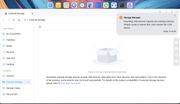
Here is the desktop now after this version. The drive has been my backup drive since TOS 4.0 and was detecting and backing up fine with USB copy till now.
Image


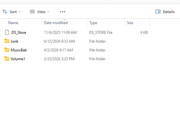
Same drive attached to PC. All files are there including latest backups till this version was installed.

Image

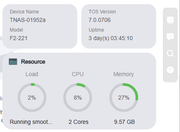
Here is version info.

Image


Is there any troubleshooting info I can get for you? I don't know why it doesn't recognize the USB backup now and wants a new volume when it has worked till now.

This is the email I get from the system...
Mounting USB devices requires pre-existing volumes. Please create a volume first, then reinsert the USB device.

------------------------------------------------------------

Device name: TNAS-01952a
Model: F2-221
TOS version: TOS_X642.0_7.0.0706

Technical Support:
[email protected]
User avatar
Zymphad
Posts: 8
Joined: 18 Apr 2026, 01:45
Korea South

Re: TOS 7.0.0706 Beta (X86) is Released for Update

Post by Zymphad »

SMB shared folder access completely inaccessible. It doesn't even ask for permission. Just nothing. WTF happened with this update?

I tried using SFTP, that didn't work either.
User avatar
Phil
TM Support
Posts: 91
Joined: 23 Feb 2026, 09:38
China

Re: TOS 7.0.0706 Beta (X86) is Released for Update

Post by Phil »

snapsh0t wrote: 14 Jun 2026, 12:53
Phil wrote: 14 Jun 2026, 09:31

Code: Select all

smartctl -H /dev/sdb
smartctl -A /dev/sdb | grep -E "^(5|187|193|197|198) "
hdparm -B /dev/sdb
Please enter the above command in the terminal and then tell us the output.
My lack of Linux skills nearly caught me out but I realised I needed to repeat this for sda as well as sdb as they're the two HDDs in RAID1.

Code: Select all

Adm1n@Therver2:~# smartctl -H /dev/sdb
smartctl 7.5 2025-04-30 r5714 [x86_64-linux-6.12.63+] (local build)
Copyright (C) 2002-25, Bruce Allen, Christian Franke, www.smartmontools.org

=== START OF READ SMART DATA SECTION ===
SMART overall-health self-assessment test result: PASSED

Adm1n@Therver2:~# smartctl -A /dev/sdb | grep -E "^(5|187|193|197|198) "
193 Load_Cycle_Count        0x0012   100   100   000    Old_age   Always       -       396
197 Current_Pending_Sector  0x0022   100   100   000    Old_age   Always       -       0
198 Offline_Uncorrectable   0x0008   100   100   000    Old_age   Offline      -       0
Adm1n@Therver2:~# hdparm -B /dev/sdb

/dev/sdb:
 APM_level      = 254
Adm1n@Therver2:~# smartctl -H /dev/sda
smartctl 7.5 2025-04-30 r5714 [x86_64-linux-6.12.63+] (local build)
Copyright (C) 2002-25, Bruce Allen, Christian Franke, www.smartmontools.org

=== START OF READ SMART DATA SECTION ===
SMART overall-health self-assessment test result: PASSED

Adm1n@Therver2:~# smartctl -A /dev/sda | grep -E "^(5|187|193|197|198) "
193 Load_Cycle_Count        0x0012   100   100   000    Old_age   Always       -       394
197 Current_Pending_Sector  0x0022   100   100   000    Old_age   Always       -       0
198 Offline_Uncorrectable   0x0008   100   100   000    Old_age   Offline      -       0
Adm1n@Therver2:~# hdparm -B /dev/sda

/dev/sda:
 APM_level      = 254
Adm1n@Therver2:~#
We are still testing this issue internally. I will notify you as soon as the test results are available.
User avatar
snapsh0t
Posts: 64
Joined: 19 Oct 2025, 03:23
Great Britain

Re: TOS 7.0.0706 Beta (X86) is Released for Update

Post by snapsh0t »

Phil wrote: 16 Jun 2026, 09:41 [
We are still testing this issue internally. I will notify you as soon as the test results are available.
Thank you.
F2-425 Plus, 16GB RAM, 2 x 500GB WD SN700 EXT4 RAID1, 2 x 18TB WD Red Pro EXT4 RAID1, TOS 7.0.<latest>
User avatar
MikeZhang
TM Support
Posts: 381
Joined: 05 Sep 2023, 22:21

Re: TOS 7.0.0706 Beta (X86) is Released for Update

Post by MikeZhang »

Dennis_H wrote: 16 Jun 2026, 01:08
If you see this prompt, please stop immediately. Do not click "Create Volume" or "Initialize" on the page!

The screenshot shows you already have a normal "Volume 1," indicating your NAS internal storage is healthy. Clicking "Create Volume" at this point will cause the system to forcibly repartition and format your external USB device using fdisk/mkfs, resulting in complete data loss.

You can open the TOS terminal and enter the following command and take a screenshot:

Code: Select all

df -h
Possible cause: Device role misjudgment (expansion enclosure logic): When the system detects certain large-capacity or specific partition tables of USB external hard drives, the internal Storage Manager mistakenly identifies it as an "uninitialized internal expansion hard drive," thus incorrectly guiding you through the "Create Storage Pool - Create Volume" internal hard drive initialization process.

How to restore normal automatic mounting function?

After copying the data and ensuring its safety, you can try the following methods to restore the web interface to normal:

Safe reboot: Unplug the USB device and restart the NAS. This forces a refresh of the system's udevd and storage daemon processes, and usually after a reboot, the device can be directly recognized as external storage when inserted again.
To contact our team, please send email to following addresses, remember to replace (at) with @

Technical team: support(at)terra-master.com(for technical support)
Service team: service(at)terra-master.com(for purchasing, return, replacement, RMA service)
User avatar
EriChan
TM Support
Posts: 196
Joined: 06 Jan 2026, 12:27
United States of America

Re: TOS 7.0.0706 Beta (X86) is Released for Update

Post by EriChan »

storageninja wrote: 14 Jun 2026, 20:04
Thank you for your feedback! Regarding the issues you encountered during the TOS7 Beta test, here are the explanations:

1. iniparse crashes on every boot:
We have confirmed that this problem does exist and have submitted it to our product team. It will be fixed in future versions.

2. md9 (system array) shows a degraded state and immediately triggers a recovery during startup.:
This is related to the array detection logic during startup. It usually does not affect data security or system operation, so please rest assured.

3. Invalid configuration values in journald.conf:
We have confirmed this configuration incompatibility issue and submitted it to our product team. We will evaluate and optimize the solution in subsequent versions.

Thank you again for your patience and understanding!
storageninja
Posts: 64
Joined: 06 Aug 2025, 14:32
Netherlands

Re: TOS 7.0.0706 Beta (X86) is Released for Update

Post by storageninja »

EriChan wrote: 16 Jun 2026, 19:43
storageninja wrote: 14 Jun 2026, 20:04
Thank you for your feedback! Regarding the issues you encountered during the TOS7 Beta test, here are the explanations:

1. iniparse crashes on every boot:
We have confirmed that this problem does exist and have submitted it to our product team. It will be fixed in future versions.

2. md9 (system array) shows a degraded state and immediately triggers a recovery during startup.:
This is related to the array detection logic during startup. It usually does not affect data security or system operation, so please rest assured.

3. Invalid configuration values in journald.conf:
We have confirmed this configuration incompatibility issue and submitted it to our product team. We will evaluate and optimize the solution in subsequent versions.

Thank you again for your patience and understanding!
It was a good remote session, thanks for helping making TOS7 better for everyone.
User avatar
Dennis_H
Posts: 26
Joined: 18 Dec 2020, 01:44
United States of America

Re: TOS 7.0.0706 Beta (X86) is Released for Update

Post by Dennis_H »

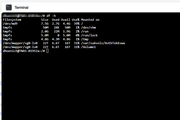
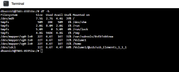
Here is the df -h screen shot.

Image

I unplugged the USB again. told it to do a full shutdown, waited 30 min for it to power off and it never did. Touched power button for it to power off. Waited 1 min to restart, gave it 10 min after it was up and re-inserted the USB. It worked this time. I had rebooted, but never did the full shutdown.

The df -h after full power down and re-insert of USB.
Image

MikeZhang wrote: 16 Jun 2026, 15:47
Dennis_H wrote: 16 Jun 2026, 01:08
If you see this prompt, please stop immediately. Do not click "Create Volume" or "Initialize" on the page!

The screenshot shows you already have a normal "Volume 1," indicating your NAS internal storage is healthy. Clicking "Create Volume" at this point will cause the system to forcibly repartition and format your external USB device using fdisk/mkfs, resulting in complete data loss.

You can open the TOS terminal and enter the following command and take a screenshot:

Code: Select all

df -h
Possible cause: Device role misjudgment (expansion enclosure logic): When the system detects certain large-capacity or specific partition tables of USB external hard drives, the internal Storage Manager mistakenly identifies it as an "uninitialized internal expansion hard drive," thus incorrectly guiding you through the "Create Storage Pool - Create Volume" internal hard drive initialization process.

How to restore normal automatic mounting function?

After copying the data and ensuring its safety, you can try the following methods to restore the web interface to normal:

Safe reboot: Unplug the USB device and restart the NAS. This forces a refresh of the system's udevd and storage daemon processes, and usually after a reboot, the device can be directly recognized as external storage when inserted again.
Post Reply

Return to “Update Notice”