[Help] No Access F6-424Max After TOS 6.0.750 Update – Not Detected on Network

The discussion here is limited to topics related to the system update itself. Please post the functional issues after the system update to the corresponding other forums.
User avatar
spleenrun
Posts: 39
Joined: 09 Jan 2025, 22:03
France

Re: [Help] No Access F6-424Max After TOS 6.0.750 Update – Not Detected on Network

Post by spleenrun »

MikeZhang wrote: 14 Jul 2025, 21:48
spleenrun wrote: 12 Jul 2025, 02:51
Please check method B if you need to reinstall TOS
viewtopic.php?f=76&t=423
Is the reset button method safer or more reliable than Method B for reinstalling TOS?
I’d like to choose the option with the least risk.

For your information, TOS is installed on regular HDDs, not on M.2 SSDs — I use the M.2 slots only for cache.
User avatar
TMzethar
TM Support
Posts: 2819
Joined: 27 Oct 2020, 16:43

Re: [Help] No Access F6-424Max After TOS 6.0.750 Update – Not Detected on Network

Post by TMzethar »

You can keep the HDMI and USB connections active. The F6-424 Max reset button does not reset the HDD or the system; instead, it allows users who have installed TOS on an M.2 SSD to also access the initial boot system. (M.2 SSD does not support hot swapping.)
To contact our team, please send email to following addresses, remember to replace (at) with @:
Technical team: support(at)terra-master.com (for technical support)
Service team: service(at)terra-master.com (for purchasing, return, replacement, RMA service)
User avatar
spleenrun
Posts: 39
Joined: 09 Jan 2025, 22:03
France

Re: [Help] No Access F6-424Max After TOS 6.0.750 Update – Not Detected on Network

Post by spleenrun »

TMzethar wrote: 15 Jul 2025, 00:04 You can keep the HDMI and USB connections active. The F6-424 Max reset button does not reset the HDD or the system; instead, it allows users who have installed TOS on an M.2 SSD to also access the initial boot system. (M.2 SSD does not support hot swapping.)
Thanks for the clarification.

Just to be sure — does the reset button method also work if TOS is installed on regular hard drives (HDDs), and not on M.2 SSDs?

In my case, the M.2 SSDs are used only for cache.
User avatar
fultotop
Posts: 6
Joined: 24 Oct 2024, 00:46
Great Britain

Re: [Help] No Access F6-424Max After TOS 6.0.750 Update – Not Detected on Network

Post by fultotop »

spleenrun wrote: 15 Jul 2025, 00:17
TMzethar wrote: 15 Jul 2025, 00:04 You can keep the HDMI and USB connections active. The F6-424 Max reset button does not reset the HDD or the system; instead, it allows users who have installed TOS on an M.2 SSD to also access the initial boot system. (M.2 SSD does not support hot swapping.)
Thanks for the clarification.

Just to be sure — does the reset button method also work if TOS is installed on regular hard drives (HDDs), and not on M.2 SSDs?

In my case, the M.2 SSDs are used only for cache.
My system partitions are not on my NVME's and this worked for my NAS as initializing wizard only writes to the system partitions in my experience which is more than once with this device and on all occasions my data has been intact. I can't comment on if your system partitons are installed on NVME, as my system not configured that way.

This is what I did, its simple but I must admit that everytime I've done it, it's an awful wait while it installs and you see your data:-

1. Shut down the NAS using power button by tapping it once and waiting for power to go off which allows any caching data to be written to the disk.
2. Eject the HD caddy's, but don't remove them fully, as putting them back in the wrong order will cause data curruption.
3. Remove any LAN cables.
4. Power on system and give it a couple of minutes to boot.
5. Plug in LAN cables and wait for the lights to come on.
6. Push all the HD caddy's back into place and give it a minute for the drives to spin up.
7. Use TNAS PC/MAC app to set your ip address.
8. Open the NAS in your browser and follow the Initialization wizard.
User avatar
simongrove
Posts: 7
Joined: 30 Sep 2024, 00:30
Wales

Re: [Help] No Access F6-424Max After TOS 6.0.750 Update – Not Detected on Network

Post by simongrove »

Got the issue of NAS not being able to access the WAN after update, IP data same as before firmware update and connect over LAN but no external connection WAN, have changed both NIC’s to be default gateway but same issue on both. Tailscale running on machine is still showing connected and up and running when I check from another device so it looks like my issue is related to it can’t check for software updates or download apps etc.
Terramaster u need to pull your finger out and get a manual updated firmware out on your support page that we can download to fix this issue!!
User avatar
MikeZhang
TM Support
Posts: 381
Joined: 05 Sep 2023, 22:21

Re: [Help] No Access F6-424Max After TOS 6.0.750 Update – Not Detected on Network

Post by MikeZhang »

simongrove wrote: 15 Jul 2025, 06:42
Please troubleshoot according to our instruction
viewtopic.php?p=33916
To contact our team, please send email to following addresses, remember to replace (at) with @

Technical team: support(at)terra-master.com(for technical support)
Service team: service(at)terra-master.com(for purchasing, return, replacement, RMA service)
User avatar
simongrove
Posts: 7
Joined: 30 Sep 2024, 00:30
Wales

Re: [Help] No Access F6-424Max After TOS 6.0.750 Update – Not Detected on Network

Post by simongrove »

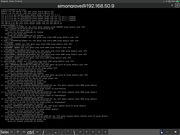
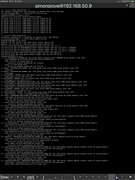
That topic has nothing to do with my issue, my device is connected to router and also accessible from local PC. can ping from SSH console to external sources on web. Please see the attached below, have downloaded log file and sent to service email address but no response.

Image

Image


Image

Image
Last edited by simongrove on 19 Jul 2025, 08:16, edited 1 time in total.
User avatar
CursaYang
TM Support
Posts: 740
Joined: 06 Jan 2025, 16:34
China

Re: [Help] No Access F6-424Max After TOS 6.0.750 Update – Not Detected on Network

Post by CursaYang »

Tailscale may alter some network configurations of your NAS.
You can manually delete the /etc/resolv.conf file and then use the link command to reconnect.
ln -sf /run/systemd/resolve/stub-resolv.conf /etc/resolv.conf
To contact our team, please send email to following addresses, remember to replace (at) with @

Technical team: support(at)terra-master.com(for technical support)
Service team: service(at)terra-master.com(for purchasing, return, replacement, RMA service)
User avatar
simongrove
Posts: 7
Joined: 30 Sep 2024, 00:30
Wales

Re: [Help] No Access F6-424Max After TOS 6.0.750 Update – Not Detected on Network

Post by simongrove »

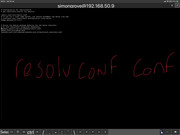
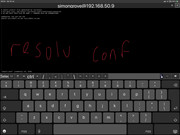
What u think it’s related to Tailscale even though it’s been running and installed for months before the update of the firmware? I have the following 2 files in etc.


Image

Image
User avatar
simongrove
Posts: 7
Joined: 30 Sep 2024, 00:30
Wales

Re: [Help] No Access F6-424Max After TOS 6.0.750 Update – Not Detected on Network

Post by simongrove »

Resolved by turning Tailscale Madic DNS with in the settings on the main Tailscale dashboard.
Post Reply

Return to “System Update”