Re: TOS 6.0.650 (X86) is Released for Update
Posted: 14 Mar 2025, 05:17
Hi!
I've updated from last 6.0.xxx version to 6.0.650 and my server (F2-423) has been barely usable.
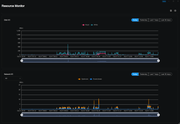
Just after reinstall I've had the drives synchronisation (which lasted over a day), and afterward my CPU usage is constantly high - I couldn't even connect to it for about 24h.
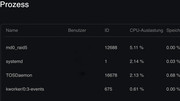
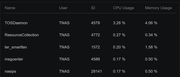
The main process that is using the CPU is "smbrichacl". I've checked if the UID is set correctly (like suggested here), and all is looking OK. Just after the reboot, the smbrichacl processes start popping (one each few minutes) and at begining each is using ~25% of CPU. This in turn makes the rsyslogd and systemd CPU spikes (18 - 20% of CPU).
I've rebooted the unit some 25 mins ago, and I'm currently sitting with 6 smbrichacl processes.
`/var/log/messages`:
`/var/log/syslog`:
I have disabled the SMB service and Jellyfin, but no change.
The drive is so sluggish, I'm unable to read the PDF from it (when SMB is enabled). The Windows Explorer freezes on accessing it.
Does anybody have any idea what to do apart from reinstalling the unit from ground up?
I've updated from last 6.0.xxx version to 6.0.650 and my server (F2-423) has been barely usable.
Just after reinstall I've had the drives synchronisation (which lasted over a day), and afterward my CPU usage is constantly high - I couldn't even connect to it for about 24h.
The main process that is using the CPU is "smbrichacl". I've checked if the UID is set correctly (like suggested here), and all is looking OK. Just after the reboot, the smbrichacl processes start popping (one each few minutes) and at begining each is using ~25% of CPU. This in turn makes the rsyslogd and systemd CPU spikes (18 - 20% of CPU).
I've rebooted the unit some 25 mins ago, and I'm currently sitting with 6 smbrichacl processes.
`/var/log/messages`:
Code: Select all
Mar 13 22:01:39 TNAS smbrichacl: create_security_token - group id : 997,group name : allusers,id to sid : S-1-22-2-997
Mar 13 22:01:39 TNAS smbrichacl: create_security_token - group id : 1001,group name : jellyfin,id to sid : S-1-22-2-1001
Mar 13 22:01:39 TNAS smbrichacl: create_security_token - group id : 997,group name : allusers,id to sid : S-1-22-2-997
Mar 13 22:01:39 TNAS smbd[18859]: cp: error writing '/tmp/TOS_CONFIG/zlog/zlog_telnet.conf': No space left on device
Mar 13 22:01:39 TNAS smbrichacl: create_security_token - group id : 1001,group name : jellyfin,id to sid : S-1-22-2-1001
Mar 13 22:01:39 TNAS smbrichacl: create_security_token - group id : 997,group name : allusers,id to sid : S-1-22-2-997
Mar 13 22:01:39 TNAS smbrichacl: create_security_token - group id : 1003,group name : emina,id to sid : S-1-22-2-1003
Mar 13 22:01:39 TNAS smbrichacl: create_security_token - group id : 997,group name : allusers,id to sid : S-1-22-2-997
Mar 13 22:01:39 TNAS smbrichacl: create_security_token - group id : 1001,group name : jellyfin,id to sid : S-1-22-2-1001
Code: Select all
Mar 13 22:11:17 TNAS smbrichacl: create_security_token - group id : 997,group name : allusers,id to sid : S-1-22-2-997
Mar 13 22:11:17 TNAS smbrichacl: create_security_token - group id : 1001,group name : jellyfin,id to sid : S-1-22-2-1001
Mar 13 22:11:17 TNAS smbrichacl: create_security_token - group id : 997,group name : allusers,id to sid : S-1-22-2-997
Mar 13 22:11:17 TNAS smbrichacl: create_security_token - group id : 1001,group name : jellyfin,id to sid : S-1-22-2-1001
Mar 13 22:11:17 TNAS smbrichacl: create_security_token - group id : 997,group name : allusers,id to sid : S-1-22-2-997
Mar 13 22:11:17 TNAS smbrichacl: create_security_token - group id : 1001,group name : jellyfin,id to sid : S-1-22-2-1001
Mar 13 22:11:17 TNAS smbrichacl: create_security_token - group id : 997,group name : allusers,id to sid : S-1-22-2-997
Mar 13 22:11:17 TNAS smbrichacl: create_security_token - group id : 1001,group name : jellyfin,id to sid : S-1-22-2-1001
Mar 13 22:11:17 TNAS smbrichacl: create_security_token - group id : 997,group name : allusers,id to sid : S-1-22-2-997
The drive is so sluggish, I'm unable to read the PDF from it (when SMB is enabled). The Windows Explorer freezes on accessing it.
Does anybody have any idea what to do apart from reinstalling the unit from ground up?