Page 3 of 3
Re: Guide 48GB RAM in F8 SSD Plus works great!
Posted: 19 May 2025, 17:33
by godfather73
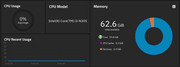
I just bought the F8 SSD Plus and I successfully upgraded the RAM to 48GB (Corsair CMSX48GX5M1A4800C40) under TOS 6.0
I took about 5 minutes to boot, after the RAM change
Re: Guide 48GB RAM in F8 SSD Plus works great!
Posted: 19 May 2025, 18:49
by OrionXie
Due to the large memory, the verification time may not be as fast. We suggest waiting for 5-15 minutes before trying again.
Re: Guide 48GB RAM in F8 SSD Plus works great!
Posted: 19 May 2025, 19:45
by godfather73
OrionXie wrote: ↑19 May 2025, 18:49
Due to the large memory, the verification time may not be as fast. We suggest waiting for 5-15 minutes before trying again.
Yes, one need to be patient.. just wanted to share the successful upgrade
Re: Guide 48GB RAM in F8 SSD Plus works great!
Posted: 23 May 2025, 02:52
by djguana
i gave it another try : after waiting 3 min, the NAS did boot succesfully. indeed just need to be patient
Re: Guide 48GB RAM in F8 SSD Plus works great!
Posted: 23 May 2025, 23:18
by OrionXie
Thank you for your patience and sharing. This might help others who face the similiar issues.
Re: Guide 48GB RAM in F8 SSD Plus works great!
Posted: 31 Jul 2025, 02:24
by kether888
Thanks for the inspiration. I successfully booted TrueNAS with 64GB Crucial - CT64G56C46S5.