Page 3 of 6
Re: How to Properly Install and Use TOS 7 on the 425 Series TNAS
Posted: 27 Jun 2026, 17:01
by Gremlin
To add, I see no definitive variation with the new bios. I only updated to ensure that I could use the 3rd nvme slot, should I wish to, to boot a alternative os (for example) and other testing. I have not actually tested the 'fix'.
Re: How to Properly Install and Use TOS 7 on the 425 Series TNAS
Posted: 27 Jun 2026, 23:33
by Gremlin
Repost from similar 424 thread and expanded:
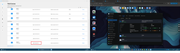
There is something odd going on with the networking config. I have just updated earlier today and now I noticed (in TnasPC first) that it is showing both a BOND with the proper IP address as assigned (manually), but also a LAN1 connection (literally "Connected") with a 'default' IP of 169.254.0.0. with the correct MAC address for LAN1.
I have no idea what it thinks it is connected to!
ps the actual BOND is Lan1 + Lan2
pps The manual configuration (via GUI) for Lan1 is completely blank
ppps When attempting to access via "LAN1" from TnasPC I get the "try changing IP" dialogue.
EriChan wrote: ↑27 Jun 2026, 20:07
To accurately identify and resolve the issue, please send the TNAS-PC client screenshot and system report via email to our technical support inbox(
[email protected]), including the forum link and your forum ID.
Adding image here for clarity, email to follow.
Re: How to Properly Install and Use TOS 7 on the 425 Series TNAS
Posted: 28 Jun 2026, 03:47
by Smiley
Thank you for your help! I was wondering with my bios v8 why TOS 7 was not available and the guy from help linked me the guide and confirmed that both NVMe could stay in the NAS.
Since then i just got the confirmation that it might take some time at that message with the initialization. If I can't get tomorrow a running system, I will send it back.
AI is telling me that BIOS and Kernel are ok but TOS 6 should be reinstalled. I downloaded the image but it is still stuck on the same message. I changed the usb ports on the NAS, changed the usb stick, verified that i have the right image and MD5. That's all i can do.
Re: How to Properly Install and Use TOS 7 on the 425 Series TNAS
Posted: 28 Jun 2026, 04:27
by Smiley
Holy, Moly, my system is running again! I did a hard recovery, no HDD, no SDD no USB Stick. NAS got detected in Network but asking then a disk to continue. So i installed a HDD and oh wonder the recovery sequence started again. Now i can reach the NAS again. Will install now both NVME and waiting for the next step in Murphy's law. AI helped me out of this mess.
Re: How to Properly Install and Use TOS 7 on the 425 Series TNAS
Posted: 28 Jun 2026, 11:37
by terrigalvet
This upgrade has been a complete nightmare.
I have contacted support 3 times and been told 3 different things. The upgrade was not overwritten properly so I had to do a hard format of the NAS and remove all drives. The NVME was formatted to ensure no trace was left.
Tried upgrading to TOS 7 from scratch then got another fail. I am using the BIOS v7.
Support gave me a SUB-INITBOOT-V2037-230MB.img that then failed and was not recognised.
I have followed every forum so far and been unable to upgrade to TOS7
Re: How to Properly Install and Use TOS 7 on the 425 Series TNAS
Posted: 28 Jun 2026, 19:49
by EriChan
Based on your feedback and to avoid interference from other factors, please reinstall the system to version TOS6.0.794 and refer to this link to upgrade directly to the official release of TOS7:
viewtopic.php?t=10183
Re: How to Properly Install and Use TOS 7 on the 425 Series TNAS
Posted: 28 Jun 2026, 20:30
by terrigalvet
Yes I did that, now have managed to get TOS7 but I am stuck in install loop.
Set it all up for install then when it reboots I cannot access it. I find it in TNAS PC and it wants initialising, go through the set up it reboots, then back to not found have to reinitialise. I am stuck in this endless loop
Re: How to Properly Install and Use TOS 7 on the 425 Series TNAS
Posted: 28 Jun 2026, 20:33
by terrigalvet
Spoke too soon, it rebooted and now I am back on 6.0 again
Re: How to Properly Install and Use TOS 7 on the 425 Series TNAS
Posted: 28 Jun 2026, 20:42
by EriChan
This issue requires remote diagnosis. Please contact our online technical support through the following link to schedule a remote support session:
https://salesiq.zohopublic.com/signatur ... 97d0be8892
Re: How to Properly Install and Use TOS 7 on the 425 Series TNAS
Posted: 29 Jun 2026, 03:32
by rfbjr
Ok successfully updated my BIOS on the F4-425 Plus, too longer to find a USB stick and USB keyboard than the actual update progress.
It's now showing: BJFX-TWLX-108