Page 18 of 20
Re: TOS 7 Is Now Out of Beta — Official Release
Posted: 05 Sep 2026, 21:35
by CursaYang
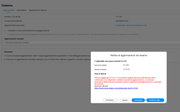
Reinstalling the system alone cannot upgrade the BIOS firmware version. Please re-upload the 6.0.794 update package to update the BIOS firmware. The "Loading, please wait" prompt indicates that the system is verifying the current file system.
Re: TOS 7 Is Now Out of Beta — Official Release
Posted: 07 Sep 2026, 15:06
by astartes
Re: TOS 7 Is Now Out of Beta — Official Release
Posted: 07 Sep 2026, 15:48
by CursaYang
From the screenshot you provided, we have confirmed the BIOS version mentioned earlier: madn0301.v02. With this version, the BIOS must be upgraded before upgrading to TOS 7. Please upload the update package on this page to perform the upgrade:
https://download3.terra-master.com/TOS% ... 281324.bz2

After the system upgrade is complete, please confirm that the current BIOS version has been updated in sync.
Then upload the TOS 7.0.0747 update package to upgrade to TOS 7:
https://download3.terra-master.com/TOS% ... 310709.bz2
Re: TOS 7 Is Now Out of Beta — Official Release
Posted: 07 Sep 2026, 21:31
by astartes
so this is not correct:
For F8 SSD and F8 SSD Plus users: Before updating, first update the system to 6.0.794. The firmware will be updated during the system update
Re: TOS 7 Is Now Out of Beta — Official Release
Posted: 07 Sep 2026, 22:17
by astartes
i started first link, after one hour still cannot connect via browser even if i received update completed mail
TerraMaster<
[email protected]>
[email protected]
Il TOS è stato aggiornato alla versione 6.0.794.
------------------------------------------------------------
Device name: TNAS
Model: F8 SSD
TOS version: TOS_X642.0_6.0.794
TNAS System Notification
https://www.terra-master.com/support/
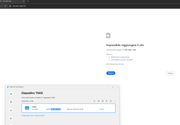 https://i.postimg.cc/Ln7sHdLF/Senza-titolo.png
i have no word to describe this update procedure
Re: TOS 7 Is Now Out of Beta — Official Release
Posted: 07 Sep 2026, 22:23
by astartes
if i read one more word about ssh, monitor connection or reset procedure i will send back nas for unusable software
Re: TOS 7 Is Now Out of Beta — Official Release
Posted: 08 Sep 2026, 10:25
by ckl
I need help.
I tried to do the upgrade on my F2-221 with version 6.0.794. It downloaded it and started the upgrade. It extracted the zip file and started the install. At about 9% it rebooted, then that's it. Nothing.
It looks like it rebooted. But it appears that it cannot grab an IP address.
Before the upgrade, both network ports were in use and I have assigned static IP addresses to both.
One of the ports was 192.168.1.111
The other port was 192.168.11.111
pinging both addresses returns no response.
I have downloaded the TNAS PC for Window and tried searching for the devices, but nothing was found.
In my pfsense router, I have checked the dhcp leases and there doesn't seem to be any new leases.
I have since removed the static DHCP reservations and rebooted the TNAS but still nothing.
I don't know what to do now.
Re: TOS 7 Is Now Out of Beta — Official Release
Posted: 08 Sep 2026, 11:03
by CursaYang
Please try clearing your browser cache, or use your browser's incognito/private mode to log in again. If you still cannot connect, please visit the link below and schedule a time with our online support team for remote troubleshooting:
https://salesiq.zohopublic.com/signatur ... 97d0be8892
Re: TOS 7 Is Now Out of Beta — Official Release
Posted: 08 Sep 2026, 11:09
by CursaYang
ckl wrote: ↑08 Sep 2026, 10:25
Based on your description, this may be related to a boot system anomaly. Please refer to this post to recreate the TOS 7 bootloader:
viewtopic.php?t=6433
Re: TOS 7 Is Now Out of Beta — Official Release
Posted: 08 Sep 2026, 11:37
by ckl
CursaYang wrote: ↑08 Sep 2026, 11:09
ckl wrote: ↑08 Sep 2026, 10:25
Based on your description, this may be related to a boot system anomaly. Please refer to this post to recreate the TOS 7 bootloader:
viewtopic.php?t=6433
Hi.
Thanks for the quick reply. I have got an ip address now as shown in the screenshot.
What should I do now? Turn off the device, plug the drives back in and turn it back on?