Page 14 of 20
Re: TOS 7 Is Now Out of Beta — Official Release
Posted: 27 Jul 2026, 09:53
by TMzethar
Hi.
TOS 7 uses a new permission system. After upgrading, you'll need to convert existing permissions — which can take a while. (If you skip the automatic conversion, you can quickly do it manually by resetting the permissions.)
Your "PLEXmedia" shared folder might not have gone through the conversion properly. Head to Control Panel > Shared Folders, pick "PLEXmedia", then go to Edit > Permissions > Application User and give the Plex user the right access.
Please let us know if this approach resolves the issue.
Re: TOS 7 Is Now Out of Beta — Official Release
Posted: 27 Jul 2026, 22:49
by Takeiteasy
Today I copied the new bootimage to a new USB stick and replaced the original one. After restarting the NAS, the initialization and installation of TOS 7 began. Unfortunately, nothing happened after that; it's stuck in an endless installation loop, just like before. When I use the app, the initialization starts again every time, and I can no longer access the web interface. Now the NAS isn't working again, just like it was during the update from TOS 6 to TOS 7. It's really frustrating.

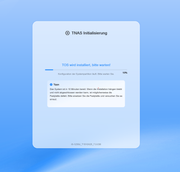
Update:
After the new boot image triggered a reboot loop with TOS 7, but kept restarting after installation, I reconnected the original USB drive to at least be able to use the NAS with TOS 6.
After booting from the original USB drive, the current TOS 7 was installed. Now 17 apps need to be updated, which is always very slow from the Terramaster servers in the evening, while everything runs very quickly in the morning. This has been the case all along, not just since the update.
Re: TOS 7 Is Now Out of Beta — Official Release
Posted: 28 Jul 2026, 02:06
by Takeiteasy
It's unbelievable! After a boot loop and switching the USB stick from the new boot image back to the original USB stick, TOS 7 is suddenly on the NAS, and app updates are starting at a snail's pace.
Then I restarted the NAS, and suddenly it's stuck in an initialization loop. It gets to 99%, freezes, and then restarts with the initialization loop again.
After so many hours of backing up data, trying to get the NAS working again, and now having even more problems than before despite the new boot image, I'm fed up with trying to get a supposedly final OS to run as a beta tester...
Sorry, but this is unacceptable... what good is good, reliable hardware if the software does whatever it wants?
Re: TOS 7 Is Now Out of Beta — Official Release
Posted: 28 Jul 2026, 09:07
by DeathRay2K
After upgrading to TOS7 I see TNAS Initialization, and TNAS PC reports the NAS is not initialized.
I really don't want to lose the data on these drives, is there a solution?
Re: TOS 7 Is Now Out of Beta — Official Release
Posted: 28 Jul 2026, 14:55
by EriChan
Thank you for your feedback. To help identify the issue accurately, please reach out to our online technical support via the link below for investigation and attach the forum link and your forum ID as well:
https://salesiq.zohopublic.com/signatur ... 97d0be8892
Re: TOS 7 Is Now Out of Beta — Official Release
Posted: 28 Jul 2026, 15:32
by EriChan
Could you please confirm if your NAS model is specifically mentioned in the release notes, and whether you have completed the required pre-update steps?
Re: TOS 7 Is Now Out of Beta — Official Release
Posted: 28 Jul 2026, 21:38
by DeathRay2K
EriChan wrote: ↑28 Jul 2026, 15:32
Could you please confirm if your NAS model is specifically mentioned in the release notes, and whether you have completed the required pre-update steps?
The model is F4-425 Plus and I followed the pre-update steps of updating the BIOS.
Re: TOS 7 Is Now Out of Beta — Official Release
Posted: 29 Jul 2026, 15:56
by Takeiteasy
I started another attempt to break the boot loop. I erased the NVMe drives with the corresponding software, reinserted them into the NAS, and booted with the new boot image provided by support. After the initial setup and installation of TOS 7, I immediately removed the USB stick containing the boot image after the scheduled system restart to prevent a boot loop. It seems this has worked since this evening.
The OS has updated to the latest version, 7.0.0804, and has been running smoothly ever since. I then downloaded and manually installed all the necessary apps and subsequently ran the NAS without the USB stick, using the two NVMe drives in RAID 1. I haven't yet tested whether the apps are working correctly, nor have I reinserted any HDDs or restored backed-up data to the NAS, as I'm unfortunately too uncertain whether it will still be running in the foreseeable future or freeze again or enter an endless boot loop.
I also couldn't figure out why it was constantly booting in a loop with a USB stick connected. This causes the NAS to reinitialize repeatedly, and any system logs are then deleted, making them impossible to review.
The support staff here respond quickly and are always eager to resolve issues promptly. Of course, I'd prefer it if the OS ran stably and software errors didn't occur in the first place. Especially not those that render the entire NAS unusable and make your data suddenly inaccessible or unavailable. I was lucky enough to find the right (paid) software to back up my most important data from the hard drives.
Sorry for my less-than-perfect English.
Re: TOS 7 Is Now Out of Beta — Official Release
Posted: 29 Jul 2026, 16:00
by EriChan
Thanks for your additional information. To help identify the issue accurately, please reach out to our online technical support via the link below for investigation and attach the forum link and your forum ID as well:
https://salesiq.zohopublic.com/signatur ... 97d0be8892
Re: TOS 7 Is Now Out of Beta — Official Release
Posted: 31 Jul 2026, 05:21
by Scirocco
I also had no success installing TOS 7 on my F-423. Installation stucks somewhere, since nothing happens after hours.
I then tried to install on a M2-SSD without harddisks. Installation of TOS 6.0.0794 on the M2-SSD was succesful but the following upgrade to TOS 7 failed in the same way. I have been reading in this board, that a TOS 7 boot image is available, would be nice if you could provide this to me as well.