Page 13 of 20
Re: TOS 7 Is Now Out of Beta — Official Release
Posted: 24 Jul 2026, 01:35
by maglake
Приветствую китайские товарищи!
Не обновляется на TOS 7, что то вы не учли в обновлении.
Делал как по инструкции, скачал пакет обновления TOS 7, запустил обновление в ручном режиме, в итоге после перезагрузки опять TOS 6/ Хорошо что я сделал резервное копирование системы.
Так что работайте над обновлением.
Re: TOS 7 Is Now Out of Beta — Official Release
Posted: 24 Jul 2026, 14:41
by TMzethar
Takeiteasy wrote: ↑23 Jul 2026, 19:36
Dear Support Team,
On July 13th, I contacted you in the forum here about the problems I'm experiencing with my NAS F4-424 Max after the correct update from TOS 6 to TOS 7. I also sent you a support email with a download link to a video showing the NAS startup process and all system messages and error messages.
To date, I have received no response regarding a solution to the problem, and the NAS is unusable for me because it no longer functions.
So, what is Terra-Master doing to resolve this issue? Since the update, the NAS is not accessible on the network after being switched on because it no longer obtains an IP address. I can see this in my network management.
Therefore, the usual remote access for support is not possible.
Is there anything I can do beforehand to make the NAS accessible on the network again, so that it can be assigned an IP address?
This would allow support to remotely access the NAS to read, analyze, and resolve system errors.
After 14 days of downtime, I would like to be able to put the NAS back into operation and use it again.
Tank you
Hi. Sorry to hear you're going through this.
We can see you've been in touch through several different channels about this issue.
You originally booked a remote session but canceled it to make time for a backup. Please note that the absence of displayed storage or data in the interface does not necessarily imply permanent data loss.
We watched the video you sent — it shows the system booting into the initialization screen with no drives installed. That tells us the hardware is working, but it doesn't give us enough to solve the problem.
Our email support team later suggested that you reschedule the session, although it appears you may not have seen that message.
We understand your frustration, which is reflected in your repeated inquiries and complaints. We have not given up on helping you — please schedule a remote session with our engineer again.
https://salesiq.zohopublic.com/signatur ... 97d0be8892
(Please include the URL of this post and your forum username so we can quickly identify you.)
Re: TOS 7 Is Now Out of Beta — Official Release
Posted: 24 Jul 2026, 15:00
by TMzethar
nightskyre wrote: ↑24 Jul 2026, 01:16
GGI wrote: ↑20 Jul 2026, 22:48
F2-223 (no SSDs, 2x4TB HDDs in TRAID) - downloaded the package, uploaded using the system/apply package.
System told me it was unzipping the package, had a count down, then nothing more.
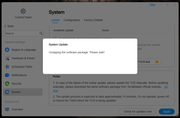
When I refreshed my page, I am still sitting at the desktop of TOS6 and there is no indication that anything is happening.
Did the install fail? Do I need to try it again? Should I be seeing something in the way of a progress indicator?
Just wondering how the upgrade is supposed to look?
This is pretty much exactly what happened to me. I have the log files, if someone can direct me where to send them?
Just to confirm — did you grab the system report from TOS > Technical Support > Report Issues and the update log from the superuser folder?
Please send both files to our technical support email. (Be sure to include the URL of this forum post and your forum username in the email so we can identify you.)
Re: TOS 7 Is Now Out of Beta — Official Release
Posted: 24 Jul 2026, 15:35
by TMzethar
maglake wrote: ↑24 Jul 2026, 01:35
Приветствую китайские товарищи!
Не обновляется на TOS 7, что то вы не учли в обновлении.
Делал как по инструкции, скачал пакет обновления TOS 7, запустил обновление в ручном режиме, в итоге после перезагрузки опять TOS 6/ Хорошо что я сделал резервное копирование системы.
Так что работайте над обновлением.
Hi.
It's possible that TOS 6 remnants on some drives are causing the system to randomly boot into TOS 6 after a restart.
Try restarting a few times — you might get lucky and boot into TOS 7.
If you are able to boot into TOS 7, migrate the TOS 7 system others drive one by one, and then migrate it back to the original drive.
If that doesn't help, you may also try reinstalling TOS 7:
Flash the internal USB drive of your NAS with the TOS 7‑specific version, then reinstall TOS 7.
viewtopic.php?t=6433
Re: TOS 7 Is Now Out of Beta — Official Release
Posted: 26 Jul 2026, 18:44
by Takeiteasy
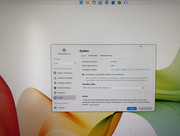
Two weeks ago, after my NAS completely crashed following an update to TOS 7.0, I removed my hard drives and recovered the data. I then tried restarting the NAS with a new, empty hard drive, but it failed; I kept getting the message "Volume 1 cannot be unmounted."
I finally got the NAS running again, installed two 1TB NVMe drives, and started it up. It's running again with TOS version 6.0.794. A system-offered update to TOS 7 completed successfully until the next restart, at which point it again initialized and installed TOS version 6.0.794. Although I followed all the instructions, the two subsequent attempts were also unsuccessful. After restarting, it always installs TOS 6.0.794; the update to 7.0 simply won't work. What's going wrong here?
Re: TOS 7 Is Now Out of Beta — Official Release
Posted: 26 Jul 2026, 20:21
by gsuk
Judging by the number of responses on this thread. The Firmware update has clearly not been tested very well during BETA.
Based on my experiences here after several failed updates. I will be backing my data up and removing the NAS from the network. It's too unstable and very unreliable in general use.
Re: TOS 7 Is Now Out of Beta — Official Release
Posted: 27 Jul 2026, 01:07
by MikeZhang
Please check PM for TOS7 initboot image
Re: TOS 7 Is Now Out of Beta — Official Release
Posted: 27 Jul 2026, 02:16
by Takeiteasy
MikeZhang wrote: ↑27 Jul 2026, 01:07
Please check PM for TOS7 initboot image
Thanks for the quick support. Tomorrow I'll flash the image to a new USB stick using Rufus, connect it instead of the original one, boot from it, and try the update to TOS 7 again.
I'll post an update tomorrow to let you know if it worked.
Thanks again!
Re: TOS 7 Is Now Out of Beta — Official Release
Posted: 27 Jul 2026, 02:58
by Futaba3vc
Hi everyone,
I’m hoping someone from TerraMaster or another user has seen this before.
I have an F6-424 Max running TOS 7.
I have an existing shared folder called PLEXmedia (approximately 59 TB) which has been working for a long time.
Recently I’ve noticed that Plex can no longer see newly added music artists, although all existing music continues to work normally.
After a lot of testing I’ve found the following:
* If I create a brand-new shared folder (PLEXTEST) and copy exactly the same music into it, Plex scans everything correctly.
* If I place the same folders into PLEXmedia, Plex skips them.
* Running as the Plex user from SSH gives “Permission denied” when trying to list some of the new artist directories.
* Existing artists remain accessible.
I also discovered something that seems related.
When I open File Manager → PLEXmedia → Properties → Permissions, I immediately receive:
“You need permission to perform this action.”
The permissions list is completely empty.
However:
* I am logged in as my administrator account
* My account reports uid=0.
* From SSH I can see that the share still has ACLs and NTACL entries.
So the operating system appears to think I have permission, but the TOS File Manager refuses to display or edit the permissions for this share.
My questions
1. Has anyone seen this before?
2. Is there a way to rebuild or repair the ACLs/permissions on an existing shared folder without moving 59 TB of data?
3. Is this a known TOS 7 issue?
I’d really appreciate any advice before I open a support ticket.
Thanks in advance.
Re: TOS 7 Is Now Out of Beta — Official Release
Posted: 27 Jul 2026, 05:29
by Gremlin
The application also needs permission.