Page 2 of 3
Re: 48GB RAM in F8 SSD Plus works great!
Posted: 25 Nov 2024, 10:23
by 000joshua000
It is said in the various documents concerning zfs that on average one GB of memory is needed for one TB of storage in zfs.
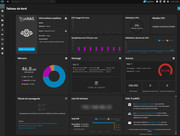
I currently have 7.14TB of storage and the zfs cache is 9.2GB (automatic) in Truenas Scale ElectricEel-24.10.0.2.
I plan to add another 4 SSDs of 4TB, so the cache should more than double.
Re: 48GB RAM in F8 SSD Plus works great!
Posted: 14 Jan 2025, 10:49
by adktk
I have no luck to boot my F8 SSD Plus (BIOS MADN0301.V01, mainboard version TM-N305D1-H V1.1) with 48GB DDR5 SODIMM (Corsair CMSX48GX5M1A4800C40). I disabled the secure boot, VT-d, First boot is not TOS. But still not able to boot up the machine. Any suggestion?
Re: 48GB RAM in F8 SSD Plus works great!
Posted: 14 Jan 2025, 18:57
by RyanYang
adktk wrote: ↑14 Jan 2025, 10:49
You can try waiting a few minutes for the first boot after replacing the memory.
Re: 48GB RAM in F8 SSD Plus works great!
Posted: 29 Jan 2025, 11:32
by paltry031
No luck either over here. Even after waiting +10m, doesn’t boot. Same bios settings and Corsair module as @adktk. Any tips?
Re: 48GB RAM in F8 SSD Plus works great!
Posted: 29 Jan 2025, 17:37
by crisisacting
It's likely a UEFI revision issue. What's the build on your F8?
Re: 48GB RAM in F8 SSD Plus works great!
Posted: 30 Jan 2025, 19:53
by paltry031
crisisacting wrote: ↑29 Jan 2025, 17:37
It's likely a UEFI revision issue. What's the build on your F8?
Version: MADN0301.V02
Release Date: 09/03/2024
BIOS Revision: 5.26
Re: 48GB RAM in F8 SSD Plus works great!
Posted: 08 Feb 2025, 17:38
by paltry031
After a few exchanges with the support team, I’ve confirmed that switching between the existing BIOS versions of the F8 SSD Plus won’t make a difference when it comes to RAM compatibility.
Conclusion: If you're considering upgrading to the Corsair 48GB RAM (CMSX48GX5M1A4800C40), my advice is don’t—it’s a gamble whether the module will work or not, and there currently are no BIOS settings or versions that can change that.
Here’s the official response from support:
Currently, there are 2 BIOS revisions, each optimized for a motherboard revision. These BIOS versions have no changes in how they handle memory. Both BIOS versions only make minor modifications related to USB, which theoretically have nothing to do with this memory.
Hope this helps anyone considering this upgrade!
Re: 48GB RAM in F8 SSD Plus works great!
Posted: 20 Feb 2025, 18:43
by KENSHI
Thanks for sharing this info!

It's really informative to see 48GB DDR5 running fine on the F8 SSD Plus. It's officially labeled 32GB, but your test proves that higher capacities are feasible as well, which is great news for those in need of an upgrade!
Re: Guide 48GB RAM in F8 SSD Plus works great!
Posted: 19 May 2025, 06:38
by djguana
i tried and the corsair CMSX48GX5M1A4800C40 does not work : the TNAS does not even start with it
Re: Guide 48GB RAM in F8 SSD Plus works great!
Posted: 19 May 2025, 06:40
by djguana
is there any update in regards to the BIOS ? strange that the 48GB does not work
 It's really informative to see 48GB DDR5 running fine on the F8 SSD Plus. It's officially labeled 32GB, but your test proves that higher capacities are feasible as well, which is great news for those in need of an upgrade!