Page 2 of 20
Re: TOS 7 Is Now Out of Beta — Official Release
Posted: 24 Jun 2026, 08:08
by Argonautica
RyanYang wrote: ↑23 Jun 2026, 10:52
11. If the update appears to be stuck at 9%, please wait patiently for 1-3 minutes. This may occur in rare cases.
Hi, new user here. I am updating a very recent install of TOS6 on a new F2-425 Plus (BIOS vers. MTWL0101.V07) and the update has been stuck at 9% for over 4 hours. There is no control in the UI to abort or cancel the update. Is a hard power off the only solution?
There is a 256GB M.2 in slot 1 with the System installed on it, and 2 x SATA disk TRAID Volume. This a test install of the TOS platform for assessment purposes with no live data at present.
Re: TOS 7 Is Now Out of Beta — Official Release
Posted: 24 Jun 2026, 08:43
by RyanYang
We've encountered this situation before. The device may have actually already restarted. You can refresh your browser to check the status. If the update didn't succeed, please try updating again.
Re: TOS 7 Is Now Out of Beta — Official Release
Posted: 24 Jun 2026, 09:26
by Argonautica
RyanYang wrote: ↑24 Jun 2026, 08:43
We've encountered this situation before. The device may have actually already restarted. You can refresh your browser to check the status. If the update didn't succeed, please try updating again.
Thank you – refreshing the browser (Firefox) did the trick.
Re: TOS 7 Is Now Out of Beta — Official Release
Posted: 24 Jun 2026, 11:40
by TMnight
The F6-424 Max does not require any boot order adjustments. If the device's current system version is TOS 6.0.794, you can download the TOS 7.0.0747 upgrade package from the download link provided in this document to upgrade to TOS 7.
Re: TOS 7 Is Now Out of Beta — Official Release
Posted: 24 Jun 2026, 11:47
by TMnight
Yes, this version supports the F2-223.
To further investigate the issue, please first enable Debug Mode in TOS → Technical Support & Help. When the problem occurs again, please do not reboot the NAS immediately and help us confirm the following information:
1、Whether the LED indicators on the NAS network port are still lit or blinking;
2、Whether the corresponding port LEDs on your switch or router are functioning normally;
3、Whether the NAS IP address can still be reached using the Ping command;
4、Whether only the Web management interface is inaccessible, or if services such as SMB and SSH are also unavailable;
5、Since the device is equipped with an HDMI port, please connect a monitor and check whether there are any error messages or abnormal information displayed locally.
After confirming the above information, please reboot the NAS. Once the system has booted back into TOS, export a Debug log through Technical Support & Help and provide it to us. This will help us further analyze the cause of the network disconnection.
Thank you for your cooperation and support. After receiving the log files, we will review both the observed behavior and the system logs to assist with further troubleshooting.
Re: TOS 7 Is Now Out of Beta — Official Release
Posted: 24 Jun 2026, 22:42
by kowei13
TMnight wrote: ↑24 Jun 2026, 11:47
Yes, this version supports the F2-223.
To further investigate the issue, please first enable Debug Mode in TOS → Technical Support & Help. When the problem occurs again, please do not reboot the NAS immediately and help us confirm the following information:
1、Whether the LED indicators on the NAS network port are still lit or blinking;
2、Whether the corresponding port LEDs on your switch or router are functioning normally;
3、Whether the NAS IP address can still be reached using the Ping command;
4、Whether only the Web management interface is inaccessible, or if services such as SMB and SSH are also unavailable;
5、Since the device is equipped with an HDMI port, please connect a monitor and check whether there are any error messages or abnormal information displayed locally.
After confirming the above information, please reboot the NAS. Once the system has booted back into TOS, export a Debug log through Technical Support & Help and provide it to us. This will help us further analyze the cause of the network disconnection.
Thank you for your cooperation and support. After receiving the log files, we will review both the observed behavior and the system logs to assist with further troubleshooting.
The LAN LED is blinking. Port at router shows UP but the NAS IP Address unable to ping. Therefore, all services such as Web Management, SMB and SSH are not available. I have connected the HDMI to monitor but no display out and noticed the USB mouse and external hard drive no usable. I have rebooted once before this. The Web Management is available for awhile then eventually loss the connection. I will try to reboot again.
‐----------
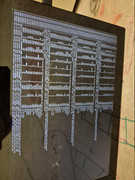
Rebooted. Same symptoms but this time I have the HDMI connected. Noticed in the device health that the memory usage is increasing near to default 4GB and from the HDMI can see the out of memory messages and the system is killing all the processes including ip stack, nginx and etc. That's why the Web Management unable to access after awhile.
Re: TOS 7 Is Now Out of Beta — Official Release
Posted: 25 Jun 2026, 05:29
by elfirwhite
qbittorrent does not starting after the update
○ qbittorrent.service
Loaded: loaded (/etc/init.d/qbittorrent; generated)
Active: inactive (dead)
Docs: man:systemd-sysv-generator(8)
Jun 25 00:11:23 NAS systemd[1]: qbittorrent.service: Deactivated successfully.
Jun 25 00:11:23 NAS systemd[1]: Stopped qbittorrent.service.
Jun 25 00:17:23 NAS systemd[1]: Starting qbittorrent.service...
Jun 25 00:17:24 NAS qbittorrent[8927]: sudo: /usr/bin/sudo must be owned by uid 0 and have the setuid bit set
Jun 25 00:17:25 NAS qbittorrent[8869]: /Volume1/@apps/qbittorrent/bin/qbittorrent-nox starting
Jun 25 00:17:25 NAS systemd[1]: Started qbittorrent.service.
Jun 25 00:17:53 NAS systemd[1]: Stopping qbittorrent.service...
Jun 25 00:17:53 NAS qbittorrent[9140]: stop /Volume1/@apps/qbittorrent/bin/qbittorrent-nox: ok!
Jun 25 00:17:53 NAS systemd[1]: qbittorrent.service: Deactivated successfully.
Jun 25 00:17:53 NAS systemd[1]: Stopped qbittorrent.service.
f4-424
Re: TOS 7 Is Now Out of Beta — Official Release
Posted: 25 Jun 2026, 05:32
by kuzan
Hi, I have a F2-221. I tried to upgrade from 6.0.794 2 times, but both times the upgrade failed and the NAS was stuck to "booting form INIT system". I needed to restore a new initboot from USB. Do you have any suggestion on how to solve this issue, or what could be the reason?
Re: TOS 7 Is Now Out of Beta — Official Release
Posted: 25 Jun 2026, 14:37
by RyanYang
kuzan wrote: ↑25 Jun 2026, 05:32
Have you ever modified the BIOS boot order before? It seems like the USB boot on your motherboard may have an issue, causing the system to prioritize booting from the USB device at startup. If that's the case, you can enter the BIOS, press F3 to restore the default boot order, then press F4 to save and exit, and reboot. Alternatively, you can try booting without any disks connected, or unplug the USB boot device before powering on. What BIOS version does your TOS update module display? Also, you can refer to this method to create a new USB boot drive:
viewtopic.php?t=6433
Re: TOS 7 Is Now Out of Beta — Official Release
Posted: 25 Jun 2026, 14:39
by RyanYang
Did you install your qbittorrent from the App Center, or did you download it from the App Community? You can go to the App Center to install PHP7.4, then restart the application and give it a try.