

Hello,
during my business travel this week, my F4-424 at home registered an unusual shutdown at 10:30 pm on 11/25/2026. It restarted automatically, but NVME slot No. 1 wasn't available anymore. After exchanging the two SSDs M.2 Chips I was able to restart the machine, but it wasn't possible to get the second SSD to work.
Unfortunately I found a reset button on the circuit board which I pressed. Without knowing I thougt it resets the slots. It didn't. As far as I understand, the system is now fully crashed. Fortunately I've a full backup.
However, it is now not possible to reinstall the system or re-initiate it. After the bootloader was installed successfully, the installation stops at 80%.
For installation I removed all HDDs and one of the both M.2 SSDs (the broken one). So I try to install with only one SSD and the Hardware. Nothing else...
Are there any tipps, what I could do, to get the system to work again? A new SSD is ordered.
[Help] Total crash of my F4-424

Re: [Help] Total crash of my F4-424
What version of TOS was the F4-424 running before the issue occurred?
This button on the F4-424 is used to restore factory settings (wipe the system):
viewtopic.php?t=10988
Regarding your two original M.2 SSDs, what were their respective purposes? Did the system files reside on them?
Did you use the new M.2 SSD or the original M.2 SSD to reinstall the system?
Regarding the issue where the TOS installation got stuck at 80%, could you please take a screenshot of the screen? Also, did you use the online download installation or the custom upload installation?
To contact our team, please send email to following addresses, remember to replace (at) with @:
Technical team: support(at)terra-master.com (for technical support)
Service team: service(at)terra-master.com (for purchasing, return, replacement, RMA service)
Technical team: support(at)terra-master.com (for technical support)
Service team: service(at)terra-master.com (for purchasing, return, replacement, RMA service)
Re: [Help] Total crash of my F4-424
It was the latest Version of TOS when it happened.
Since I haven't a new SSD yet, I try to reinstall the system on the existing SSD by just put it in and start the installation routine. I tried both, manual upload and also internet download. Internet download always stucks with an connection error message (although it is definitely connected) and manual upload stucks at 80% without any message for hours. It's the same screen like this:
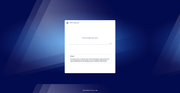
The only difference is 80% status instead 0% status. Nothing else.
I tried it with the latest 7.x version of TOS that was downloadable on the support site.
However I'd normally format a SSD befor reinstalling something. But this seems not to be doable.
In case you see a chance to install the software in the HDDs (which are currently removed) please let me know. But have in mind, that they are ok and contain all my data. I don't want to format them.
Also a question: I made a full backup of the data and also from the system configuration via TOS frontend. Where can I find the system configuration in the backup?
Since I haven't a new SSD yet, I try to reinstall the system on the existing SSD by just put it in and start the installation routine. I tried both, manual upload and also internet download. Internet download always stucks with an connection error message (although it is definitely connected) and manual upload stucks at 80% without any message for hours. It's the same screen like this:
The only difference is 80% status instead 0% status. Nothing else.
I tried it with the latest 7.x version of TOS that was downloadable on the support site.
However I'd normally format a SSD befor reinstalling something. But this seems not to be doable.
In case you see a chance to install the software in the HDDs (which are currently removed) please let me know. But have in mind, that they are ok and contain all my data. I don't want to format them.
Also a question: I made a full backup of the data and also from the system configuration via TOS frontend. Where can I find the system configuration in the backup?
Re: [Help] Total crash of my F4-424
This is likely related to the condition of the SSD. Additionally, this initialization system is specific to TOS6 and is not compatible with the TOS7 installation package. If your NAS was running TOS7 before the issue occurred, please follow these instructions to flash the USB initboot with the TOS7 UEFI-specific version, and then try installing the system again:
viewtopic.php?t=6433
viewtopic.php?t=6433
To contact our team, please send email to following addresses, remember to replace (at) with @:
Technical team: support(at)terra-master.com (for technical support)
Service team: service(at)terra-master.com (for purchasing, return, replacement, RMA service)
Technical team: support(at)terra-master.com (for technical support)
Service team: service(at)terra-master.com (for purchasing, return, replacement, RMA service)