TOS 7.1 Insider Preview Program


Re: TOS 7.1 Insider Preview Program
Can you make an official app or a option to enable and configure Cloudflared on the NAS? In TOS version 6 I could use Terminal to configure and setup Cloudflared, but ever since upgrading to TOS 7 Cloudflared no longer works, even when using terminal to delete all references to Cloudflared and setting everything back up


Re: TOS 7.1 Insider Preview Program
Thank you for your feedback and for participating in the TOS 7.1 Insider Preview Program.
We have logged your request for an official Cloudflared app/integration and passed it along to our product team for evaluation. In the meantime, deploying Cloudflared via Docker is a great alternative to keep it running smoothly on TOS 7.
Please stay tuned to our future updates.
To contact our team, please send email to following addresses, remember to replace (at) with @
Technical team: support(at)terra-master.com(for technical support)
Service team: service(at)terra-master.com(for purchasing, return, replacement, RMA service)
Technical team: support(at)terra-master.com(for technical support)
Service team: service(at)terra-master.com(for purchasing, return, replacement, RMA service)


Re: TOS 7.1 Insider Preview Program
When can we expect the first updates for 7.1?
My TNAS
- Device = T6-423
- RAM = 32gb official Terramaster ram
- Disks = 3 x Seagate IronWolf ST400VN006 4TB
- TOS = 7.1.0442-beta
- BIOS = 5.19
- Mobile App = 3.5.102

Re: TOS 7.1 Insider Preview Program
They have already started to push updates. I doubt you will see them here, so check control panel in nas.
British By Birth, Canadian By Choice, Residence By Circumstance 
F5-221 TOS7.0.1422 - 4x4TB (Ironwolf) Traid
F2-424 TOS7.0.1422 - 2x500GB nvme (P3) Traid, 2x6TB HDD (HGST) Traid
Frustrated Beta Tester!!!
F2-221, F2-425+ == Tos7.1 in progress (broken)!
F5-221 TOS7.0.1422 - 4x4TB (Ironwolf) Traid
F2-424 TOS7.0.1422 - 2x500GB nvme (P3) Traid, 2x6TB HDD (HGST) Traid
Frustrated Beta Tester!!!
F2-221, F2-425+ == Tos7.1 in progress (broken)!
-
Nitrokalel

- Posts: 58
- Joined: 24 Apr 2024, 05:51

Re: TOS 7.1 Insider Preview Program
Nome deja actualizar
F8 SSD Plus (8x4TB NVMe, TRaid, 48GB, prod)
F8 SSD Plus (6x1TB+2x2TB, TRaid, 48GB, prod)
F4-424 Pro (2x22TB+2x10TB HDD +1TB+500GB NVMe, TRaid, 32GB, prod)
F2-423 (2x18TB, TRaid, 32GB, prod)
F2-221 (6TB+10TB, TRaid, 10GB, prod)
D1 SSD (2TB, prod)
F8 SSD Plus (6x1TB+2x2TB, TRaid, 48GB, prod)
F4-424 Pro (2x22TB+2x10TB HDD +1TB+500GB NVMe, TRaid, 32GB, prod)
F2-423 (2x18TB, TRaid, 32GB, prod)
F2-221 (6TB+10TB, TRaid, 10GB, prod)
D1 SSD (2TB, prod)

Re: TOS 7.1 Insider Preview Program
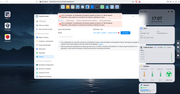
Thank you for your feedback. Regarding the error shown in the image, please check the available disk space on your system's root partition; upgrading to version 7.1 requires more than 2.5 GB of free space on the root partition.

Re: TOS 7.1 Insider Preview Program
Hi Phil. I've also had the same error with low disk space before installing the update. This is the first time since all this time of owning the NAS I've had this error. The System partition sits on a 500GB SSD and it's no where near full.
Re: TOS 7.1 Insider Preview Program
The size of the ssd is irrelevant. How large is the actual system partition? - that's what is being referenced.
British By Birth, Canadian By Choice, Residence By Circumstance
F5-221 TOS7.0.1422 - 4x4TB (Ironwolf) Traid
F2-424 TOS7.0.1422 - 2x500GB nvme (P3) Traid, 2x6TB HDD (HGST) Traid
Frustrated Beta Tester!!!
F2-221, F2-425+ == Tos7.1 in progress (broken)!
F5-221 TOS7.0.1422 - 4x4TB (Ironwolf) Traid
F2-424 TOS7.0.1422 - 2x500GB nvme (P3) Traid, 2x6TB HDD (HGST) Traid
Frustrated Beta Tester!!!
F2-221, F2-425+ == Tos7.1 in progress (broken)!

Re: TOS 7.1 Insider Preview Program
Since the official team is actively building out its developer ecosystem and offering development incentives, quite a few developers have already joined. Going forward, the official team will no longer develop or publish third-party applications and will instead focus on in-house applications. You can post your request in the developer discussion section — someone should respond.ATO3FIX wrote: ↑16 Nov 2026, 21:10 Can you make an official app or a option to enable and configure Cloudflared on the NAS? In TOS version 6 I could use Terminal to configure and setup Cloudflared, but ever since upgrading to TOS 7 Cloudflared no longer works, even when using terminal to delete all references to Cloudflared and setting everything back up
To contact our team, please send email to following addresses, remember to replace (at) with @:
Support team: support(at)terra-master.com (for technical support only)
Service team: service(at)terra-master.com (for purchasing, return, replacement, RMA service)
Support team: support(at)terra-master.com (for technical support only)
Service team: service(at)terra-master.com (for purchasing, return, replacement, RMA service)