[Help] New VMS app, no VM will start F2-423

Install virtual machines on your TNAS;
Post Reply
User avatar
d0ng3r
Posts: 2
Joined: 27 Jan 2023, 04:32

[Help] New VMS app, no VM will start F2-423

Post by d0ng3r »

Hello I'm trying to use the new VMS app. I have removed virtualbox. Howevr i can't get any VM to start.

This is happening on the initial upgrade to TOS 7, and even still on the latest release 7.0.1130

I have tried importing from an OVA, it succeeds but will not start.

I have tried creating a fresh vm, it will not start either.

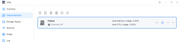
I'm getting the folowing error: Virtual machine(Fedora) failed to start (Error:vdisk running - targetcli create failed: after 3 attempts, last error: attempt3:exit status 1)

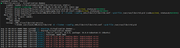
if i run from the command line "virsh list --all" no VMs list even though i see it in the GUI.

I have restarted the processes several times and have tried reinstalling several times with no luck. i'm attaching several screen shots of the system and some command outputs.

Has anyone else ran into this? I guess i'll go back to virtualbox for now...

Image

Image

Image

Image
User avatar
CursaYang
TM Support
Posts: 1017
Joined: 06 Jan 2025, 16:34
China

Re: [Help] New VMS app, no VM will start F2-423

Post by CursaYang »

Currently, no other customers have reported this issue. We need to check it remotely. Please visit the link and schedule an appointment with online customer service for remote assistance:

https://salesiq.zoho.com.cn/emailsignat ... cf77e403f5 When scheduling, please include the link to this post.
To contact our team, please send email to following addresses, remember to replace (at) with @

Technical team: support(at)terra-master.com(for technical support)
Service team: service(at)terra-master.com(for purchasing, return, replacement, RMA service)
User avatar
d0ng3r
Posts: 2
Joined: 27 Jan 2023, 04:32

Re: [Help] New VMS app, no VM will start F2-423

Post by d0ng3r »

Great, thank you i have an appt scheduled.
User avatar
Malbies
Posts: 2
Joined: 14 Nov 2026, 08:33
Australia

Re: [Help] New VMS app, no VM will start F2-423

Post by Malbies »

Did you get a resolution for this?
I have the exact same issue on my F2-423
User avatar
Malbies
Posts: 2
Joined: 14 Nov 2026, 08:33
Australia

Re: [Help] New VMS app, no VM will start F2-423

Post by Malbies »

I figured this out!
The NAS had a broken file path in its Python setup that stopped the virtual hard drive tool from running. Fixed it by adding a small text file that tells Python where to find those missing files.


What Was Wrong

• The Virtual Hard Drive Tool: To start any virtual machine, TOS 7 uses a background tool called targetcli to connect your virtual hard drive to the system.
• The Misplaced Files: TerraMaster stored the code files needed for targetcli inside the VMs app folder and the Linux system folder. However, TOS 7's main Python program was looking in a completely different folder and couldn't see them.
• The Crash: Every time you clicked Start, targetcli crashed immediately because it couldn't find its own code files, causing the exit status 1 error.

How We Fixed It

• Connected via SSH: We logged directly into your NAS's command line to see why targetcli was crashing.
• Found the Missing Folders: We searched the NAS and located the exact folders where TerraMaster had stored the code files.
• Created a Shortcut File: We placed a tiny .pth configuration file inside Python's active folder that points directly to those two missing folders. Once Python knew where to look, targetcli ran cleanly and your Home Assistant VM booted right up.
User avatar
CursaYang
TM Support
Posts: 1017
Joined: 06 Jan 2025, 16:34
China

Re: [Help] New VMS app, no VM will start F2-423

Post by CursaYang »

I’m glad to hear that you’ve resolved your issue. Regarding the Python problem you mentioned, did you install any other versions of Python yourself?
To contact our team, please send email to following addresses, remember to replace (at) with @

Technical team: support(at)terra-master.com(for technical support)
Service team: service(at)terra-master.com(for purchasing, return, replacement, RMA service)
Post Reply

Return to “Virtual Machines”