Discuss, seek assistance, and report issues related to hardware components, such as hardware platforms, memory, network ports, power supplies, UPS systems, and so on.
Hello. Please try clearing your browser cache, or use your browser's incognito/private mode and then reconnect the UPS. In addition, what UPS model are you using? Is it on our compatibility list? https://www.terra-master.com/pages/comp ... tab_A8cfP6
To contact our team, please send email to following addresses, remember to replace (at) with @
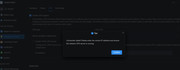
This with a USB connection. The point on the picture was, it seemed to have been searching for a network UPS, whilst it should check upon a USB connection UPS.
Its not yet in the HCL.
And now of a sudden my F4-424Max claims it needs a new reinitialize.
What I mean is that this may be a front-end display issue. Can you enter the TOS desktop after restarting the device? The prompt to reinitialize may be related to an anomaly in the array or the system partition. If the device does not recover after a restart, you can reinitialize it by following the on-screen instructions — this will not affect the data on your hard drives.
To contact our team, please send email to following addresses, remember to replace (at) with @
Same Issue here. The model is correctly identified in the "Device Information" section in the lower part of the Hardware + Energy page, but when trying to activate it in USB-UPS mode, it throws an error that the I should provide the correct IP Address. Reboot doesn't help.
We have not yet been able to reproduce this issue. We plan to refactor this feature in a future release.
You may want to contact us here to schedule a remote troubleshooting session, and we’ll try to find a temporary workaround for you. https://salesiq.zohopublic.com/signatur ... 97d0be8892
(Talk to an agent)
To contact our team, please send email to following addresses, remember to replace (at) with @:
Technical team: support(at)terra-master.com (for technical support)
Service team: service(at)terra-master.com (for purchasing, return, replacement, RMA service)