

I recently upgraded the BIOS of my F5-221 from version 5.12 to MAPL0304V22, but seem to have lost drive bay 5 (disks do not even spin up), and one of the two LAN ports. Also the LEDs for drives 3-5 are not working. Is there a newer BIOS that I can install to fix this, or a way to revert to the old BIOS?
Thanks a million!
[Help] F5-221 Issues after BIOS Upgrade


Re: [Help] F5-221 Issues after BIOS Upgrade
As stated in our previous forum announcement (viewtopic.php?t=6809), due to hardware limitations, the F5-221 and certain legacy models do not support an official BIOS upgrade path to update to newer system releases. Force-flashing an incompatible BIOS will cause hardware conflicts due to motherboard layout differences, leading to malfunctions in SATA, LAN, and LED indicators.
Currently, there is no official BIOS downgrade utility or verified rollback procedure available. We strongly advise against using third-party tools to force a downgrade, as this poses a high risk of rendering the device completely unbootable (bricked).
If convenient, please provide clear photos of your current BIOS screens along with Serial Number (SN), so our engineering team can verify the board configuration and evaluate potential next steps.
To contact our team, please send email to following addresses, remember to replace (at) with @
Technical team: support(at)terra-master.com(for technical support)
Service team: service(at)terra-master.com(for purchasing, return, replacement, RMA service)
Technical team: support(at)terra-master.com(for technical support)
Service team: service(at)terra-master.com(for purchasing, return, replacement, RMA service)
Re: [Help] F5-221 Issues after BIOS Upgrade
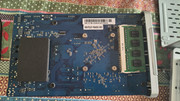
Thank you for your swift response. Please see the serial number in the picture below. Are there any particular BIOS screens you need or should I just share pictures of all menus and submenus?

Re: [Help] F5-221 Issues after BIOS Upgrade
Thank you for providing the serial number.
After checking, we have confirmed that there is currently no official BIOS downgrade tool available for this model, nor is there a verified official rollback method. Therefore, it is not possible for users to restore the previous BIOS version on their own at this time.
Considering the risks involved in further BIOS flashing attempts, we do not recommend trying any other flashing methods, including third-party tools. If the process fails, the device may become unable to boot properly, which could make further recovery significantly more difficult.
In addition, considering that the F5-221 is an older model that has been in use for quite some time, rather than continuing to invest time and effort in repairing the device, we recommend considering our replacement or upgrade options.
You can contact our sales team to inquire about the available options:
- Please email [email protected] and mention that you are currently using an F5-221, along with the device serial number.
- In your email, please indicate that you would like to inquire about a trade-in or upgrade option.
- The available replacement models, trade-in value, discount, and detailed process will be confirmed by the sales team based on your specific situation.
To contact our team, please send email to following addresses, remember to replace (at) with @:
Technical team: support(at)terra-master.com(for technical support)
Service team: service(at)terra-master.com(for purchasing, return, replacement, RMA service)
Technical team: support(at)terra-master.com(for technical support)
Service team: service(at)terra-master.com(for purchasing, return, replacement, RMA service)