

A small correction; I booted into stock BIOS and I now see:
Nominal: (standard configuration)
PL1: 13500
PL2: 35000
Also: It would be useful to see the Watt usage of the CPU in the controlpanel CPU details. as I now need the intel Rapl tool and calculate this.
[Help] My F4-425 Pro (N305) is reaching 98°C under load (25%) [SOLVED]
Re: [Help] My F4-425 Pro (N305) is reaching 98°C under load (25%)
I changed the BIOS to use 7W and this is what I got:
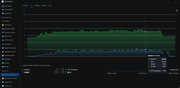
I will RMA this unit and Check on the "New" one. Thanks!
I will RMA this unit and Check on the "New" one. Thanks!


Re: [Help] My F4-425 Pro (N305) is reaching 98°C under load (25%) [SOLVED]
We appreciate your understanding and cooperation.
Please contact our support team via the following link and include the forum link and your forum ID:
https://salesiq.zohopublic.com/signatur ... 97d0be8892
To contact our team, please send email to following addresses, remember to replace (at) with @
Technical team: support(at)terra-master.com(for technical support)
Service team: service(at)terra-master.com(for purchasing, return, replacement, RMA service)
Technical team: support(at)terra-master.com(for technical support)
Service team: service(at)terra-master.com(for purchasing, return, replacement, RMA service)
Re: [Help] My F4-425 Pro (N305) is reaching 98°C under load (25%)
I have been investigating the CPU temperatures of my F4-425 Pro and found a significant thermal difference after improving the thermal interface and, more importantly, the airflow over the CPU heatsink.
I decided to keep my current Pro as the Amazon substitute (F4-425 Plus) had exactly the same issues. I returned the plus and decided to make the Pro work better with some tweaks.
Original configuration:
With the original thermal putty, original heatsink and original fan:
Idle: ~51–52 °C
Transmission active: ~94 °C (11W power usage)
CPU utilization during the test: approximately 18–19%
Fan speed: approximately 1,450–1,500 RPM (max of the SnowFan)
The CPU would reach ~94 °C and remain there under sustained Transmission activity.
Thermal interface test
I replaced the original thermal putty with a GELID Ultimate thermal pad. Thermal Conductivity (W/mK), 15 (0.5mm version)
With the stock fan and otherwise stock configuration:
Idle: ~46–48 °C
This was an improvement of approximately 4–6 °C at idle, indicating that the original thermal interface was not providing optimal thermal transfer.
However, under sustained load the CPU could still reach approximately 94 °C.
Airflow modification
The main issue appeared to be airflow through/over the heatsink.
I installed an additional Noctua fan in drivebay 4, directly over the CPU heatsink, specifically positioned to force airflow through the heatsink fins.
With the improved heatsink airflow but without the power limit:
Transmission load: ~80–82 °C
CPU utilization: approximately 18–19%
This reduced the temperature by approximately 12–14 °C compared with the original configuration.
This strongly suggested that the heatsink itself was capable of dissipating the heat, but the original airflow arrangement was insufficient.
Final configuration
GELID Ultimate thermal pad (Thermal Conductivity (15 W/mK), 0.5mm)
Additional Noctua fan directly on the CPU heatsink (Noctua NF-A9x14 PWM + Splitter) -> mounted in Bay 4 with the fan output on the CPU heatsink.
Noctua chassis fan (Noctua NF-A12x25 G2 PWM)
PL1 = 7 W
PL2 = 7 W
Smart Fan Control enabled
Final thermal results
After fully reassembling the NAS:
Idle - Approximately 39–41 °C
Fan can stop at low temperature
Load - Transmission load with CPU utilization fluctuating between approximately 13–19%:
Typical temperature: 58–59 °C
Occasional short peak: ~60–63 °C
Fan speed during sustained load: approximately 1,400–1,580 RPM
Temperature remained stable and did not continue increasing over time.
After stopping Transmission:
~58 °C → ~41 °C in approximately 5 seconds
The system subsequently remained around 40 °C at idle.
Summary:
The original ~94 - 98 °C load temperature has therefore been reduced to approximately 58–60 °C under a comparable Transmission workload.
My conclusion is that the original cooling solution appears to have two separate limitations:
1. The original thermal interface was not optimal.
2. More importantly, the airflow did not effectively remove heat from the CPU heatsink.
The additional direct airflow over the heatsink made a very significant difference. Combining this with a conservative 7 W CPU power limit resulted in a much cooler and more stable system (no throttling because of high temperatures)
The NAS is now running at approximately 40 °C idle and 58–60 °C under my typical Transmission workload, which I consider a very satisfactory result for a system intended to run continuously.
I decided to keep my current Pro as the Amazon substitute (F4-425 Plus) had exactly the same issues. I returned the plus and decided to make the Pro work better with some tweaks.
Original configuration:
With the original thermal putty, original heatsink and original fan:
Idle: ~51–52 °C
Transmission active: ~94 °C (11W power usage)
CPU utilization during the test: approximately 18–19%
Fan speed: approximately 1,450–1,500 RPM (max of the SnowFan)
The CPU would reach ~94 °C and remain there under sustained Transmission activity.
Thermal interface test
I replaced the original thermal putty with a GELID Ultimate thermal pad. Thermal Conductivity (W/mK), 15 (0.5mm version)
With the stock fan and otherwise stock configuration:
Idle: ~46–48 °C
This was an improvement of approximately 4–6 °C at idle, indicating that the original thermal interface was not providing optimal thermal transfer.
However, under sustained load the CPU could still reach approximately 94 °C.
Airflow modification
The main issue appeared to be airflow through/over the heatsink.
I installed an additional Noctua fan in drivebay 4, directly over the CPU heatsink, specifically positioned to force airflow through the heatsink fins.
With the improved heatsink airflow but without the power limit:
Transmission load: ~80–82 °C
CPU utilization: approximately 18–19%
This reduced the temperature by approximately 12–14 °C compared with the original configuration.
This strongly suggested that the heatsink itself was capable of dissipating the heat, but the original airflow arrangement was insufficient.
Final configuration
GELID Ultimate thermal pad (Thermal Conductivity (15 W/mK), 0.5mm)
Additional Noctua fan directly on the CPU heatsink (Noctua NF-A9x14 PWM + Splitter) -> mounted in Bay 4 with the fan output on the CPU heatsink.
Noctua chassis fan (Noctua NF-A12x25 G2 PWM)
PL1 = 7 W
PL2 = 7 W
Smart Fan Control enabled
Final thermal results
After fully reassembling the NAS:
Idle - Approximately 39–41 °C
Fan can stop at low temperature
Load - Transmission load with CPU utilization fluctuating between approximately 13–19%:
Typical temperature: 58–59 °C
Occasional short peak: ~60–63 °C
Fan speed during sustained load: approximately 1,400–1,580 RPM
Temperature remained stable and did not continue increasing over time.
After stopping Transmission:
~58 °C → ~41 °C in approximately 5 seconds
The system subsequently remained around 40 °C at idle.
Summary:
The original ~94 - 98 °C load temperature has therefore been reduced to approximately 58–60 °C under a comparable Transmission workload.
My conclusion is that the original cooling solution appears to have two separate limitations:
1. The original thermal interface was not optimal.
2. More importantly, the airflow did not effectively remove heat from the CPU heatsink.
The additional direct airflow over the heatsink made a very significant difference. Combining this with a conservative 7 W CPU power limit resulted in a much cooler and more stable system (no throttling because of high temperatures)
The NAS is now running at approximately 40 °C idle and 58–60 °C under my typical Transmission workload, which I consider a very satisfactory result for a system intended to run continuously.

Re: [Help] My F4-425 Pro (N305) is reaching 98°C under load (25%)
Thank you for the detailed testing and for sharing your findings with us. We really appreciate the time and effort you put into investigating the CPU temperature and cooling performance.
We will forward your test results and feedback to our product team for further evaluation.
We will forward your test results and feedback to our product team for further evaluation.
To contact our team, please send email to following addresses, remember to replace (at) with @
Technical team: support(at)terra-master.com(for technical support)
Service team: service(at)terra-master.com(for purchasing, return, replacement, RMA service)
Technical team: support(at)terra-master.com(for technical support)
Service team: service(at)terra-master.com(for purchasing, return, replacement, RMA service)