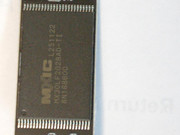
Dismantling the F2-425Plus

This forum serves as a free discussion zone, intended to facilitate community conversations on topics unrelated to TerraMaster products and services.
Post Reply
User avatar
Gremlin
Gold Member
Posts: 1719
Joined: 02 Dec 2022, 22:31
Great Britain

Dismantling the F2-425Plus

Post by Gremlin »

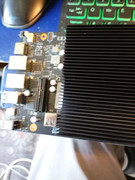
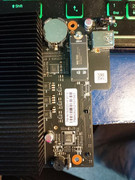
WHY On Earth?: Much like the chicken; to see what is on the other side - or, more precisely, to see what the USB-DOM looks like and to take some measurements. (Take all necessary precautions for handling electronic components!!)

1. Remove the 2 screws in the base. (There are videos on YouTube for the basic stuff.)
2. Slide the outer case off the chassis (The Nvme slots are exposed. The USB-DOM is on the other side of the motherboard.
3. Remove the rear panel containing the fan.
3a. Remove 2 screws each side where the rear panel supports are attached to the chassis:
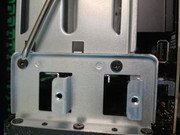
Image
Watch out for the fan wire wrapped around the leg of the support. Good news - the fan connector is a "proper" 4-pin connector. Disconnect the fan connector.
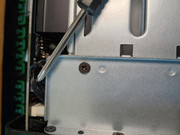
Image
Slide the fan assembly away from the chassis.
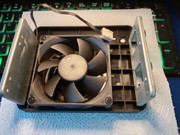
Image
4. Remove the motherboard.
4a. Remove the 4 screws holding the motherboard to the chassis.
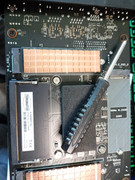
Image
4b. Carefully lift the motherboard from the chassis. I found it best to start lifting from the end opposite the front panel. It is necessary to slightly tilt in order to clear the front panel and the SATA riser has to disconnect from the motherboard as well. Once the riser disconnects, lift the motherboard clear.
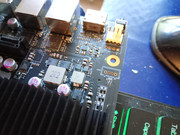
ImageImage

As all the good books say "assembly is the reverse of the foregoing". But, NOTE:
Ensure that the SATA riser connects properly with it's motherboard socket.
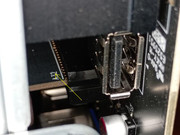
Image

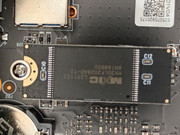
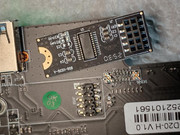
Images relating to USB-dom follow.
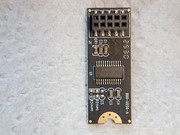
F5-221 TOS7.0.1130 - 4x4TB (Ironwolf) Traid
F2-424 TOS7.0.1130 - 2x500GB nvme (P3) Traid, 2x6TB HDD (HGST) Traid
F2-221 TOS7.0.1130 - 1x3TB Ext4, 1x4TB Btrfs
F2-425+ TOS7.0.1130 - 2x500GB nvme (P3) Traid, 2x6TB HDD (EXOS) Traid
User avatar
Gremlin
Gold Member
Posts: 1719
Joined: 02 Dec 2022, 22:31
Great Britain

Re: Dismantling the F2-425Plus - The USB-DOM

Post by Gremlin »

Image
Image
Image
Image
Image

The overall dimension is 13.2x34.75 mm
The centre of the securing hole to the centre of the pins is 30.3mm (+/- 0.1mm)
It is a full 10 pin design. (So the 9 pin style with the orientation (blocked) pin will be a problem.)
F5-221 TOS7.0.1130 - 4x4TB (Ironwolf) Traid
F2-424 TOS7.0.1130 - 2x500GB nvme (P3) Traid, 2x6TB HDD (HGST) Traid
F2-221 TOS7.0.1130 - 1x3TB Ext4, 1x4TB Btrfs
F2-425+ TOS7.0.1130 - 2x500GB nvme (P3) Traid, 2x6TB HDD (EXOS) Traid
User avatar
TMroy
TM Support
Posts: 3106
Joined: 10 Mar 2020, 14:04
China

Re: Dismantling the F2-425Plus

Post by TMroy »

It's perfectly fine to stay curious — nothing wrong with that.
To contact our team, please send email to following addresses, remember to replace (at) with @:
Support team: support(at)terra-master.com (for technical support only)
Service team: service(at)terra-master.com (for purchasing, return, replacement, RMA service)
Post Reply

Return to “Lounge and Boast”