[Help] TOS7 filesystem snapshots missing  [SOLVED]

The discussion here is limited to topics related to the system update itself. Please post the functional issues after the system update to the corresponding other forums.
Post Reply
User avatar
rvescovi
Posts: 85
Joined: 12 Dec 2024, 01:14
Italy

[Help] TOS7 filesystem snapshots missing  [SOLVED]

Post by rvescovi »

Hi,

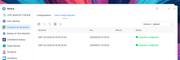
I have the filesystem snapshot enabled, but in a recent update it was disabled so I went to the control panel, enabling it, but I receive an error:

Image

rather in the terminal if I type

btrfs subvolume list /Volume1

it shows the snapshots, looks like the UI cannot read anymore the directory

ID 19738 gen 976386 top level 5 path @syssnapshot/Snap/GMT+02-2026.06.16-12.00.00
ID 19739 gen 976382 top level 19738 path @syssnapshot/Snap/GMT+02-2026.06.16-12.00.00/homes
ID 19740 gen 976383 top level 19738 path @syssnapshot/Snap/GMT+02-2026.06.16-12.00.00/@system
ID 19741 gen 976384 top level 19738 path @syssnapshot/Snap/GMT+02-2026.06.16-12.00.00/@apps
ID 19742 gen 976385 top level 19738 path @syssnapshot/Snap/GMT+02-2026.06.16-12.00.00/@desktop
ID 19743 gen 976386 top level 19738 path @syssnapshot/Snap/GMT+02-2026.06.16-12.00.00/@cache
ID 19744 gen 976809 top level 5 path @syssnapshot/Snap/GMT+02-2026.06.16-16.00.00
ID 19745 gen 976805 top level 19744 path @syssnapshot/Snap/GMT+02-2026.06.16-16.00.00/homes
ID 19746 gen 976806 top level 19744 path @syssnapshot/Snap/GMT+02-2026.06.16-16.00.00/@system
ID 19747 gen 976807 top level 19744 path @syssnapshot/Snap/GMT+02-2026.06.16-16.00.00/@apps
ID 19748 gen 976808 top level 19744 path @syssnapshot/Snap/GMT+02-2026.06.16-16.00.00/@desktop
ID 19749 gen 976809 top level 19744 path @syssnapshot/Snap/GMT+02-2026.06.16-16.00.00/@cache
ID 19750 gen 977235 top level 5 path @syssnapshot/Snap/GMT+02-2026.06.16-20.00.00
ID 19751 gen 977231 top level 19750 path @syssnapshot/Snap/GMT+02-2026.06.16-20.00.00/homes
ID 19752 gen 977232 top level 19750 path @syssnapshot/Snap/GMT+02-2026.06.16-20.00.00/@system
ID 19753 gen 977233 top level 19750 path @syssnapshot/Snap/GMT+02-2026.06.16-20.00.00/@apps
ID 19754 gen 977234 top level 19750 path @syssnapshot/Snap/GMT+02-2026.06.16-20.00.00/@desktop
ID 19755 gen 977235 top level 19750 path @syssnapshot/Snap/GMT+02-2026.06.16-20.00.00/@cache
User avatar
rvescovi
Posts: 85
Joined: 12 Dec 2024, 01:14
Italy

Re: [Help] TOS7 filesystem snapshots missing

Post by rvescovi »

Hi,

when opening the WEB interface, in the syslog appears:

cat /var/log/syslog | grep snapshot

kernel: [49656.526324] audit: type=1400 audit(1784278980.685:327): lsm=SMACK fn=smack_inode_permission action=denied subject="tos-22d2" object="tos-ce15" requested=r pid=3007 comm="TOSDaemon" name="@syssnapshot" dev="dm-0" ino=257
kernel: [49656.526370] audit: type=1400 audit(1784278980.685:328): lsm=SMACK fn=smack_inode_permission action=denied subject="tos-22d2" object="tos-ce15" requested=r pid=3007 comm="TOSDaemon" name="@syssnapshot" dev="dm-1" ino=257
TOSDaemon[3007]: GetSnapshotTasks volume=Volume1 err=open /var/subvols/8vEbTxkKvwa/@syssnapshot: permission denied
TOSDaemon[3007]: GetSnapshotTasks volume=Volume2 err=open /var/subvols/8vEbTxkKvwb/@syssnapshot: permission denied
kernel: [49656.580539] audit: type=1400 audit(1784278980.740:329): lsm=SMACK fn=smack_inode_permission action=denied subject="tos-22d2" object="tos-ce15" requested=x pid=3007 comm="TOSDaemon" name="@syssnapshot" dev="dm-0" ino=257

checking the directory permission appears:

drwxr-xr-x 1 riccardo riccardo 26 Jan 15 2025 ./
drwxr-xr-x 4 riccardo riccardo 4096 Jun 25 23:48 ../
drwxr-xr-x 1 riccardo riccardo 118 Mar 18 2025 '@'/
d????????? ? ? ? ? ? '@syssnapshot'/
User avatar
rvescovi
Posts: 85
Joined: 12 Dec 2024, 01:14
Italy

Re: [Help] TOS7 filesystem snapshots missing

Post by rvescovi »

Hi,

I fixed the issues in this way, adding the tos-22d2 "rwa" grants access to tos-ce15 inside /etc/spcack/accesses.d and volià directory accessible now from the UI and terminal. Ticket to close.

Image
Post Reply

Return to “System Update”