How to Configure LLM for OpenClaw in TOS

TOS application, TNAS PC, TNAS mobile
User avatar
hurhan001
TM Product Manager
Posts: 2
Joined: 25 Mar 2026, 14:15
China

How to Configure LLM for OpenClaw in TOS

Post by hurhan001 »

Important Note: Before doing this, please confirm that you have installed the latest version of the OpenClaw application in the App Center.
The required TOS compatible version is 7.0.0746


How to Configure Large Language Models?
I. Popular Large Language Models (Using OpenAI as an Example)
1.Go to the official OpenAI console page [ https://platform.openai.com/ ]
and log in to your account. After logging in, open the [ API key ] page and create an API key.
Image
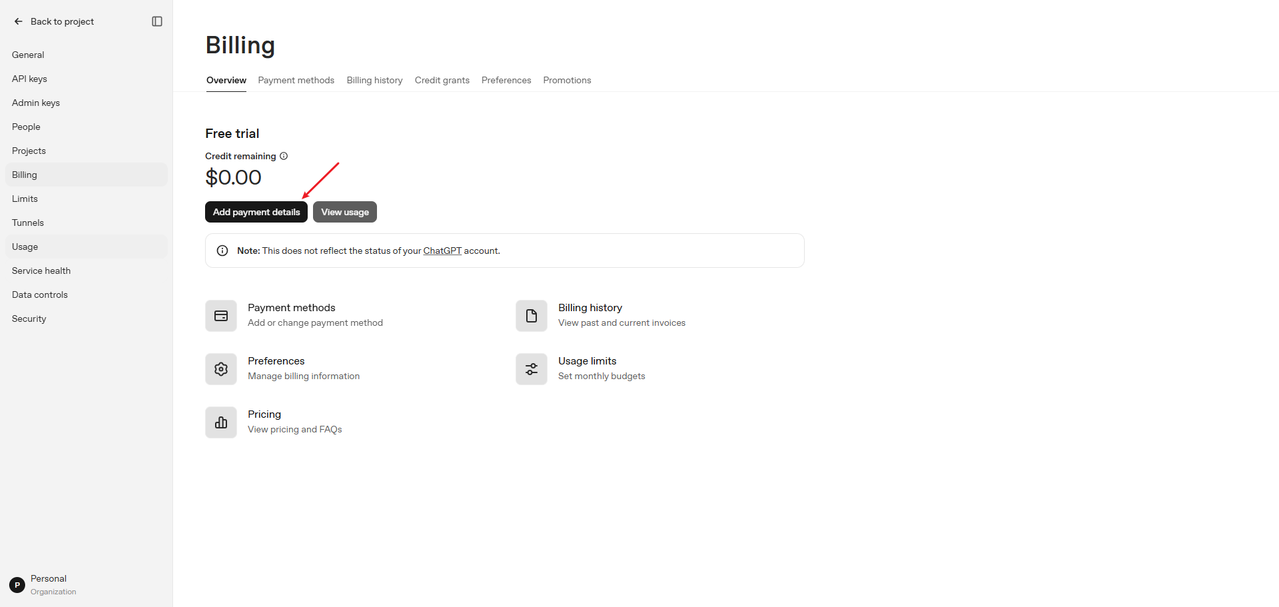
2.After creating it, you will receive the [ API key ] ( You can purchase the plan through the official link: https://platform.openai.com/settings/or ... g/overview).
Image
Image


II. Configure Large Language Models
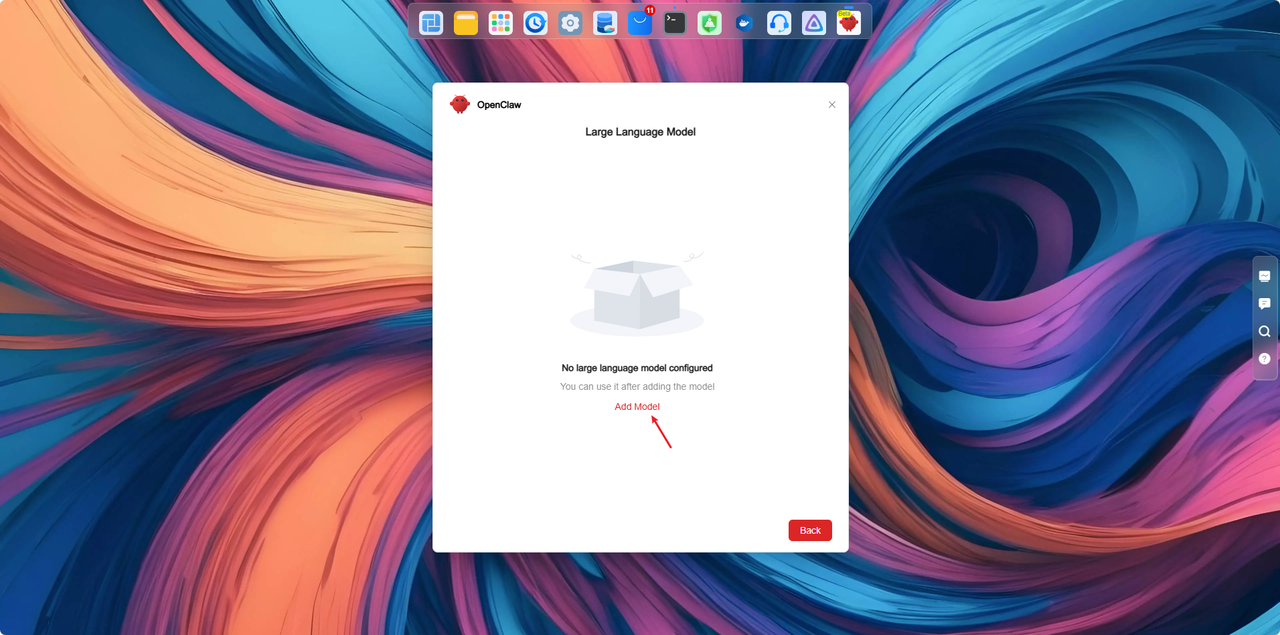
1.Open the model configuration page
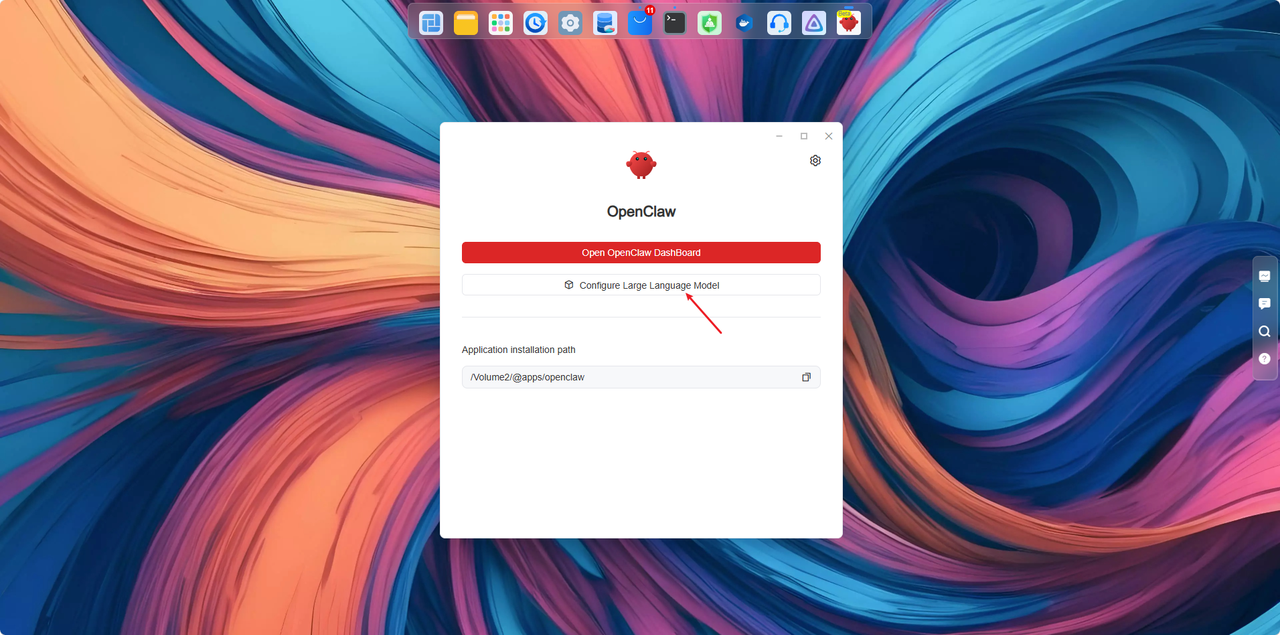
On the TNAS device, use the super administrator account to open the [ OpenClaw ] app, and directly click [ Configure Large Language Model ] to enter the model configuration page.
Image

2. Select a model service provider
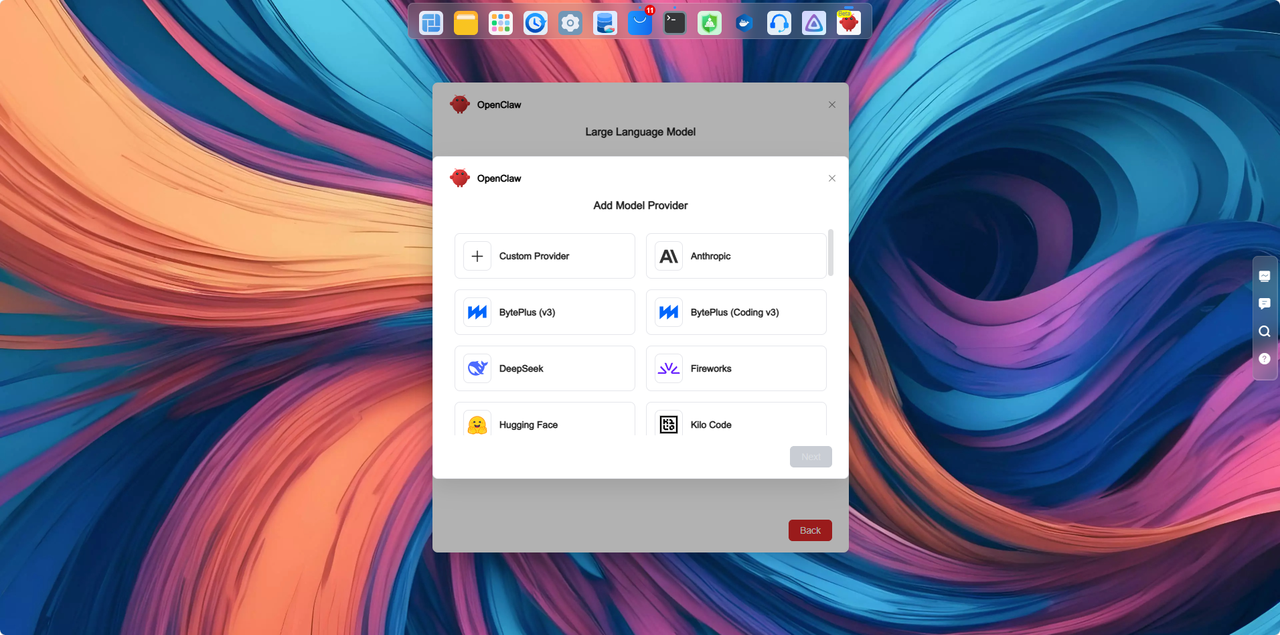
Choose the corresponding model provider from the service provider list.
For example:
● OpenAI
● Anthropic
● Gemini
If your desired service provider is not listed, or if you need to access the model service through a proxy server, please select [ Custom Provider ].
Image
Image

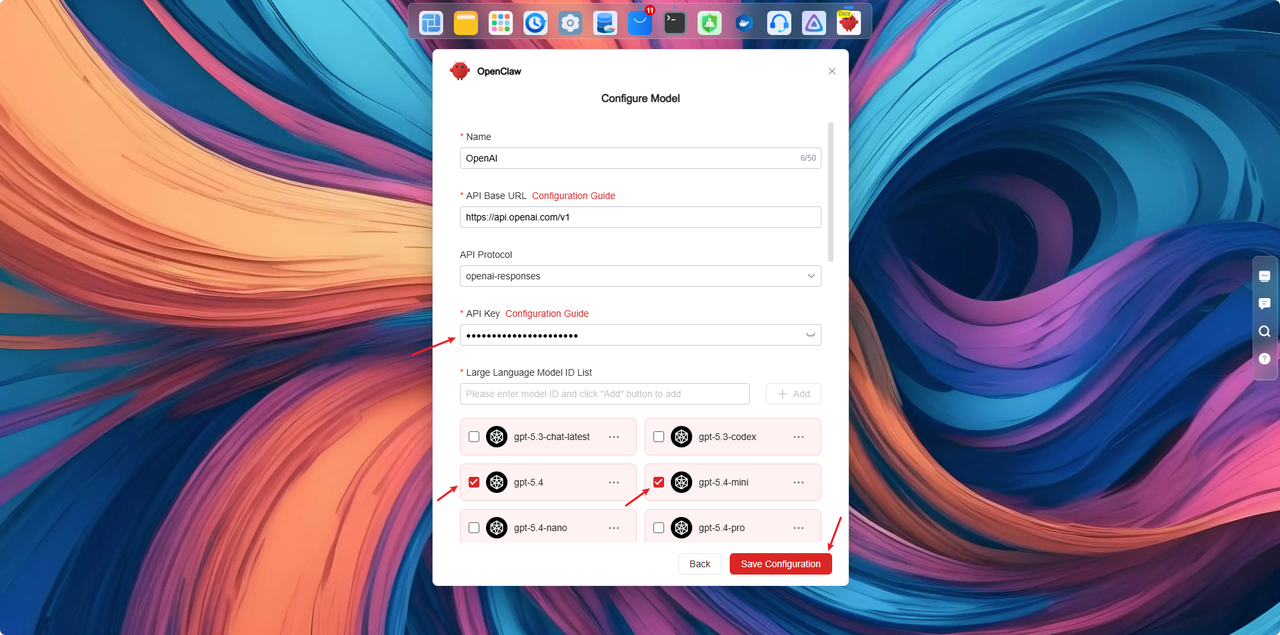
3. Fill in the model information
Using OpenAI as an example:
● API Key: Enter the API Key you just created
● Model: Select the model you wish to use (e.g., gpt-5.4)
After filling in the information, click [ Save Configuration ].
Once the system prompts that the save is successful, you are ready to start using it.
Image


Ⅲ.Verifying Successful Model Configuration
Open the [ OpenClaw ] application and type ‘ hello ’ in the dialog box.
1. If OpenClaw responds properly, the large language model configuration is successful.
Image
2. If the response content looks like the image below, it means the configuration failed. You can retry the operations in step two to ensure they are executed correctly.
Image
3. If the error message appears as shown, it means there are insufficient tokens in your plan. Please visit the OpenAI official website [https://platform.openai.com/settings/or ... g/overview] to purchase more tokens.
Image
User avatar
Supr4
Posts: 19
Joined: 26 Nov 2022, 01:17
Portugal

Re: How to Configure LLM for OpenClaw in TOS

Post by Supr4 »

I dont see google gemini as option to configure. How?
User avatar
TMzethar
TM Support
Posts: 3048
Joined: 27 Oct 2020, 16:43

Re: How to Configure LLM for OpenClaw in TOS

Post by TMzethar »

Supr4 wrote: ↑22 Jul 2026, 00:48 I dont see google gemini as option to configure. How?
Please select "Custom Provider" and enter the API information you obtained from Gemini.
To contact our team, please send email to following addresses, remember to replace (at) with @:
Technical team: support(at)terra-master.com (for technical support)
Service team: service(at)terra-master.com (for purchasing, return, replacement, RMA service)
User avatar
TheIntegrator
Posts: 1
Joined: 21 Sep 2026, 16:43
Great Britain

Re: How to Configure LLM for OpenClaw in TOS

Post by TheIntegrator »

I'm getting

Connection test failed!
The failure may be caused by the following reasons
1. Network connection interrupted
2. Incorrect API Base URL or API Key input
3. Incorrect large language model ID input
4. The plan has expired, the call quota has been used up, or the usage limit has been reached
5. API protocol configuration error

When I try to add Deepseek. All fields appear to be fllled correctly
User avatar
EriChan
TM Support
Posts: 395
Joined: 06 Jan 2026, 12:27
China

Re: How to Configure LLM for OpenClaw in TOS

Post by EriChan »

TheIntegrator wrote: ↑21 Sep 2026, 16:46
To accurately identify the issue, please contact the online support team via the following link for assistance in troubleshooting:
https://salesiq.zohopublic.com/signatur ... 97d0be8892
To contact our team, please send email to following addresses, remember to replace (at) with @

Technical team: support(at)terra-master.com(for technical support)
Service team: service(at)terra-master.com(for purchasing, return, replacement, RMA service)
User avatar
rfbjr
Silver Member
Posts: 475
Joined: 16 May 2024, 23:43
United States of America

Re: How to Configure LLM for OpenClaw in TOS

Post by rfbjr »

Help. I have openclaw installed and ollama installed on a VMS (on different NAS).
Has anyone got a setup like this working correctly?
I picked ollama since it's completely free and I wanted to try something before committing to a paid LLM.
Since it's ollama it's a custom setup, mainly having fun with the json file.
F6-424 & F4-425 Plus at 7.0.1298
F4-424 Pro (x2) at 7.0.1298
D4-320 (Offline until I can afford more HDDs)
User avatar
TMroy
TM Support
Posts: 3135
Joined: 10 Mar 2020, 14:04
China

Re: How to Configure LLM for OpenClaw in TOS

Post by TMroy »

You should give DeepSeek V4.1 Flash a try. The cloud LLM is way stronger than your local setup. And it's so cheap that even a nobody like me can afford it easily.
To contact our team, please send email to following addresses, remember to replace (at) with @:
Support team: support(at)terra-master.com (for technical support only)
Service team: service(at)terra-master.com (for purchasing, return, replacement, RMA service)
User avatar
rfbjr
Silver Member
Posts: 475
Joined: 16 May 2024, 23:43
United States of America

Re: How to Configure LLM for OpenClaw in TOS

Post by rfbjr »

Thank you I will check it out.
F6-424 & F4-425 Plus at 7.0.1298
F4-424 Pro (x2) at 7.0.1298
D4-320 (Offline until I can afford more HDDs)
User avatar
rfbjr
Silver Member
Posts: 475
Joined: 16 May 2024, 23:43
United States of America

Re: How to Configure LLM for OpenClaw in TOS

Post by rfbjr »

Up and running already. Thanks for suggestion.
Two things.
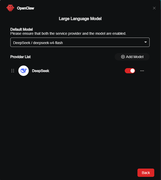
The button on the bottom, I think should just be "OK", "Back" seemed confusing, meaning the config/changes save correctly.

Image

Also in my case the openclaw console/gui has problems displaying correctly on Chrome. Granted I have Malwarebytes installed but totally disabled on the NAS GUI. If I open the webgui for the NAS on Firefox and launch the openclaw console, it displays correctly. Granted Malwarebytes is not installed on Firefox.
F6-424 & F4-425 Plus at 7.0.1298
F4-424 Pro (x2) at 7.0.1298
D4-320 (Offline until I can afford more HDDs)
User avatar
rfbjr
Silver Member
Posts: 475
Joined: 16 May 2024, 23:43
United States of America

Re: How to Configure LLM for OpenClaw in TOS

Post by rfbjr »

Okay I'm up and running. OpenClaw is installed right now on only one of my devices. Can that instance or whatever you want to call it report or query on my other devices? If not, then OpenClaw needs to be installed and would each need it's own ApiKey?
F6-424 & F4-425 Plus at 7.0.1298
F4-424 Pro (x2) at 7.0.1298
D4-320 (Offline until I can afford more HDDs)
Post Reply

Return to “Applications”