Hi all,
I’m experiencing repeated, unexpected complete power loss on my F4-425 Plus. The NAS powers off instantly — no graceful shutdown, no logs — as if mains power was cut. This happened again this morning, even with light activity and no heavy workloads running.
System / Setup:
TOS 6 (latest)
Storage:
3× NVMe (2× WD Black SN7100 – OS Volume 1)
1× WD Black SN7100 – Hyper Cache (Balanced for Volume 2)
2× 8TB WD Red Pro – Data Volume
All NVMe drives have heatsinks
Workloads:
Immich, Jellyfin, Docker containers (light–moderate)
Recent adjustments:
Added a UPS — APC BE850G2 (issue persists)
Adjusted cronjobs so that USB backup doesn’t clash with Immich updates
Observations / Testing:
No kernel panics, thermal events, or OOM errors
journalctl and dmesg show nothing unusual — only normal boot after power restoration
Tested multiple outlets, with and without UPS
Temperatures normal
Device 21c, CPU 45c, Disk 36c
Stable operation until sudden complete power loss
Thoughts:
This strongly suggests a hardware-level issue, possibly the PSU or internal power regulation. The behavior is not workload-dependent.
Has anyone else experienced this with the F4-425 Plus? Any suggestions for diagnosing or fixing this before pursuing warranty/RMA?
Thanks in advance.
[Help] F4-425 Plus – Repeated Sudden Power Loss [SOLVED]

Re: [Help] F4-425 Plus – Repeated Sudden Power Loss
Had similar on -424. Suspicion pointed to glitching 3rd party power supply and/or power plug. When changed/re-sited situation was cured.
F5-221 TOS7.0.1201 - 4x4TB (Ironwolf) Traid
F2-424 TOS7.0.1278 - 2x500GB nvme (P3) Traid, 2x6TB HDD (HGST) Traid
F2-221 TOS7.0.1278 - 1x3TB Ext4, 1x4TB Btrfs
F2-425+ TOS7.0.1278 - 2x500GB nvme (P3) Traid, 2x6TB HDD (EXOS) Traid
F2-424 TOS7.0.1278 - 2x500GB nvme (P3) Traid, 2x6TB HDD (HGST) Traid
F2-221 TOS7.0.1278 - 1x3TB Ext4, 1x4TB Btrfs
F2-425+ TOS7.0.1278 - 2x500GB nvme (P3) Traid, 2x6TB HDD (EXOS) Traid

Re: [Help] F4-425 Plus – Repeated Sudden Power Loss
May I ask what version of TOS your F4-425 Plus product is currently running? TOS version 6.0.794 has resolved issues related to UPS connectivity. If your TOS system version is not this one, we recommend attempting an upgrade. Additionally, you can try disconnecting the UPS device to see if the related abnormal phenomenon still occurs.
To contact our team, please send email to following addresses, remember to replace (at) with @
Technical team: support(at)terra-master.com (for technical support)
Service team: service(at)terra-master.com (for purchasing, return, replacement, RMA service)
Technical team: support(at)terra-master.com (for technical support)
Service team: service(at)terra-master.com (for purchasing, return, replacement, RMA service)
-
nantwich425

- Posts: 6
- Joined: 21 Feb 2026, 02:04

Re: [Help] F4-425 Plus – Repeated Sudden Power Loss
Hi
I'm running this version 6.0.794 of the OS already.

I had experienced the power shutdown prior to purchasing the UPS. (two shutdowns) then a further four since its been connected.
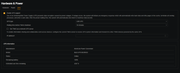
I've did think that doing a USB backup of my photos and a rescan of immich might have been causing too much of a drain on the power. The unit itself sits in my garage and is not heated - so is running at low temps.

Disks
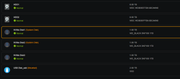


I've followed all the advice on the terramaster compatibility for this NAS - all items are purchased new - NAS, HDD, NVME & UPS.
Terramaster support have asked me to go back with these items -
1. Device status during power loss:
When the NAS powers off, do all the indicators on the device go out? Is the indicator on the power adapter also off? This will help us determine whether the issue stems from the device itself or the power supply.
2. Rule out hard drive factors:
Could you please try installing TOS onto an HDD and observe if the unexpected power-off still occurs? This will help us investigate whether the issue is caused by a hard drive failure or a compatibility problem.
3. Provide Debug logs:
Since the power loss occurs while the device is off, standard system logs cannot capture the relevant data. Please go to Desktop > Support and Help > Enable Debug Mode. Once the issue is reproduced, please send us the collected Debug logs so we can pinpoint the root cause more quickly.
I've enabled debug mode. Will report this back when it next shuts down, then remove the nvme and install the TOS onto another HDD and repeat (if it shuts down again).
TBH really annoying as I've spent alot of time ensuring these items are all recommended plus the setup time.
I'm running this version 6.0.794 of the OS already.
I had experienced the power shutdown prior to purchasing the UPS. (two shutdowns) then a further four since its been connected.
I've did think that doing a USB backup of my photos and a rescan of immich might have been causing too much of a drain on the power. The unit itself sits in my garage and is not heated - so is running at low temps.
Disks
I've followed all the advice on the terramaster compatibility for this NAS - all items are purchased new - NAS, HDD, NVME & UPS.
Terramaster support have asked me to go back with these items -
1. Device status during power loss:
When the NAS powers off, do all the indicators on the device go out? Is the indicator on the power adapter also off? This will help us determine whether the issue stems from the device itself or the power supply.
2. Rule out hard drive factors:
Could you please try installing TOS onto an HDD and observe if the unexpected power-off still occurs? This will help us investigate whether the issue is caused by a hard drive failure or a compatibility problem.
3. Provide Debug logs:
Since the power loss occurs while the device is off, standard system logs cannot capture the relevant data. Please go to Desktop > Support and Help > Enable Debug Mode. Once the issue is reproduced, please send us the collected Debug logs so we can pinpoint the root cause more quickly.
I've enabled debug mode. Will report this back when it next shuts down, then remove the nvme and install the TOS onto another HDD and repeat (if it shuts down again).
TBH really annoying as I've spent alot of time ensuring these items are all recommended plus the setup time.


Re: [Help] F4-425 Plus – Repeated Sudden Power Loss
We sincerely apologize for the inconvenience caused! To resolve the issue as quickly as possible, a step-by-step troubleshooting process is essential.
Next time you encounter the issue, could you please send the Debug logs to us by replying to this email? This will significantly improve our processing efficiency and help us pinpoint the cause faster.
Thank you very much for your understanding and support!
To contact our team, please send email to following addresses, remember to replace (at) with @:
Technical team: support(at)terra-master.com(for technical support)
Service team: service(at)terra-master.com(for purchasing, return, replacement, RMA service)
Technical team: support(at)terra-master.com(for technical support)
Service team: service(at)terra-master.com(for purchasing, return, replacement, RMA service)


Re: [Help] F4-425 Plus – Repeated Sudden Power Loss
I'm guessing I have issues with power too. Mine is not fully powering off. But it is restarting unexpectedly. It does this at random times.
Also a F4-425 plus
I think the system is very picky on power fluctuations
Also a F4-425 plus
I think the system is very picky on power fluctuations

Re: [Help] F4-425 Plus – Repeated Sudden Power Loss
We recommend enabling Debug Mode in advance via the TOS desktop under “Support & Help” before any device abnormalities occur. Once the device reboots, re-enter the TOS system to download the generated log file and email it to support(at)terra-master.com. This will enable us to accurately analyze the cause of the reboot.
To contact our team, please send email to following addresses, remember to replace (at) with @
Technical team: support(at)terra-master.com(for technical support)
Service team: service(at)terra-master.com(for purchasing, return, replacement, RMA service)
Technical team: support(at)terra-master.com(for technical support)
Service team: service(at)terra-master.com(for purchasing, return, replacement, RMA service)
-
nantwich425
- Posts: 6
- Joined: 21 Feb 2026, 02:04
Re: [Help] F4-425 Plus – Repeated Sudden Power Loss
Big thanks to the Terra-master team for resolving this. Turns out I had a faulty unit - shipped it back and have a replacement up and running. Running sweet as a nut.
-
nantwich425
- Posts: 6
- Joined: 21 Feb 2026, 02:04
Re: [Help] F4-425 Plus – Repeated Sudden Power Loss
Update on this - replacement F4-425 PLUS was running fine for about a week but has now experienced two random power offs - no logs. System was practically idle.
Have re-enabled debug logs and removed the UPS.
Other than the 3xnvme and 2xHDD I have a USB drive connected that does an automated backup nightly.
Is anyone else experiencing issues with this specific model?
Have re-enabled debug logs and removed the UPS.
Other than the 3xnvme and 2xHDD I have a USB drive connected that does an automated backup nightly.
Is anyone else experiencing issues with this specific model?
Re: [Help] F4-425 Plus – Repeated Sudden Power Loss
I've just send my return. It was unstable as hell. Hoping to get a new one that stays running