

So I decided to install Portainer to manage my few dockers and making the updating easier.
I installed it on my F2-425 Plus from the available applications (followed this guide: https://tmnascommunity.eu/download/dock ... portainer/)
Install went fine, I logged on, reset the admin password, connected to the docker engine and it's showing my containers and status but whenever I am trying to make changes or pull updated images it seems to be timing out.
Trying to change the application settings ot enable the snapshot will return the following error:
"Unable to update application settings: Http: Handler timeout"
Trying to pull a container image and I get this:
"Unable to pull image: Http: Handler timeout"
I did have to uninstall (deleted the config) and reinstall the first time around cause I enabled the "force HTTPS only" and somehow it borked access. It's still appears to be running in https (the nas is set to force redirect) so I'm not sure if this has anything to do with it.
Any input would be appreciated.
Portainer won't take changes [SOLVED]


Re: Portainer won't take changes
Hello, we need to confirm the following questions with you. Please provide the following information, including screenshots:
1. What is your specific TOS system version? For example: 7.0.0403;
2. Please provide a network overview, WAN IP information, and whether you can download and install applications normally. Can other installed programs be opened and used normally?
3. Where and how are you pulling containers? Can you see the Dockder registry? Are you unable to pull any containers?
Please provide the relevant locations and screenshots of the error messages.
To contact our team, please send email to following addresses. "(at)" = "@"
Technical team: support(at)terra-master.com
Service team: service(at)terra-master.com
Technical team: support(at)terra-master.com
Service team: service(at)terra-master.com
Re: Portainer won't take changes
running the latest avail fw: 6.0.794


Re: Portainer won't take changes
What version of Portainer did you download in the community app? We also provide Portainer in the App Center; you can try downloading the version from the App Center.
To contact our team, please send email to following addresses, remember to replace (at) with @
Technical team: support(at)terra-master.com(for technical support)
Service team: service(at)terra-master.com(for purchasing, return, replacement, RMA service)
Technical team: support(at)terra-master.com(for technical support)
Service team: service(at)terra-master.com(for purchasing, return, replacement, RMA service)
Re: Portainer won't take changes [SOLVED]
I installed the one that was available in the App Center, vs setting it up any other way. I figured that installing from the App Center would ensure that it would get updated automatically though I'm not sure that's true.
Version appears to be 2.21.004
In the meantime I was able to setup a docker for Portainer, just not as clean as I have to have another container for the agent but oh well.
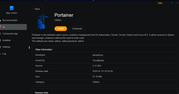
Version appears to be 2.21.004
In the meantime I was able to setup a docker for Portainer, just not as clean as I have to have another container for the agent but oh well.