

[Help] Qbittorrent 5.0.2 permission denied TOS 5.1


Re: [Help] Qbittorrent 5.0.2 permission denied TOS 5.1
Thanks everyone for the advice / suggestions.
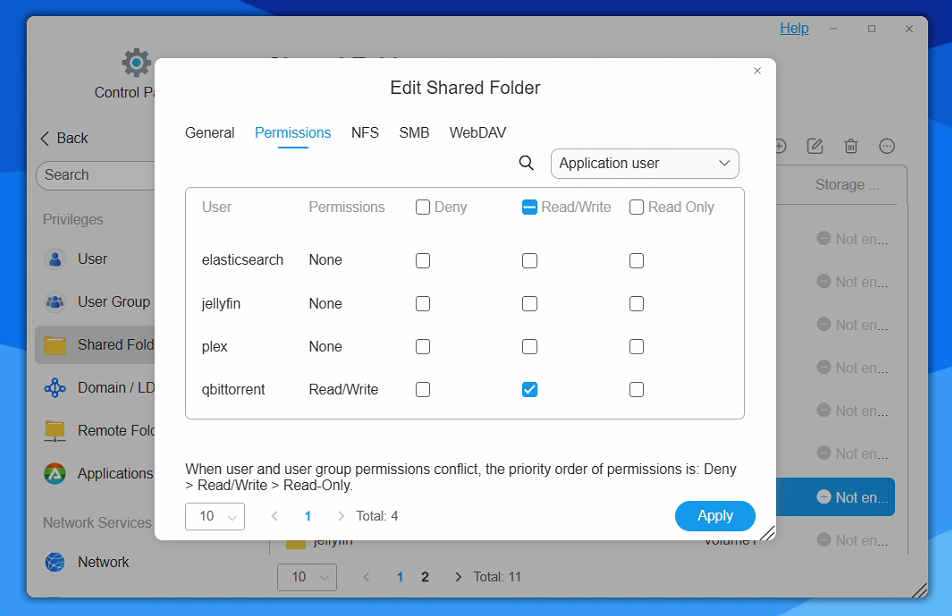
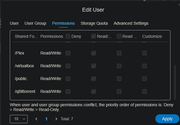
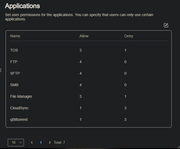
I have checked the target shared folder app permissions: Volume1\Downloads.
The only two applications that appear here are 'plex' and 'torrent' (first image their permissions over the shared folder), this is despite my list of installed apps being longer (second image). Does this seem correct?
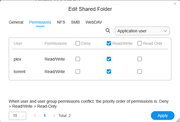
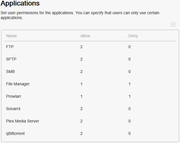
I have checked the target shared folder app permissions: Volume1\Downloads.
The only two applications that appear here are 'plex' and 'torrent' (first image their permissions over the shared folder), this is despite my list of installed apps being longer (second image). Does this seem correct?


Re: [Help] Qbittorrent 5.0.2 permission denied TOS 5.1
To contact our team, please send email to following addresses. "(at)" = "@"
Technical team: support(at)terra-master.com
Service team: service(at)terra-master.com
Technical team: support(at)terra-master.com
Service team: service(at)terra-master.com

Re: [Help] Qbittorrent 5.0.2 permission denied TOS 5.1
Regarding qBittorrent app from tmnascommunity.eu https://tmnascommunity.eu/download/qbittorrent :
TOS5 - the app run as user torrent and group media
TOS6 - the app run as user torrent and group torrent
For TOS5 - give access to media group on the required folders to be accessed by the app
For TOS6 - give access to Application user torrent on the required folders to be accessed by the app
For TOS6, you can follow this guide to setup permissions https://tmnascommunity.eu/2025/05/25/ho ... er-on-tos6
Note that if the access is already configured but still NOK (comming from some previous TOS versions ), remove the permission for application user torrent, apply, and then assign again the permission on the required folder to be accessed
TOS5 - the app run as user torrent and group media
TOS6 - the app run as user torrent and group torrent
For TOS5 - give access to media group on the required folders to be accessed by the app
For TOS6 - give access to Application user torrent on the required folders to be accessed by the app
For TOS6, you can follow this guide to setup permissions https://tmnascommunity.eu/2025/05/25/ho ... er-on-tos6
Note that if the access is already configured but still NOK (comming from some previous TOS versions ), remove the permission for application user torrent, apply, and then assign again the permission on the required folder to be accessed


Re: [Help] Qbittorrent 5.0.2 permission denied TOS 5.1
I had the same problem. I solved it by installing the program on the same hard drive (Volume) where I wanted to select a folder for torrents.JMCG wrote: ↑11 May 2025, 17:38 Issue: qBittorrent seems able to save files and create directories under its own directory on the volume, but when a category is set to move a completed torrent to a location, the app does not appear to have permission to create directories in the location I set the finished download to move to.
example: category set volume1/files before torrent added, setting to Keep incomplete torrents in a selected directory set, torrent added, the file starts to download to temporary directory set in settings, but on completion, the file stays in the temp directory rather than move to the directory set in the category.
on investigating the logs it seems qBittorrent doesn't have permission to save in the directory I have setup the file to move to.
File error alert. Torrent: name. File: "/Volume1/Files/file.test". Reason: "file.test file_stat (/Volume1/Files/file.test) error: Permission denied"
The user setup for the WebUI has the same name and pass as an account created on TOS5.1 NAS and has permission to the directory I want the file to move to.
any suggestions would be appreciated.
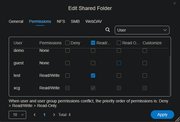
how does one set the permission for the qbittorrent app?