[Discussion] block Internet access  [SOLVED]

IPv4/6, Port, VPN, proxy, SSH, remote access and more.
Post Reply
User avatar
krissan
Posts: 14
Joined: 16 Apr 2025, 04:27
Poland

[Discussion] block Internet access

Post by krissan »

Hey, I own F6-424 with latest TOS6 update, and I keep it detached from Internet on my MikroTik router, so it has drop rule on outgoing traffic.
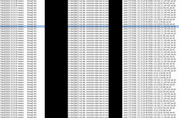
But it constant is trying to access some IP's. Some on port 80, some on port 443.
I have auto updates turned off, no NTP sync, no remote access service, no DLNA or other fancy stuff, it is just NAS.
Services I use are: NFS, iSCSI, SMB. These connections are very frequent!
This is both annoying that it keeps on trying and disturbing in the same time :shock:
Image


Image

Does anybody observe such behavior or you rather do not care :D ?
User avatar
CursaYang
TM Support
Posts: 740
Joined: 06 Jan 2025, 16:34
China

Re: [Discussion] block Internet access

Post by CursaYang »

Hello, have you enabled TNAS Online or related services? These IPs are for TNAS Online server.
To contact our team, please send email to following addresses, remember to replace (at) with @

Technical team: support(at)terra-master.com(for technical support)
Service team: service(at)terra-master.com(for purchasing, return, replacement, RMA service)
User avatar
krissan
Posts: 14
Joined: 16 Apr 2025, 04:27
Poland

Re: [Discussion] block Internet access

Post by krissan »

CursaYang wrote: 03 Feb 2026, 18:42 Hello, have you enabled TNAS Online or related services? These IPs are for TNAS Online server.
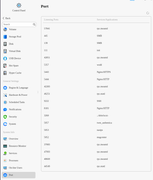
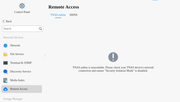
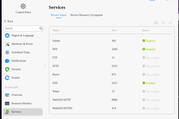
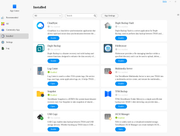
Hey, no, nothing is enabled (TNAS.online, VPN nor DDNS are enabled), no Automatic updates selected, only thing I got is mobile app with local IP address selected. No notifications enabled,
Enabled services are: SNMP, SSH, SMB, NFS, iSCSI, Bonjour, Windows Discovery

TOS version: 6.0.794-01324
Image

Image

and if Internet enabled for a brief period, TNAS.online claims that all is disabled
Image


Image
User avatar
TMjack
TM Support
Posts: 185
Joined: 27 Oct 2020, 08:41

Re: [Discussion] block Internet access

Post by TMjack »

Hello! May I ask what the IP address of your TNAS device is? Additionally, I'd like to confirm whether you have already installed the Docker application on the device. Typically, the address 172.19.20.30 is a Docker address, and it might currently be the Docker application attempting to access the internet.
To contact our team, please send email to following addresses, remember to replace (at) with @
Technical team: support(at)terra-master.com (for technical support)
Service team: service(at)terra-master.com (for purchasing, return, replacement, RMA service)
User avatar
krissan
Posts: 14
Joined: 16 Apr 2025, 04:27
Poland

Re: [Discussion] block Internet access

Post by krissan »

TMjack wrote: 04 Feb 2026, 16:32 Hello! May I ask what the IP address of your TNAS device is? Additionally, I'd like to confirm whether you have already installed the Docker application on the device. Typically, the address 172.19.20.30 is a Docker address, and it might currently be the Docker application attempting to access the internet.
I installed Docker for a test long time ago, but as you saw it is not installed at all, and no even docker command is present in system.
172.19.20.30 is NAS IP form my LAN.

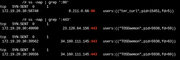
ps -ef command gives such for example:

Image

this curl command accessing :80, TOSDaemon is accessing rest of :443. So question is still, what and why is trying to access internet :/ . Well what we partially already know, but "why" ?
User avatar
krissan
Posts: 14
Joined: 16 Apr 2025, 04:27
Poland

Re: [Discussion] block Internet access

Post by krissan »

I made few tests, and once I reboot TOS with Internet enabled it makes slight communication, and after a minute, once I block Internet access, my firewall is clean, meaning no more tries to communicate.
I found that each time it refreshes certificate for example, so probably this is just a beauty of TOS.
User avatar
RyanYang
TM Support
Posts: 1141
Joined: 01 Dec 2020, 11:50
China

Re: [Discussion] block Internet access  [SOLVED]

Post by RyanYang »

During system startup, the system may send requests to the internet to obtain connectivity status. For example, the following operations will trigger such requests:
1. When TOS starts, it will attempt to obtain public IPv4 and IPv6 addresses to test internet connectivity.
2. Any function that retrieves network interface information will repeat the operations performed during system startup to test internet connectivity, such as when opening the network interface or resource monitoring page.
To contact our team, please send email to following addresses, remember to replace (at) with @
Technical team: support(at)terra-master.com (for technical support)
Service team: service(at)terra-master.com (for purchasing, return, replacement)
Post Reply

Return to “Network”