[Help] Volume is full

RAID, Volume, storage pool, hard drive, USB, SSD cache and iSCSI LUN
Post Reply
User avatar
michaelf
Posts: 2
Joined: 29 Jan 2026, 15:30
Russia

[Help] Volume is full

Post by michaelf »

Hello!

There's NAS F6-424, 1 volume made of 6 disk of 12 TB in size configured as RAID5, BTRFS.

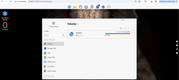
When the volume has reached its maximum capacity of 54.52 TB...
Image
Image

...I tried to free up space on Volume1 and deleted 1 TB of data at first, then 2 more TBs and then ~4 TBs for a total of about 7 TB.

The result: TOS displays the same picture with ~0 MB free, I can't create any files/folders on shares on Volume1 ...???

Thank you in advance,
Michael
User avatar
Gremlin
Gold Member
Posts: 1627
Joined: 02 Dec 2022, 22:31
Great Britain

Re: [Help] Volume is full

Post by Gremlin »

If you have 'Filesystem Snapshot' set or 'Snapshot App' running )now or in the past' and significant data file changes, that may be consuming additional space. {When a file/folder is in a snapshot, the space is not cleared for deleted files until the relevant snapshot is deleted.}

You can check usage: Control Panel > Volume > More > Usage Details {Maybe post a screen shot}

Likewise, BTRFS itself does not necessarily clear used space until it is needed {When it is overwritten}
F5-221 TOS7.0.0777 - 4x4TB (Ironwolf) Traid
F2-424 TOS7.0.0777 - 2x500GB nvme (P3) Traid, 2x6TB HDD (HGST) Traid
F2-221 TOS7.0.0777 - 1x3TB Ext4, 1x4TB Btrfs
F2-425+ TOS7.0.0777 - 2x500GB nvme (P3) Traid, 2x6TB HDD (EXOS) Traid
User avatar
michaelf
Posts: 2
Joined: 29 Jan 2026, 15:30
Russia

Re: [Help] Volume is full

Post by michaelf »

Gremlin, thank you for your reply!

I tried to access Control Panel > Volume > More > Usage Details but it hanged :(

I do use Centrilized Backup that's using Volume1\ARCHIVE folder but

1) I don't know how to remove some old backup versions - I tried to change the number of backup versions from 14 to 7 but Centrilized Backup always throws the error ~"Operation failed"

2) I removed ~7 TB from Volume1\PUBLIC where the ordinary (copy/paste) backups are kept - doesn't it mean Volume1 should now have at least 7 TB of free space???
User avatar
CursaYang
TM Support
Posts: 740
Joined: 06 Jan 2025, 16:34
China

Re: [Help] Volume is full

Post by CursaYang »

Please generate and download the log report in TOS > Technical Support > Issue Report, then send it to our technical support email ([email protected]). We will analyze it. Also, include the link to this post in the body of the email.
To contact our team, please send email to following addresses, remember to replace (at) with @

Technical team: support(at)terra-master.com(for technical support)
Service team: service(at)terra-master.com(for purchasing, return, replacement, RMA service)
Post Reply

Return to “Storage”