Application Center Ignores User-Defined Default Installation Path, Forcing Data Storage on Volume1

Discussion of applications not mentioned above.
User avatar
rigveda
Posts: 21
Joined: 04 Apr 2024, 01:59
Canada

Application Center Ignores User-Defined Default Installation Path, Forcing Data Storage on Volume1

Post by rigveda »

Environment

Model number: F5-221
OS: Not applicable (issue occurs within TOS web interface and system behavior)
Software version: TOS 7.0.0309
Rate of Reproduction: 100% (reproduced consistently during installations of Plex Media Server and Docker Manager)

Steps to Reproduce a Bug
Navigate to Control Panel > Application Center > Settings.
Set the "Default installation path" to a non-Volume1 location (e.g., Volume3).
Install an application via the Application Center, such as Plex Media Server or Docker Manager.
After installation, check the target volume (e.g., via SSH: ls /Volume3/@apps) and compare with Volume1 (e.g., ls /Volume1/@apps or ls /Volume1).
Observe the creation of application-related folders (e.g., "Plex" shared folder for metadata/cache) on Volume1.

Expected Result
The Application Center should fully honor the user-selected default installation path. All application files, including binaries, metadata, databases, thumbnails, cache, and any dedicated shared folders (e.g., "Plex" for Plex Media Server), should be created and stored exclusively on the specified volume (e.g., Volume3/@apps or equivalent). This would allow users to manage storage allocation effectively across multiple volumes without unintended data placement on Volume1.
Actual Result
Despite setting the default installation path to Volume3, applications create data directories and shared folders on Volume1. For example:

Plex Media Server creates a "Plex" shared folder on Volume1 containing metadata and cache (e.g., /Volume1/Plex/Library/Application Support/Plex Media Server/).
Docker Manager installs files to /Volume1/@apps instead of /Volume3/@apps.
The target volume remains empty or unused for application data.
This behavior appears to stem from hardcoded paths in the TOS packaging or application integration, overriding user settings.

Visual Proof of Bug

Directory listing on Volume1 showing Plex data:

Code: Select all

rigvedauser@TNAS:/Volume1/Plex# ls -l
total 0
drwxr-xr-x+ 1 plex plex 38 Dec 26 23:36 Library
drwxrwxr-x+ 1 plex plex 80 Dec 26 23:36 tmp_transcoding
Empty target directory on Volume3:

Code: Select all

rigvedauser@TNAS:/Volume3/@apps# ls
(empty)
This issue affects storage management in multi-volume configurations and limits user control over data placement. Thank you for investigating.
User avatar
rigveda
Posts: 21
Joined: 04 Apr 2024, 01:59
Canada

Re: Application Center Ignores User-Defined Default Installation Path, Forcing Data Storage on Volume1

Post by rigveda »

Any update from the Bug team on this?
User avatar
Tallicia
Posts: 12
Joined: 19 Oct 2024, 02:28
United States of America

Re: Application Center Ignores User-Defined Default Installation Path, Forcing Data Storage on Volume1

Post by Tallicia »

Controlling where app and it's data is installed is critical, especially when wanting to be able to ensure drives sleep and spin down without wasting energy.
User avatar
rigveda
Posts: 21
Joined: 04 Apr 2024, 01:59
Canada

Re: Application Center Ignores User-Defined Default Installation Path, Forcing Data Storage on Volume1

Post by rigveda »

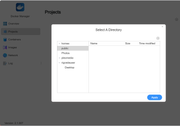
I have also seen that in the Docker Manager, you can only select Project folders that are listed in /Volume1 and no other volume. This is definately a bigger more pervasive bug:

Image

Listing on /Volume1:

Code: Select all

rigvedauser@TNAS:/Volume1# ls
@apps  @cache  @collect  @desktop  @system  @usb  @videoframe  @zlog  Photos  homes  plexmedia  public
Listing on /Volume3:(Which does not show up in the Docker Manager list of folders)

Code: Select all

rigvedauser@TNAS:/Volume3# ls
@apps  @cache  @desktop  Apps  lost+found  quota.group  quota.user
User avatar
rigveda
Posts: 21
Joined: 04 Apr 2024, 01:59
Canada

Re: Application Center Ignores User-Defined Default Installation Path, Forcing Data Storage on Volume1

Post by rigveda »

I have also seen that in the Docker Manager, you can only select Project folders that are listed in /Volume1 and no other volume. This is definately a bigger more pervasive bug:

Image

Listing on /Volume1:

Code: Select all

rigvedauser@TNAS:/Volume1# ls
@apps  @cache  @collect  @desktop  @system  @usb  @videoframe  @zlog  Photos  homes  plexmedia  public
Listing on /Volume3:(Which does not show up in the Docker Manager list of folders)

Code: Select all

rigvedauser@TNAS:/Volume3# ls
@apps  @cache  @desktop  Apps  lost+found  quota.group  quota.user
User avatar
TMjack
TM Support
Posts: 185
Joined: 27 Oct 2020, 08:41

Re: Application Center Ignores User-Defined Default Installation Path, Forcing Data Storage on Volume1

Post by TMjack »

Hello! Regarding the issue you reported that needs optimization, we have promptly forwarded it to the product team for follow-up and handling. Currently, TOS7 is still in the beta testing phase, so there may be certain details in the system that require refinement or occasional minor issues. Your valuable feedback is crucial to us and will directly contribute to the continuous optimization and iterative upgrades of the TOS system. Thank you for your support and understanding!
To contact our team, please send email to following addresses, remember to replace (at) with @
Technical team: support(at)terra-master.com (for technical support)
Service team: service(at)terra-master.com (for purchasing, return, replacement, RMA service)
User avatar
rigveda
Posts: 21
Joined: 04 Apr 2024, 01:59
Canada

Re: Application Center Ignores User-Defined Default Installation Path, Forcing Data Storage on Volume1

Post by rigveda »

Thanks for acknowledging this as an issue. Looking forward to getting this fixed as I have paused any application deployments until this is fixed.

Happy to test it out once the fix is implemented!

Cheers!
User avatar
CursaYang
TM Support
Posts: 740
Joined: 06 Jan 2025, 16:34
China

Re: Application Center Ignores User-Defined Default Installation Path, Forcing Data Storage on Volume1

Post by CursaYang »

The system has default rules for application data cache paths: in the vast majority of scenarios, the application cache path defaults to Volume1. Therefore, even if the application is installed on another volume (such as Volume3), its data storage directory will still be automatically generated in Volume1, which is why the plex folder appears in Volume1.
If you need to adjust the application data storage path, we recommend the following two methods (with method one being preferred for its convenience and lower likelihood of errors):
1. Control Panel Operation (Recommended)
Go to Control Panel → Shared Folders → Select the target shared folder → Click Edit → Change the storage location to the target volume (such as Volume3).
2. Terminal Command Operation (Alternative)
Use terminal commands to point the application data storage path to the target volume (such as Volume3).
To contact our team, please send email to following addresses, remember to replace (at) with @

Technical team: support(at)terra-master.com(for technical support)
Service team: service(at)terra-master.com(for purchasing, return, replacement, RMA service)
User avatar
CursaYang
TM Support
Posts: 740
Joined: 06 Jan 2025, 16:34
China

Re: Application Center Ignores User-Defined Default Installation Path, Forcing Data Storage on Volume1

Post by CursaYang »

In the settings of the Application Center, you can only specify the default installation location for applications. It is not possible to directly specify the data storage location for applications, which defaults to Volume1. Some applications allow you to specify the data storage location after installation, and we will consider optimizing this for applications that do not have this feature.
To contact our team, please send email to following addresses, remember to replace (at) with @

Technical team: support(at)terra-master.com(for technical support)
Service team: service(at)terra-master.com(for purchasing, return, replacement, RMA service)
User avatar
rigveda
Posts: 21
Joined: 04 Apr 2024, 01:59
Canada

Re: Application Center Ignores User-Defined Default Installation Path, Forcing Data Storage on Volume1

Post by rigveda »

Thanks for responding,
To your point on "It is not possible to directly specify the data storage location for applications, which defaults to Volume1", I agree.

It is currently not possible with your current design. So the "Default Installation Path" that is selectable in your Application Center - Settings is incorrectly telling the user that that Volume will be honored, (it looks like it it actually partially ignores it).

This means that in your OS code there is something that tells the application to use /Volume1 as the default, this should be fixed so that it correctly uses what the User instructs (via the UI) to choose Volume3 or any user selectable Volume of their choice.

Your Instruction to use the Control Panel Operation does not help for Application installations as applications do not use ANY of these folders, rather they either create their OWN folders in /Volume1 or they create folders in the "hidden system" folder @apps by default in "/Volume1".
Post Reply

Return to “Others”