Hi - new user here and not familiar with NAS previously and I need help real bad. I got the TNAS TOS 6 installed, up and running. Have 1x 8TB drive setup as TRAID and the device is wired by ethernet to my router and other devices. The plan was to use this as a Plex server with media on the drive. The problem is that it just climbs to 100% load, then nothing can access it for days. The only way to get in is a hard reboot which I know probably makes the situation worse but at this point I'm about ready to throw the damn thing out of my window. Tech support isn't responding to me...I just don't know what else to do. I restarted and disabled Media Indexing, disabled every program from running including Plex, but it inevitably ends the same way. I can't SSH in and I don't want to lose the data on the drive so I'd rather not wipe and start again.
Any help would be amazing.
Thanks
[Help] F2-425 constantly at 100% load

Re: [Help] F2-425 constantly at 100% load
The SSH service is disabled by default. In addition to SSH, you can also check through the web's Terminal or browser. Here are some troubleshooting commands you can consider using:
Have you written a large number of media files in a short period? For media files, the system automatically generates thumbnails, which is a process that consumes a significant amount of computing resources. It is recommended that you wait 1-2 days and then check if it is completed.
Code: Select all
iostat -m 3
pidstat 3
ifstat 3To contact our team, please send email to following addresses, remember to replace (at) with @:
Technical team: support(at)terra-master.com (for technical support)
Service team: service(at)terra-master.com (for purchasing, return, replacement, RMA service)
Technical team: support(at)terra-master.com (for technical support)
Service team: service(at)terra-master.com (for purchasing, return, replacement, RMA service)
-
homewithacoffee

- Posts: 3
- Joined: 31 Dec 2025, 03:52

Re: [Help] F2-425 constantly at 100% load
I'm not able to connect via a browser either. Just get "This site can’t be reached" and Error code: ERR_TIMED_OUT. Last time I did a hard reboot and managed to get in, the btrfs cleaner and transaction services were consuming all the CPU and memory. I'll let it run for a couple of days and see if it resolves.


Re: [Help] F2-425 constantly at 100% load
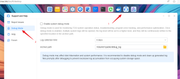
Hello, if the issue persists, please feel free to contact us. Additionally, you can enable debug mode to collect error logs. If the problem occurs again, you can export the logs and send them to our official email address. We will analyze the issue based on the logs.
-
homewithacoffee
- Posts: 3
- Joined: 31 Dec 2025, 03:52
Re: [Help] F2-425 constantly at 100% load
Resolved - thanks support. Posting advice for anyone else that needs it:
"Please turn off the quota function by entering the command in Terminal after the load decreases. It requires a significant overhead to manage the file system.
btrfs quota disable /Volume1"
"Please turn off the quota function by entering the command in Terminal after the load decreases. It requires a significant overhead to manage the file system.
btrfs quota disable /Volume1"
-
ARThornicroft

- Posts: 13
- Joined: 01 Feb 2026, 22:47
Re: [Help] F2-425 constantly at 100% load
I am experiencing the exact same thing, with 100% load being used 24 hours a day 7 days a week. The NAS is making sounds with the drives writing all the time.
It has crippled use of the NAS overall, and I often cannot even open Control Panel or Settings, Apps etc in TOS 7. I cannot watch PLEX at all on my home tv as the files won't load. I purchased the NAS specifically to be used AS a Plex server, so this is not good.
Could you be specific on the exact phrase that needs to be entered into the terminal on the NAS? Perhaps put quotes (") around so we know what to cut and paste? Of note, I am on Mac - if that makes any difference. Also, "terminal" was in the menu bar at the top, but it's now gone - where do i find it? thank you.
It has crippled use of the NAS overall, and I often cannot even open Control Panel or Settings, Apps etc in TOS 7. I cannot watch PLEX at all on my home tv as the files won't load. I purchased the NAS specifically to be used AS a Plex server, so this is not good.
Could you be specific on the exact phrase that needs to be entered into the terminal on the NAS? Perhaps put quotes (") around so we know what to cut and paste? Of note, I am on Mac - if that makes any difference. Also, "terminal" was in the menu bar at the top, but it's now gone - where do i find it? thank you.

Re: [Help] F2-425 constantly at 100% load
You can log in with the administrator account you set up during system installation, open all applications on the TOS desktop, and then you will see Terminal.
If quota is also enabled on your Volume 1, you can try executing this command:
Code: Select all
btrfs quota disable /Volume1Additionally, you can go to the Processes section in the TOS Control Panel, sort the processes, and check which ones are consuming high CPU and memory.
To contact our team, please send email to following addresses, remember to replace (at) with @
Technical team: support(at)terra-master.com (for technical support)
Service team: service(at)terra-master.com (for purchasing, return, replacement)
Technical team: support(at)terra-master.com (for technical support)
Service team: service(at)terra-master.com (for purchasing, return, replacement)
-
ARThornicroft
- Posts: 13
- Joined: 01 Feb 2026, 22:47
Re: [Help] F2-424 constantly at 100% load
I am completely unable to access my F2-424 to make any changes as the Load is stuck at 100%, 24/7. I have checked resources, and NOTHING is running to take up the load space - the most is 8%, and the rest are under 1%.
I have restarted the NAS three times, and there is no change. I have also noted that Plex, Qbittorrent, and anitvirus are all disabled. I cannot enable them. I am not at home, and am using both my laptop and my iphone with TNASMobile, and nothing will work.
I can log into the NAS, but I can't do anything. On the web, only the background image loads. Nothing else (Control Panel, Apps, etc.). Oh the phone, it all loads, and when I try to "enable" Plex etc... nothing. they just say "Waiting"
This is clearly an error in the new TOS 7 version - for the past few versions. Please help!
I have restarted the NAS three times, and there is no change. I have also noted that Plex, Qbittorrent, and anitvirus are all disabled. I cannot enable them. I am not at home, and am using both my laptop and my iphone with TNASMobile, and nothing will work.
I can log into the NAS, but I can't do anything. On the web, only the background image loads. Nothing else (Control Panel, Apps, etc.). Oh the phone, it all loads, and when I try to "enable" Plex etc... nothing. they just say "Waiting"
This is clearly an error in the new TOS 7 version - for the past few versions. Please help!
Last edited by ARThornicroft on 10 Mar 2026, 01:50, edited 1 time in total.
-
ARThornicroft
- Posts: 13
- Joined: 01 Feb 2026, 22:47
Re: [Help] F2-424 constantly at 100% load
To provide more information, the TOS Daemon is using 8% od rhw CPU under Processes. It's the highest. I have turned off Media Indexing to ensure it's not using all resources as it's done so in past. But to no avail.
Last edited by ARThornicroft on 10 Mar 2026, 01:50, edited 1 time in total.
-
ARThornicroft
- Posts: 13
- Joined: 01 Feb 2026, 22:47
Re: [Help] F2-424 constantly at 100% load
Also, SMB file service is disabled. I try to enable it on my phone but it says "Loading" and never starts. I don't know if that's related or why it was turned off, just like all of the apps being disabled.