[Help] High charge (100%) or CPU very high (F4-424)  [SOLVED]

CPU, memory, fan, process, services status, system log, tempreture
Post Reply
User avatar
exqo
Posts: 31
Joined: 20 Dec 2025, 19:54
France

[Help] High charge (100%) or CPU very high (F4-424)

Post by exqo »

Hello everyone,

I a bit new here. I started to use a Terramaster F4-424 since last October. I'm using TOS6 6.0.794
I put it inside 2 HDDs 4to (Ironwolf) and 1 SSD (Acer FA100).
HDDs are in Raid 1 to store photos/video. SSD for apps and films/tv shows (for the moment)

I didn't have a lot of issues the first month i think. Then, i had some trouble like NAS inaccessible with high charge of 100%...So everytime i had to reboot it and i can't manage to find who create the issue...
After asking Gemini a lot of time, the IA told me that it wasn't a good idea to have DockerEngine + containers (Jellyfin, Immich, and some little ones), Immich could create some issues. But i did not agree with IA because in my case, charge was high : 100% but CPU and memory was like 4/5% of usage...also for Docker CPU usage.

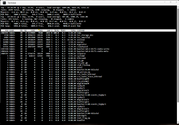
Here are the logs I cant can get in this case :
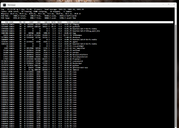
We can see "runc" taking a lot of CPU and also a LOT of "runc" running on the other screen...
Image

Image

Then I moved all my docker process to SSD.
And last night, I found that the CPU was used as 100%. I add to reboot the NAS also...
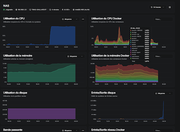
But I check my graphs on BESZEL, and I get this :
Image

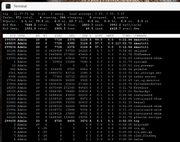
And then I execute "top" command, and i found that there are a LOT of "smartctl" running (i did not execute any SMART things for info...)
Image

I tried to kill them, but it appears again and again...

Can you help me on this to find a solution...? I'm afraid that my Terramaster is not workin well :?
F4-424 - 2x4TB (Ironwolf) Traid + 1x8TB (WD Red)
TOS: 7.0.0746
RAM: 8GB
Bios: BJFX-ADLN-109
User avatar
TMzethar
TM Support
Posts: 2819
Joined: 27 Oct 2020, 16:43

Re: [Help] High charge (100%) or CPU very high (F4-424)

Post by TMzethar »

Please schedule an engineer for remote troubleshooting in the Live Chat window here, and please include the URL of this post.
www.terra-master.com
To contact our team, please send email to following addresses, remember to replace (at) with @:
Technical team: support(at)terra-master.com (for technical support)
Service team: service(at)terra-master.com (for purchasing, return, replacement, RMA service)
User avatar
exqo
Posts: 31
Joined: 20 Dec 2025, 19:54
France

Re: [Help] High charge (100%) or CPU very high (F4-424)  [SOLVED]

Post by exqo »

Hello everyone,

After weeks of troubleshooting instability issues on my F4-424 (N95, TOS 6) where the system would freeze every 24-48h (requiring a hard reboot), I have finally identified the culprits and stabilized the system.

1. The smartctl Loop Issue (Caused by Beszel/Monitoring Agents)
Symptoms:

High CPU usage caused by smartctl

Infinite loops of processes trying to read disk health.

The Cause: Monitoring containers (like Beszel Agent) try to query S.M.A.R.T data. On TOS 6, if the container lacks permissions, the smartctl command hangs or errors out and eventually freezing the CPU.

The Fix: You must give the agent full hardware access. In your compose.yaml for Beszel Agent (or similar tools), add privileged: true.
OR just disable the SMART process.

YAML :

Code: Select all

services:
  beszel-agent:
    image: henrygd/beszel-agent
    network_mode: host
    privileged: true  <-- CRITICAL FIX
    volumes:
      - /var/run/docker.sock:/var/run/docker.sock:ro
      - /dev:/dev:ro
    # If stability is still an issue, disable smart sensors entirely:
    # environment:
    #   - DISABLE_SMART=true
2. The runc Storm / System Freeze (Caused by Watchtower)
Symptoms:

System Load Average spikes to 100% because of lot of "runc" process started.

Then Iremark that those runc processes spawn and cannot be killed (Zombie/D-State).

docker stop commands hang indefinitely.

The Cause: Watchtower (auto-updater). It seems the current TOS 6 Kernel / Docker Storage Driver has a stability issue when containers are stopped/started automatically in the background. When Watchtower attempts to update a container, the runc process deadlocks waiting for I/O, putting the system in a frozen state that even kill -9 cannot fix.

The Fix: Disable Watchtower. I stopped the Watchtower container, and the "runc storms" completely disappeared. I recommend performing manual updates for now until the Docker implementation in TOS is more robust.
F4-424 - 2x4TB (Ironwolf) Traid + 1x8TB (WD Red)
TOS: 7.0.0746
RAM: 8GB
Bios: BJFX-ADLN-109
Post Reply

Return to “System Resources”