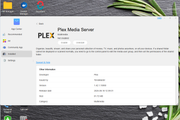
Hi, I'm using Plex (version 1.41.1.10060) on Terramaster F5-221 running TOS5.1.145.
Plex keeps shutting down, for no apparent reason. Upon trying to 'restart' it, it fails, after several seconds, with an 'operation failed' message. The only way I can get it running again is to uninstall plex then reinstall it, which takes around 10 minutes.
This has been happening for several weeks, initially every 2-3 days, but has become more frequent; yesterday it stopped three times, including twice while I was trying to watch a movie.
Have searched for solutions to similar issues but none seem quite the same as mine.
Hoping someone can shed some light, and hopefully offer a solution.
I've downloaded the Plex server logs, but no option here to attach them.
It is possible that high RAM usage triggered an out-of-memory (OOM) error. There may also be file system errors. You can refer to this method to attempt to repair potential file system errors: If you want a more thorough investigation, you can generate and download the system report package in TOS Desktop > Technical Support > Report Issues, then download and send it to us for inspection. (Private messaging, official website Live Chat, or support email are all acceptable.)
To contact our team, please send email to following addresses, remember to replace (at) with @:
Technical team: support(at)terra-master.com (for technical support)
Service team: service(at)terra-master.com (for purchasing, return, replacement, RMA service)
Thank you for your prompt reply. It has not shut down since yesterday, and for now I will leave well enough alone. But next time it does, I shall re-download logs and contact you as you suggest.
I’ve been having similar issues since Thursday October 2nd. I’ve been running Plex Media Server on a dedicated F4-423 for the past six months with no issues, and then suddenly on Thursday, I started experiencing exactly what you described. My libraries were all offline, and upon examining Plex on the NAS, it said it wasn’t “enabled.” I would enable it again, and it would start working again, but only for a few minutes, if that! Then it would revert back to “disabled.”
I noticed there was an update for Plex (1.42.2.10156), so I thought maybe that was the issue. Nope. No change.
Then I realized I was still running TOS 5.1.145, so I painstakingly upgraded multiple times to get to the current 6.0.783. Installed Plex again, and this time it was worse. It shows that it’s enabled and it stays in the enabled state, but when I try to open it, I get a blank page and the message, “Safari can’t open this page because it couldn’t connect to the server.”
If I disable and re-enable it I can sometimes get it to open briefly, and everything looks normal, but then all my libraries go offline and the little yellow caution symbols appear on them. If I try to open again after that, I get the original blank page. When I try to launch the Plex app on my Apple TV, none of my media libraries are there at all. In the Plex web app, under Account Settings, it shows the server is offline and unreachable.
I’ve rebooted the NAS, uninstalled and reinstalled Plex a few times, rebooted my router, checked all the permissions, and even tried some SSH prompt coding stuff that I don’t really understand, but nothing has fixed the issue. I’ve even reset my NAS to factory default settings and installed a fresh copy of TOS and a fresh installation of Plex Media Server. Didn’t change a thing.
The closest I get is after a fresh install of Plex, it appears to connect and be working and I have to go through the setup process, naming my server and adding all my media libraries, etc. Then, once I’m done that and into the actual Plex interface, if I try to play anything I get a connection error, and then all my libraries go offline again, with the yellow caution symbols.
I have just verified that the latest version of Plex 1.42.2.10156 is working properly.
I recommend visiting our official website www.terra-master.com, using LiveChat to contact our online support, and scheduling a remote session with an engineer for assistance and troubleshooting.
To contact our team, please send email to following addresses, remember to replace (at) with @: