Great update

A CCTV monitoring and recording application
User avatar
halgory
Posts: 15
Joined: 30 Sep 2024, 05:40
United States of America

Re: Great update

Post by halgory »

TMzethar wrote: 06 Aug 2025, 17:24 We did not observe any relevant information from the documents you provided.
We recommend that you go to the Live Chat window on the homepage of our official website to schedule an engineer for remote troubleshooting.
https://www.terra-master.com/global/

Image
@TMzethar

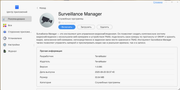
It’s a bit strange to say there was no relevant information when the user literally posted time-stamped screenshots of the error. Surveillance Manager shows version 1.0.087 released on 2025-08-04 at 19:00:40, and his screenshots are from 2025-08-05 around 20:50 to 20:51, less than a day later, with “operation failure” right there in plain sight. If that somehow slipped past you, I guess it was an exceptionally well-hidden bug… in giant bold letters.

If by “relevant information” you meant full debugging logs, then sure, you wouldn’t expect that in a casual post. It’s pretty clear this was more of a light jab at the broken software than a formal ticket.

I’m sure everyone here totally believes you would have had a fix ready if the screenshots had just been… relevant enough.


Image
User avatar
TMroy
TM Support
Posts: 3065
Joined: 10 Mar 2020, 14:04
China

Re: Great update

Post by TMroy »

Look, sometimes a few screenshots just don't cut it – we're basically guessing in the dark. When we think digging through logs might crack the case, that's when we'll ask for 'em. But if logs don't tell the story? We gotta roll up our sleeves and check the actual device. That's why we're asking for a remote session – so we can poke around under the hood ourselves.
To contact our team, please send email to following addresses, remember to replace (at) with @:
Support team: support(at)terra-master.com (for technical support only)
Service team: service(at)terra-master.com (for purchasing, return, replacement, RMA service)
azip01
Posts: 2
Joined: 10 Aug 2025, 17:20
Thailand

Re: Great update

Post by azip01 »

I also had this issue, too. But after I updated TNAS to version 6.0.770. I can use Surveillance Manager again. (Also I can use VPN Server too after can not use it for a long time. (Can not enable any VPN.))
User avatar
sianderson
Silver Member
Posts: 417
Joined: 02 Aug 2020, 03:42
Great Britain

Re: Great update

Post by sianderson »

azip01 wrote: 10 Aug 2025, 17:26 (Also I can use VPN Server too after can not use it for a long time. (Can not enable any VPN.))
thats an interesting comment, i ended up resorting to a windows VM to provide the VPN as i know that worked but may look at the built in TM one again
F2-424 TOS 7.0.0765
F2-423 TOS 7.0.0765
F2-210 TOS 4.2.44
D4-320

C/O
F4-424 TOS 6.0.794
User avatar
AES
Posts: 171
Joined: 22 Nov 2024, 04:52
United States of America

Re: Great update

Post by AES »

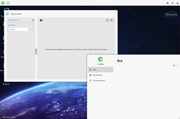
After rebooting, or adding a new disk, although it is quite simple to reboot, the device starts with the Surveillance enabled. Accordingly, video recording from cameras does not work, cameras are not displayed.
Image

Image

It turns out that it's not even an update, it's just a reboot. Or a regular shutdown of the device.
TerraMaster F8, TerraMaster F2-425, Syno 218+
Post Reply

Return to “Surveillance Manager”