Great update

A CCTV monitoring and recording application
User avatar
AES
Posts: 171
Joined: 22 Nov 2024, 04:52
United States of America

Great update

Post by AES »

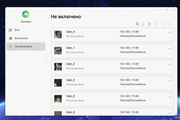
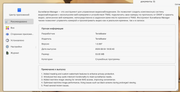
After the update, none of the cameras work, the Turn On button does not work, rebooting does not help.
Image

Image

:twisted: :twisted: :twisted:
Image
TerraMaster F8, TerraMaster F2-425, Syno 218+
User avatar
AES
Posts: 171
Joined: 22 Nov 2024, 04:52
United States of America

Re: Great update

Post by AES »

Any action, attempt to edit the camera, shows an error "operation failure".

Have your clumsy hands even tested their creation?
TerraMaster F8, TerraMaster F2-425, Syno 218+
User avatar
TMnick
TM Product Manager
Posts: 95
Joined: 03 Jul 2024, 15:56
China

Re: Great update

Post by TMnick »

AES wrote: 06 Aug 2025, 01:53 Any action, attempt to edit the camera, shows an error "operation failure".

Have your clumsy hands even tested their creation?
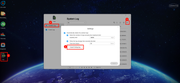
We sincerely apologize for the inconvenience. Our testing process did not identify the issue you mentioned. To accurately resolve your specific problem, could you please export the logs and send them to our technical support email? Refer to the screenshots below for instructions on exporting the logs. Thank you.
Image
To contact our team, please send email to following addresses, remember to replace (at) with @:
Support team: support(at)terra-master.com (for technical support only)
User avatar
TMzethar
TM Support
Posts: 2826
Joined: 27 Oct 2020, 16:43

Re: Great update

Post by TMzethar »

We did not observe any relevant information from the documents you provided.
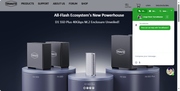
We recommend that you go to the Live Chat window on the homepage of our official website to schedule an engineer for remote troubleshooting.
https://www.terra-master.com/global/
Image
To contact our team, please send email to following addresses, remember to replace (at) with @:
Technical team: support(at)terra-master.com (for technical support)
Service team: service(at)terra-master.com (for purchasing, return, replacement, RMA service)
User avatar
AES
Posts: 171
Joined: 22 Nov 2024, 04:52
United States of America

Re: Great update

Post by AES »

Updated to TOS 6.0.770. Surveillance still does not work.
Also, the logging and tracing system does not work.
TerraMaster F8, TerraMaster F2-425, Syno 218+
User avatar
AES
Posts: 171
Joined: 22 Nov 2024, 04:52
United States of America

Re: Great update

Post by AES »

I can't even delete the camera.
TerraMaster F8, TerraMaster F2-425, Syno 218+
User avatar
TMzethar
TM Support
Posts: 2826
Joined: 27 Oct 2020, 16:43

Re: Great update

Post by TMzethar »

Our live chat on the official website has not yet received your contact.
Based on the current information, we are unable to reproduce or troubleshoot the issue. However, we will continue to monitor it.
If you need assistance and have the time, please schedule a remote troubleshooting session.
To contact our team, please send email to following addresses, remember to replace (at) with @:
Technical team: support(at)terra-master.com (for technical support)
Service team: service(at)terra-master.com (for purchasing, return, replacement, RMA service)
User avatar
AES
Posts: 171
Joined: 22 Nov 2024, 04:52
United States of America

Re: Great update

Post by AES »

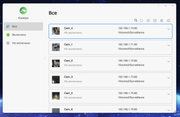
I deleted the app and data. I add a camera. Nothing happens. It is not added.

Camera search does not work. Camera IP search input window does not work.
TerraMaster F8, TerraMaster F2-425, Syno 218+
User avatar
AES
Posts: 171
Joined: 22 Nov 2024, 04:52
United States of America

Re: Great update

Post by AES »

I added more cameras. Russian language is just disgusting, I'm tired of complaining about translation errors, all complaints are actually ignored.
TerraMaster F8, TerraMaster F2-425, Syno 218+
User avatar
EthanLiu
TM Product Manager
Posts: 177
Joined: 13 Nov 2023, 14:25
China

Re: Great update

Post by EthanLiu »

AES wrote: 09 Aug 2025, 08:49
Based on the current information, we are unable to reproduce or troubleshoot this issue.
To better resolve your issue, please contact our online customer service through our official website, and we will arrange for an engineer to remotely troubleshoot your issue.
To contact our team, please send email to following addresses, remember to replace (at) with @
Technical team: support(at)terra-master.com (for technical support)
Service team: service(at)terra-master.com (for purchasing, return, replacement, RMA service)
Post Reply

Return to “Surveillance Manager”