
I have just got my F4 424 and I was hoping to put another OS on it, however for some reason I cannot seem to access/see the bios.
If I were to let the NAS boot up normally I get HDMI output shown after it starts doing the linux command line setup phase, so I get to see all the commands being run and setup etc, however I do not seem to get any HDMI output from boot so I have no idea if I am getting into the BIOS or not.
Information online seems to indicate I should be repeatedly pressing one of the following [escape, delete, F2, F8] to get into the bios, I have tried each one individually and waited a good 30 seconds doing it, I have tried pressing variations etc it seems to stop booting when pressing escape/delete but I never actually see the bios so cant do anything.
Can anyone advise if I need to do anything special to be able to have HDMI working when accessing the bios and confirm what key it is I should be using to enter bios settings?
(The HDMI signal does work on normal boot so I know the cable/monitor is fine and I have tried 2 different cables, both of which work with other devices on that monitor, also I have 1 keyboard plugged into the USB slot and 1 LAN cable plugged in, and the HDMI obviously).
Any help would be great.
[Help] HDMI not working on F4 424 when trying to access bios?

Re: [Help] HDMI not working on F4 424 when trying to access bios?
-424 models use an AMI bios, so 'Delete' is a normal key to use. Possible check keyboard is good. Otherwise, the bios settings may have been set in such a way (either with a fast time out and/or not to display the splash screen) that it is hard to time the key access. Maybe you will need to reset the bios to defaults by accessing the motherboard battery and removing it. Either leave it out for (say) 15 minutes or short the battery holder terminals to drain remaining charge in the unit. (Not all of the NAS m/boards have a cmos reset jumper.)
F5-221 TOS7.0.1201 - 4x4TB (Ironwolf) Traid
F2-424 TOS7.0.1278 - 2x500GB nvme (P3) Traid, 2x6TB HDD (HGST) Traid
F2-221 TOS7.0.1278 - 1x3TB Ext4, 1x4TB Btrfs
F2-425+ TOS7.0.1278 - 2x500GB nvme (P3) Traid, 2x6TB HDD (EXOS) Traid
F2-424 TOS7.0.1278 - 2x500GB nvme (P3) Traid, 2x6TB HDD (HGST) Traid
F2-221 TOS7.0.1278 - 1x3TB Ext4, 1x4TB Btrfs
F2-425+ TOS7.0.1278 - 2x500GB nvme (P3) Traid, 2x6TB HDD (EXOS) Traid
Re: [Help] HDMI not working on F4 424 when trying to access bios?
Keyboard is good, it again is used with a laptop I use, and if I press delete it doesnt boot up the NAS (as I would see it on network and also see it on the monitor once it got to the Linux init section).
I can go and mess with the battery etc if needed but this seems really odd that its just not working, can you/anyone confirm the 424 (non max/pro) will provide HDMI output for BIOS? as I assumed this was the case based off online videos/reviews but upon closer inspection they are almost always against the 424 max which may be a different chipset etc.
== Edit ==
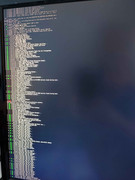
I have attached a screenshot of the normal boot to show the point where I first get HDMI out, its a bit after the setup has started, I tried to take it the moment the monitor came on, but anyway this verifies HDMI is somewhat working, and will output, and I dont see this if I press delete, so I am definitely stopping booting (assuming the bios is loading but HDMI isnt showing it).
I can go and mess with the battery etc if needed but this seems really odd that its just not working, can you/anyone confirm the 424 (non max/pro) will provide HDMI output for BIOS? as I assumed this was the case based off online videos/reviews but upon closer inspection they are almost always against the 424 max which may be a different chipset etc.
== Edit ==
I have attached a screenshot of the normal boot to show the point where I first get HDMI out, its a bit after the setup has started, I tried to take it the moment the monitor came on, but anyway this verifies HDMI is somewhat working, and will output, and I dont see this if I press delete, so I am definitely stopping booting (assuming the bios is loading but HDMI isnt showing it).
Re: [Help] HDMI not working on F4 424 when trying to access bios?
I have an F2-424 (not pro/max) and it works fine.
Maybe it just needs a few rapid, repeated 'deletes' as the machine starts up.
If you are going to install a different o/s, you will need to access the inside of the case to remove the internal
usb flash drive (TOS init/boot) anyway; so might as well practice
{nb dealing with the battery is probably easier than removing the internal USB.}
Maybe it just needs a few rapid, repeated 'deletes' as the machine starts up.
If you are going to install a different o/s, you will need to access the inside of the case to remove the internal
usb flash drive (TOS init/boot) anyway; so might as well practice
{nb dealing with the battery is probably easier than removing the internal USB.}
F5-221 TOS7.0.1201 - 4x4TB (Ironwolf) Traid
F2-424 TOS7.0.1278 - 2x500GB nvme (P3) Traid, 2x6TB HDD (HGST) Traid
F2-221 TOS7.0.1278 - 1x3TB Ext4, 1x4TB Btrfs
F2-425+ TOS7.0.1278 - 2x500GB nvme (P3) Traid, 2x6TB HDD (EXOS) Traid
F2-424 TOS7.0.1278 - 2x500GB nvme (P3) Traid, 2x6TB HDD (HGST) Traid
F2-221 TOS7.0.1278 - 1x3TB Ext4, 1x4TB Btrfs
F2-425+ TOS7.0.1278 - 2x500GB nvme (P3) Traid, 2x6TB HDD (EXOS) Traid
Re: [Help] HDMI not working on F4 424 when trying to access bios?
Information online indicated you didn't need to use internal usb you could set in bios to not boot TOS and change default boot device.
Can you confirm do you see the bios/boot screen before the Linux step? I. E when the device turns on do you immediately see the ami bios boot stuff before it moves onto boot the device? As I've seen screenshots showing that, but I don't see anything, the monitor just indicates no input until the Linux I it stage.
Can you confirm do you see the bios/boot screen before the Linux step? I. E when the device turns on do you immediately see the ami bios boot stuff before it moves onto boot the device? As I've seen screenshots showing that, but I don't see anything, the monitor just indicates no input until the Linux I it stage.
Re: [Help] HDMI not working on F4 424 when trying to access bios?
Ok crisis averted, I think it may be a hdmi standards issue or something? I moved to a really basic hdmi 1 or something cable on another monitor and it worked as expected and showed me the bios, so I guess the hdmi is a bit fussy over the output source