

I have 4 12 TB drives (all the same) in a raid 5 array.
Firstly the NAS told me the first drive had a failure and needed replacing.
I removed all the drives and used external checking and verified that all were in good order.
I put them back in and it started normally and was resyncing.
After completion (2 days) the NAS rebooted and my access vanished. Nothing has worked since.
The shares are broken, my attempts at using the Windows 'NET VIEW' command report access denied.
Connecting to the box via a browser give this screen.
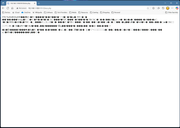
I removed the first drive again and restarted.
Now its been checking the file system for about 28 hours, and I have no access to the drive. Finally completed and displayed the useful message "File Not Found" in the browser.
TNAS-PC spots the box, and I can ping it but I can no longer view the shares or access anything.
Nothing has changed configuration wise.
Running Windows 11 Pro. (i9 14900-KF, 64 GB RAM, 4 TB SSD, RTX 4090).
Any help would be great as I really cannot afford to lose over 14 TB of stuff from over 20 years.
