

Hello,
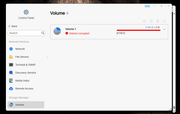
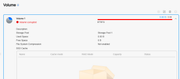
Mind to extend some help? I do have a F4 424Max with dual disks of 12TB and 2xnvme as cache - using a BTRFS volume. Since a reboot, the volume 1 shows as corrupted. smartctl and dmesg dont shows any errors, I dont miss any files, and dont see any errors at mdadm. I dont want to format/backup everything, because it just doesnt make any sense to reformat a unit with 7 months of usage - and still trusting on the platform
What am I missing? Any clues?
Thanks!
[Help] F4-424 Max: Volume 1 / Volume Corrupted [SOLVED]


Re: [Help] F4-424 Max: Volume 1 / Volume Corrupted
Hello! You may attempt filesystem repair by following this guide: [Insert Article Link]. Alternatively, contact our Live Chat support on the official website to schedule remote assistance with a technical engineer.
viewtopic.php?t=2575
Re: [Help] F4-424 Max: Volume 1 / Volume Corrupted
Hello... thanks for the answer. Thats my initial idea - but with dmesg returining clean, I'm not sure if really theres a problem with Volume1 at all. It works perfectly. Looks like the Interface is buggy and missing a "push" to get the properties that the web code requires to show all good.TMbuddy wrote: ↑07 Jun 2025, 15:10Hello! You may attempt filesystem repair by following this guide: [Insert Article Link]. Alternatively, contact our Live Chat support on the official website to schedule remote assistance with a technical engineer.
viewtopic.php?t=2575
Support is a good idea. Hard to believe that a new system does have this kind of issue. Shameful.

Re: [Help] F4-424 Max: Volume 1 / Volume Corrupted
Hello! To resolve this issue more efficiently, we recommend contacting our official online support. Our engineers can schedule a remote session to thoroughly inspect your system configuration and identify the root cause. Thank you for your cooperation!cassio wrote: ↑08 Jun 2025, 08:52Hello... thanks for the answer. Thats my initial idea - but with dmesg returining clean, I'm not sure if really theres a problem with Volume1 at all. It works perfectly. Looks like the Interface is buggy and missing a "push" to get the properties that the web code requires to show all good.TMbuddy wrote: ↑07 Jun 2025, 15:10Hello! You may attempt filesystem repair by following this guide: [Insert Article Link]. Alternatively, contact our Live Chat support on the official website to schedule remote assistance with a technical engineer.
viewtopic.php?t=2575
Support is a good idea. Hard to believe that a new system does have this kind of issue. Shameful.
To contact our team, please send email to following addresses, remember to replace (at) with @:
Technical team: support(at)terra-master.com(for technical support)
Service team: service(at)terra-master.com(for purchasing, return, replacement, RMA service)
Technical team: support(at)terra-master.com(for technical support)
Service team: service(at)terra-master.com(for purchasing, return, replacement, RMA service)
Re: [Help] F4-424 Max: Volume 1 / Volume Corrupted [SOLVED]
Just to close the topic correctly, a full reinstall of the TOS fixed the issue.