AES wrote: ↑12 Apr 2025, 01:39
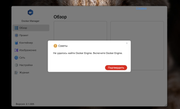
Based on the information you provided, we initially assess that the excessive system resource usage on your device may have led to the automatic shutdown of the Docker Engine service by the system.
Should you encounter the issue of the Docker Engine service stopping abnormally again, please follow these steps:
1.Ensure Service Restart: First, attempt to restart the Docker Engine service and confirm that it is running properly.
2.Await Problem Recurrence: After the Docker Engine service stops abnormally again, execute the following commands to collect relevant logs.
3.Log Collection and Submission: Run the following commands in sequence, package the corresponding log files, and send them to our technical support email address so that we can analyze the cause of the issue based on the logs.
Code: Select all
#Export TOSDaemon service logs to the specified path
journalctl -u TOSDaemon.service > /Volume1/public/TOSDaemon.txt

#Copy system message logs to the specified path (add the -p parameter or compress manually if you need to preserve the directory structure)
cp -r /var/log/messages /Volume1/public/

#Export DockerEngine service logs to the specified path
journalctl -u DockerEngine.service > /Volume1/public/DockerEngine.txt
Note: First, ensure the application is normally enabled. After discovering that the application has been inexplicably disabled, execute these three commands and send the logs to us.
Thank you for your cooperation! We will promptly identify the issue and provide a solution based on the logs you provide.
To contact our team, please send email to following addresses, remember to replace (at) with @
Technical team: support(at)terra-master.com (for technical support)
Service team: service(at)terra-master.com (for purchasing, return, replacement, RMA service)