First message here.
I got my first TerraMaster F2-212 a few days ago and I'm setting it up. So far, so good.
However, I encountered a very strange problem during the setup.
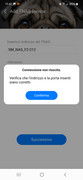
My TNAS Mobile application is not able to detect my NAS remotely.
When my phone is connected to the same Wi-Fi network as the F2-212, I can connect to it through the app with no issues at all.
But as soon as I try to reach the NAS from outside my local network, everything stops working.
Here’s what I’ve checked:
I enabled remote access. Registration was successful. I'm using the European server.
Remote connection works via browser. I can reach the NAS by connecting to tnas.online/My_tnas_id.
Remote connection also works with TNAS PC.
So it seems like the issue is only with the mobile app.
I was in contact with Mike from TerraMaster support.
I’ve basically tried everything I could think of:
- Changed the server to "Global" (though I was then unable to reach the NAS from TNAS PC)
Restarted the NAS multiple times
Enabled and re-enabled remote access
Entered the full tnas.online link into the app instead of just the TNAS ID (I get the error: "Check IP and port")
TOS version: 5.1.73-00078
TNAS Mobile version: 3.3.057
Any help would be appreciated.
Thank you!