Not entered through the browser


Not entered through the browser
I can’t enter the browser (http: //tnas.local/), I enter the username and password, the page is simply updated to a new request of the login and password, while there is no warning that the password is wrong. At the same time, through the TNAS PC application, he sees the created folders. Tell me what is the problem?

Re: Not entered through the browser
Are you using TOS5 or TOS6?
What TNAS model and version of the TNAS PC app are you using?
Please provide screenshots related to the issue.
After successfully installing TOS, did you rename the device to another name? 'TNAS.local/' is only applicable for TNAS devices that have not installed TOS or are using the default name.
You can try logging in using the LAN IP or “devicename.local/”
What TNAS model and version of the TNAS PC app are you using?
Please provide screenshots related to the issue.
After successfully installing TOS, did you rename the device to another name? 'TNAS.local/' is only applicable for TNAS devices that have not installed TOS or are using the default name.
You can try logging in using the LAN IP or “devicename.local/”
To contact our team, please send email to following addresses, remember to replace (at) with @:
Technical team: support(at)terra-master.com (for technical support)
Service team: service(at)terra-master.com (for purchasing, return, replacement, RMA service)
Technical team: support(at)terra-master.com (for technical support)
Service team: service(at)terra-master.com (for purchasing, return, replacement, RMA service)
Re: Not entered through the browser
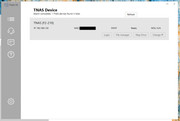
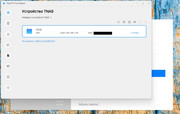
I have TOS4.2.43 on the device F2-210 TNAS PC for Windows has two versions 3.2.0.6 and 5.2.0.92, in the old version (3.2.0.6), you can view the created folders in File Manager, in the new version this is impossible to do. I go on a local network at http://192.168.1.50:8181/tos/index.php?user/login

Re: Not entered through the browser
The new TNAS PC version is as compatible as possible with old devices and systems, but there may still be imperfections, just like the situation you encountered.
You may consider continuing to use the older TNAS PC that is more suitable for F2-210:
https://download2.terra-master.com/Terr ... .2.0.6.zip
You may consider continuing to use the older TNAS PC that is more suitable for F2-210:
https://download2.terra-master.com/Terr ... .2.0.6.zip
To contact our team, please send email to following addresses, remember to replace (at) with @:
Technical team: support(at)terra-master.com (for technical support)
Service team: service(at)terra-master.com (for purchasing, return, replacement, RMA service)
Technical team: support(at)terra-master.com (for technical support)
Service team: service(at)terra-master.com (for purchasing, return, replacement, RMA service)