Clam AV - antivirus is frozen?

Discussion of applications not mentioned above.
Locked
User avatar
AES
Posts: 170
Joined: 22 Nov 2024, 04:52
United States of America

Clam AV - antivirus is frozen?

Post by AES »

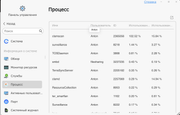
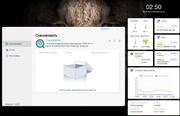
Scans almost empty NAS for two hours. I think it's stuck on this file.
Or it checks these log files incredibly slowly with a CPU load of 20%, I don’t know what.
Image

Image

No it's not frozen, but it's incredibly slow, maybe it doesn't understand file types?

That you can scan for 2 hours on a NAS where there are a couple dozen videos, 300-500 photos, one small installer, everything else is service information.
TerraMaster F8, TerraMaster F2-425, Syno 218+
User avatar
TMzethar
TM Support
Posts: 2824
Joined: 27 Oct 2020, 16:43

Re: Clam AV - antivirus is frozen?

Post by TMzethar »

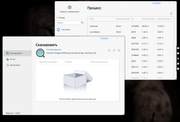
From the screenshot you provided, we can see that ClamAV is scanning the application directory. The application directory contains a significant number of files, so it takes a longer time. If you do not want ClamAV to scan these files, you can uncheck the option in the settings.
To contact our team, please send email to following addresses, remember to replace (at) with @:
Technical team: support(at)terra-master.com (for technical support)
Service team: service(at)terra-master.com (for purchasing, return, replacement, RMA service)
User avatar
AES
Posts: 170
Joined: 22 Nov 2024, 04:52
United States of America

Re: Clam AV - antivirus is frozen?

Post by AES »

It's been 8 hours since the scan started.
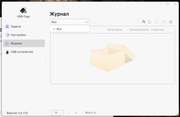
USBcopy has been scanning for 5 hours already, I don't use USBcopy. Although it probably scans the program itself. Or its logs, but they shouldn't exist because I've never used it.
Image

Image
TerraMaster F8, TerraMaster F2-425, Syno 218+
User avatar
TMzethar
TM Support
Posts: 2824
Joined: 27 Oct 2020, 16:43

Re: Clam AV - antivirus is frozen?

Post by TMzethar »

It will scan the entire directory you have selected, including the application body and logs.
Have you noticed the "gear" in the upper right corner of Clam AV? In future use, you can only check the parts you need to check here to shorten the time.
To contact our team, please send email to following addresses, remember to replace (at) with @:
Technical team: support(at)terra-master.com (for technical support)
Service team: service(at)terra-master.com (for purchasing, return, replacement, RMA service)
Locked

Return to “Others”