Sorry for the previous incorrect response.
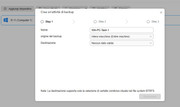
This may be an error in the interface for obtaining shared folders. Please try restarting Cenralized Bakcup to retrieve it again.
To contact our team, please send email to following addresses, remember to replace (at) with @:
Technical team: support(at)terra-master.com (for technical support)
Service team: service(at)terra-master.com (for purchasing, return, replacement, RMA service)
Based on the known information, the problem is likely to be related to both the system and Centralized Backup.
We observed that your NAS is a model from the TOS4 era, and its HDDs are probably still in the TOS4 storage format (system partition is only 2GB). It can barely use TOS 5.1.67, and you may encounter various issues.
While for stable usage, you can install TOS 5.0.176, which is more suitable for a 2GB system partition. However, Centralized Backup requires at least TOS 5.1.67.
If you do not have much data, we recommend that you back up your data, use the disk utility to delete all partitions on the HDDs, and then reinstall the latest TOS.
To contact our team, please send email to following addresses, remember to replace (at) with @:
Technical team: support(at)terra-master.com (for technical support)
Service team: service(at)terra-master.com (for purchasing, return, replacement, RMA service)
According to the latest information, the Centralized Bakcup app has had several interface changes in following the TOS update. For stability and compatibility, it is recommended that you use TOS 5.1.145.
To contact our team, please send email to following addresses, remember to replace (at) with @:
Technical team: support(at)terra-master.com (for technical support)
Service team: service(at)terra-master.com (for purchasing, return, replacement, RMA service)