
Both Nas devices are functioning OK, but the HDD Lights no longer flash when there is activity. This has been brought up in other threads, which are locked. Is there going to be a fix for this?
Other thread: viewtopic.php?p=25604#p25604
5.1.67 is the current version, which I recently upgraded to from 4.
F2-220 & F4-220 TOS5 No HDD Lights

Re: F2-220 & F4-220 TOS5 No HDD Lights
Did you update to the 8GB system Partition when you updated to Tos5.1?
If you did, then you should check out latest updates to 5.1 -> viewtopic.php?t=6355
for 5.1.145. Check the warnings etc before proceeding.
If you did, then you should check out latest updates to 5.1 -> viewtopic.php?t=6355
for 5.1.145. Check the warnings etc before proceeding.
F5-221 TOS7.0.1278 - 4x4TB (Ironwolf) Traid
F2-424 TOS7.0.1278 - 2x500GB nvme (P3) Traid, 2x6TB HDD (HGST) Traid
F2-221 TOS7.0.1278 - 1x3TB Ext4, 1x4TB Btrfs
F2-425+ TOS7.0.1278 - 2x500GB nvme (P3) Traid, 2x6TB HDD (EXOS) Traid
F2-424 TOS7.0.1278 - 2x500GB nvme (P3) Traid, 2x6TB HDD (HGST) Traid
F2-221 TOS7.0.1278 - 1x3TB Ext4, 1x4TB Btrfs
F2-425+ TOS7.0.1278 - 2x500GB nvme (P3) Traid, 2x6TB HDD (EXOS) Traid
Re: F2-220 & F4-220 TOS5 No HDD Lights
Well joy! Not...
I thought this update went a bit too smoothly, always something.
I thought this update went a bit too smoothly, always something.
Re: F2-220 & F4-220 TOS5 No HDD Lights
I need to increase the disk sizes anyway, so will just pull these and upgrade the drives to new ones, then rsync back from the backup F2-220.
Re: F2-220 & F4-220 TOS5 No HDD Lights
So my F4-220 died when I tried to bring it back up to initialize new drives. I'm not sure what happened, all I did was swap out the drives to new ones, booted it without drives pushed in. It wasn't beeping or anything, so I pulled the battery and did the cmos reset, tried a new usb initboot, still nothing, so seems to be a hardware failure on the MB.
Before attempting the same on my F2-220, I setup a truenas server and synced all my data to it. It was able to update and upgrade the system partition to 8GB with freshly wiped drives on Bios/Initboot version 5.6.5 & TOS 5.1.67.
Now that it's rebuilt and resynced the storage pools in TRAID, I've still got two red lights on the hard drive after a power down and restart with everything saying its running normally.
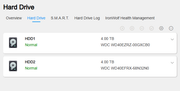
So how do I get the green lights back for the hard drives on the F2-220?
Before attempting the same on my F2-220, I setup a truenas server and synced all my data to it. It was able to update and upgrade the system partition to 8GB with freshly wiped drives on Bios/Initboot version 5.6.5 & TOS 5.1.67.
Now that it's rebuilt and resynced the storage pools in TRAID, I've still got two red lights on the hard drive after a power down and restart with everything saying its running normally.
So how do I get the green lights back for the hard drives on the F2-220?
-
sianderson

- Silver Member
- Posts: 452
- Joined: 02 Aug 2020, 03:42

Re: F2-220 & F4-220 TOS5 No HDD Lights
this is something i have accepted with the F2-210 that sometimes they do just stop lighting up for some reason, a reboot of the nas drive will make them turn on again but will just happen again (TOS4), waiting to see if the same will happen with the F2-423 under TOS6
F2-424 TOS 7.0.1278
F2-423 TOS 7.0.1278
F2-210 TOS 4.2.44
D4-320
C/O
F4-424 TOS 6.0.794
F2-423 TOS 7.0.1278
F2-210 TOS 4.2.44
D4-320
C/O
F4-424 TOS 6.0.794