

Hello,
I did the install of TOS (TOS_X642.0_6.0.577) on two 1TB NVMe's in a RAID1 modus.
This works fine so far.
However, I want to move the /homes directory for all users from this volume (Volume1) to my TRAID volume (Volume2, four disks) as I want to avoid users to exhaust the TOS volume by placing large volume data to their home dir.
I have tried so far
- move of the folder on command line from Volume1 to Volume2, there is no effect, TOS doesn't care and keeps the /homes on the Volume1 / NVMe's active
- Checked fstab if I can change the mounting of the volumes there. This not working as TOS seems to store the information regarding mounts somewhere else.
How can I do this, ideally through the UI?
I am also fine doing it on command line, but I would prefer a confirmation from Terra-Master if that is OK in terms of support.
Generally, I am disappointed that this is not documented nor possible with standard tools as it is plain Linux stuff that should work out of the box.
Don't send me workarounds like limiting the quota or other useless stuff, I want to do the setup once for good and not starting with workarounds from the beginning.
Thanks
Thorsten
How to Adjust the Location of the /homes Directory (F6-424 Max)


Re: How to Adjust the Location of the /homes Directory (F6-424 Max)
Hello, TOS currently does not support moving the homes directory to other volumes. If you are concerned about insufficient volume capacity, you can edit the volume capacity at the corresponding position on the control panel to increase the volume capacity.
Re: How to Adjust the Location of the /homes Directory (F6-424 Max)
I am not sure what you are thinking giving a customer such an answer.
Assigning a directory or mounting it to another device is basic functionality of Linux.
Your implementation is so badly designed that basic stuff is not working.
Provide a solution or I will return the product and chose another vendor.
I am not paying 1k € for a crap product that is lacking standard file system functionalities.
The same thing is for creating directories on a volume. I want to setup my directory structure in the way I need it and not how you think it can be done only.
Assign this to 2nd or 3rd level support if you can't handle it.
Best Regards
Thorsten
Assigning a directory or mounting it to another device is basic functionality of Linux.
Your implementation is so badly designed that basic stuff is not working.
Provide a solution or I will return the product and chose another vendor.
I am not paying 1k € for a crap product that is lacking standard file system functionalities.
The same thing is for creating directories on a volume. I want to setup my directory structure in the way I need it and not how you think it can be done only.
Assign this to 2nd or 3rd level support if you can't handle it.
Best Regards
Thorsten

Re: How to Adjust the Location of the /homes Directory (F6-424 Max)
As many user configurations and applications require the use of the user's home directory, it's not just a matter of simply moving a directory. Instead, the system-related parts need to be handled after the move. We will consider optimizing this aspect in future versions.
To contact our team, please send email to following addresses, remember to replace (at) with @:
Support team: support(at)terra-master.com (for technical support only)
Service team: service(at)terra-master.com (for purchasing, return, replacement, RMA service)
Support team: support(at)terra-master.com (for technical support only)
Service team: service(at)terra-master.com (for purchasing, return, replacement, RMA service)
Re: How to Adjust the Location of the /homes Directory (F6-424 Max)
What do you mean with considering?
This is bad design especially when you are preventing any safety measures like limiting quota on user level.
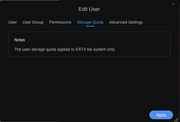
I want a confirmation that you are going to address this and not "oh maybe we will have a look" kind of answer.
I don't expect a date or something, but I want to see such things in your backlog.
Stop adding tons of features to TOS and make a grown up base OS to run apps on.
Thanks
Thorsten
This is bad design especially when you are preventing any safety measures like limiting quota on user level.
I want a confirmation that you are going to address this and not "oh maybe we will have a look" kind of answer.
I don't expect a date or something, but I want to see such things in your backlog.
Stop adding tons of features to TOS and make a grown up base OS to run apps on.
Thanks
Thorsten
Re: How to Adjust the Location of the /homes Directory (F6-424 Max)
It is added to the wish list.
To contact our team, please send email to following addresses, remember to replace (at) with @:
Support team: support(at)terra-master.com (for technical support only)
Service team: service(at)terra-master.com (for purchasing, return, replacement, RMA service)
Support team: support(at)terra-master.com (for technical support only)
Service team: service(at)terra-master.com (for purchasing, return, replacement, RMA service)


Re: How to Adjust the Location of the /homes Directory (F6-424 Max)
I would not normally bother to respond to posts such as yours that have received an explanation already. However, have you considered that you can opt not to use the default 'home' folders. Then, when creating a user, you could allocate them an individual shared folder on any volume you desire and apply whatever permissions and constraints you choose. Just a thought.
If you want 'real' Linux, you could opt to install an os of your choice, as others have done. (even Windows Server iirc)
F5-221 TOS7.0.1278 - 4x4TB (Ironwolf) Traid
F2-424 TOS7.0.1278 - 2x500GB nvme (P3) Traid, 2x6TB HDD (HGST) Traid
F2-221 TOS7.0.1278 - 1x3TB Ext4, 1x4TB Btrfs
F2-425+ TOS7.0.1278 - 2x500GB nvme (P3) Traid, 2x6TB HDD (EXOS) Traid
F2-424 TOS7.0.1278 - 2x500GB nvme (P3) Traid, 2x6TB HDD (HGST) Traid
F2-221 TOS7.0.1278 - 1x3TB Ext4, 1x4TB Btrfs
F2-425+ TOS7.0.1278 - 2x500GB nvme (P3) Traid, 2x6TB HDD (EXOS) Traid