Understand TOS File System Configuration (WebUI)

RAID, Volume, storage pool, hard drive, USB, SSD cache and iSCSI LUN
Locked
User avatar
terraix
Posts: 9
Joined: 05 Jan 2025, 21:35
Germany

Understand TOS File System Configuration (WebUI)

Post by terraix »

Hello,

I am struggling to understand the TOS file system details while looking at it from the File Manager.
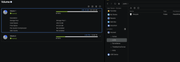
I have two Volumes 1&2.
The file manager only shows one, Volume2, which is a TRAID.
Volume1 is a RAID1 build of two SSDs that hosts the system drives as well.
Image

As admin on Linux you should be able to do anything on the file system. I am familiar with Linux systems, but TOS surprises me a lot with these kind of things.
What is the reason that I can't access Volume1 through the file manager?
It was showing initially after install. I have no idea what triggered its disappearance.

There are no hints in the documentation.
https://toshelp.terra-master.com/web/#/en/file_manage

While logging in via ssh I can see everything.


Thanks

Thorsten
User avatar
EthanLiu
TM Product Manager
Posts: 177
Joined: 13 Nov 2023, 14:25
China

Re: Understand TOS File System Configuration (WebUI)

Post by EthanLiu »

You can try to mount the data volume by using the following command /etc/tos/scripts/mntdata through the backend, or attempt to restart the NAS. If neither of these methods resolves your issue, you can contact our customer service through our official website, and we will arrange for an engineer to assist you remotely.
To contact our team, please send email to following addresses, remember to replace (at) with @
Technical team: support(at)terra-master.com (for technical support)
Service team: service(at)terra-master.com (for purchasing, return, replacement, RMA service)
Locked

Return to “Storage”